In this article, I will take you step-by-step through how to Philips Hue Sim Racing lamps can be set for in your sim racing cockpit. Whether you are a seasoned racer or just starting out in sim racing, we have created this step-by-step guide for you to create the perfect atmosphere and experience in your simulator. Adding ambient lighting not only livens up your racing setup, but it also creates an immersive and unparalleled racing experience like never before.
Sim racing, as far as I am concerned, is all about pure experience and recreating racing on the real track as well and realistically as possible. With the Philips Hue Ambient lights, you do exactly that! It's an incredibly cool addition to your sim racing setup. And the great thing is, it's easier than you might think. In just a few steps, you will have installed your Philips Hue lights and be ready to take to the virtual track with dynamic lighting!
Are you ready? This guide takes you through the step-by-step process of setting up your Philips Hue Ambient Lights for sim racing! So let's quickly transform your simulator with super realistic light that transforms with every sunbeam, shadow, night or rainstorm on the track.
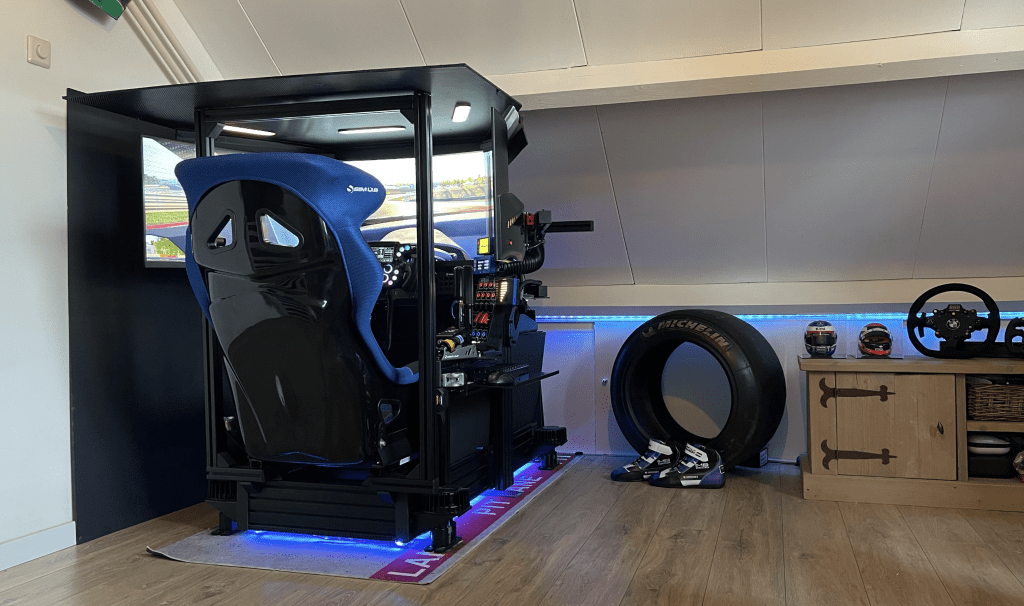
Philips Hue Sim Racing
For Philips Hue Sim Racing, you need a few things: Philips Hue lights to bring the atmosphere of the race track into your room, a smartphone to control the lights, a Philips Hue Bridge to connect everything together, the Philips Hue App on your mobile to set the lights and the Philips Hue Sync App on your PC to synchronise the light effects with your racing game. You'll also need SimHub to display all kinds of racing data on your screen.
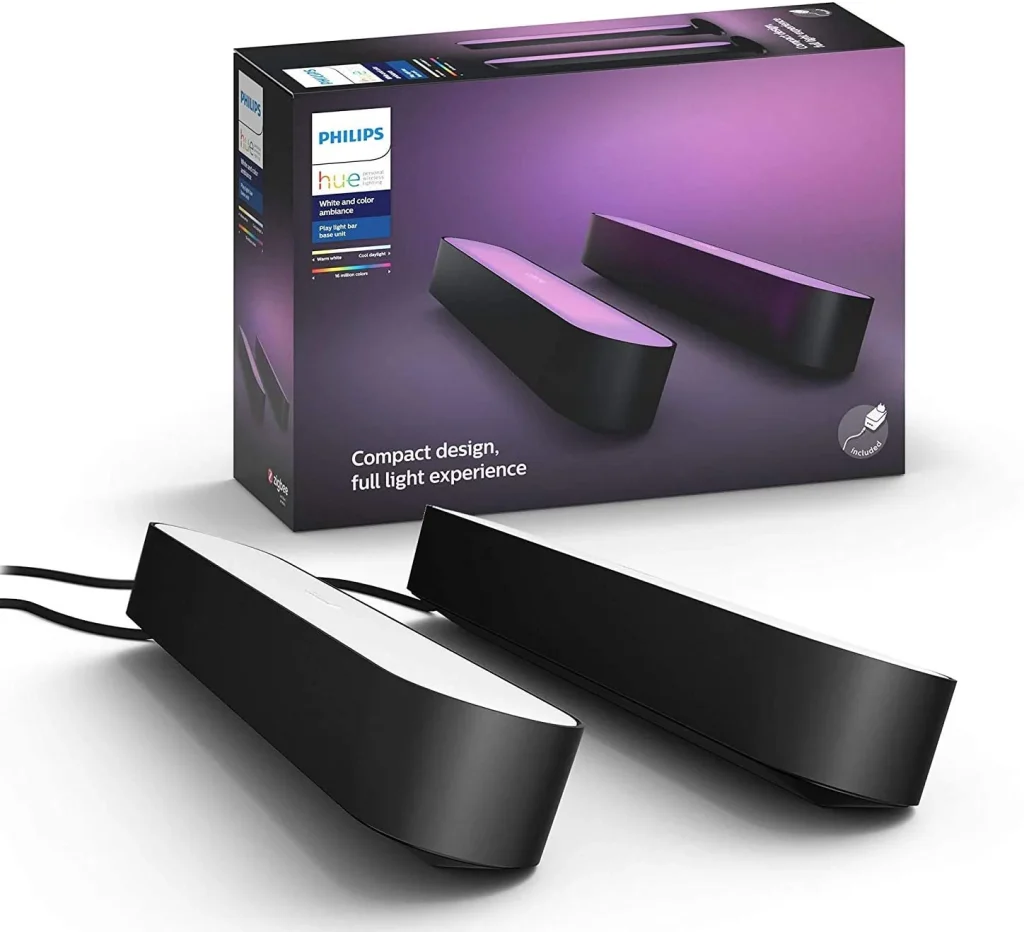
Resumen; for this project you will need the following:
- Philips Hue Lamps
- Smartphone
- Philips Hue Bridge
- Philips Hue App Mobile
- Philips Hue Sync App For PC
- SimHub
Step 1: Buying Philips Hue Lamps
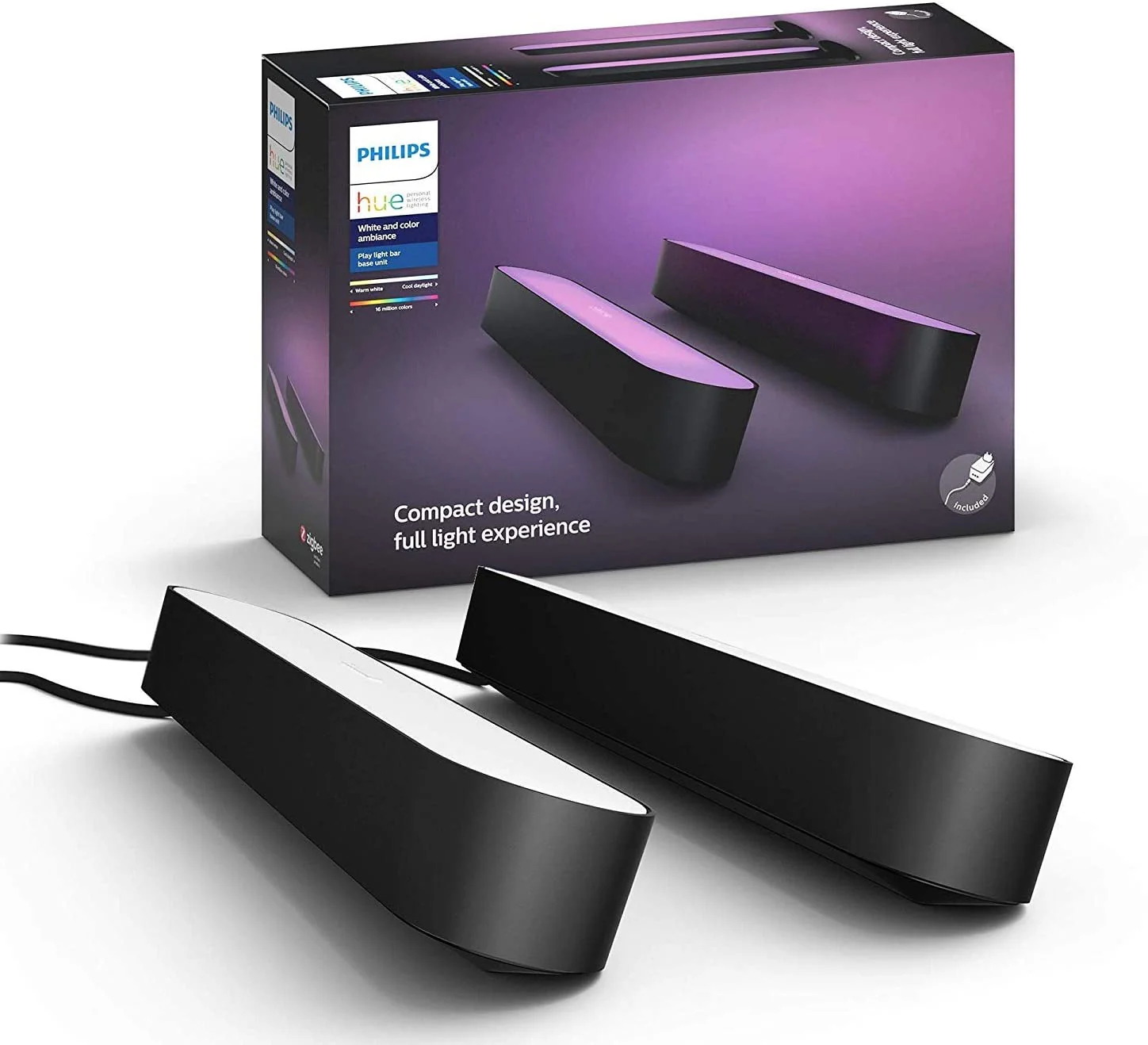
I assume Philips Hue needs no more introduction. If you don't have Philips Hue lamps for this project yet? Then I strongly recommend going for the Philips Hue Play Bar to go. These lamps are available in duopacks and in white and black. The cost of these lamps varies, but they usually cost around €120. At Amazon you will always find a competitive deal. For this project, depending on your setup, choose at least two and up to four ambient lights. In my case, I went for three Philips Hue Play Bar lamps in my triple monitor setup. So one lamp per screen 😉 Choose the amount that suits you in terms of budget and space. Now that we have (bought) the lamps, it's time to install and set up the Philips Hue Ambient Lamps in your sim racing setup.
Step 2: Fitting Philips Hue lamps
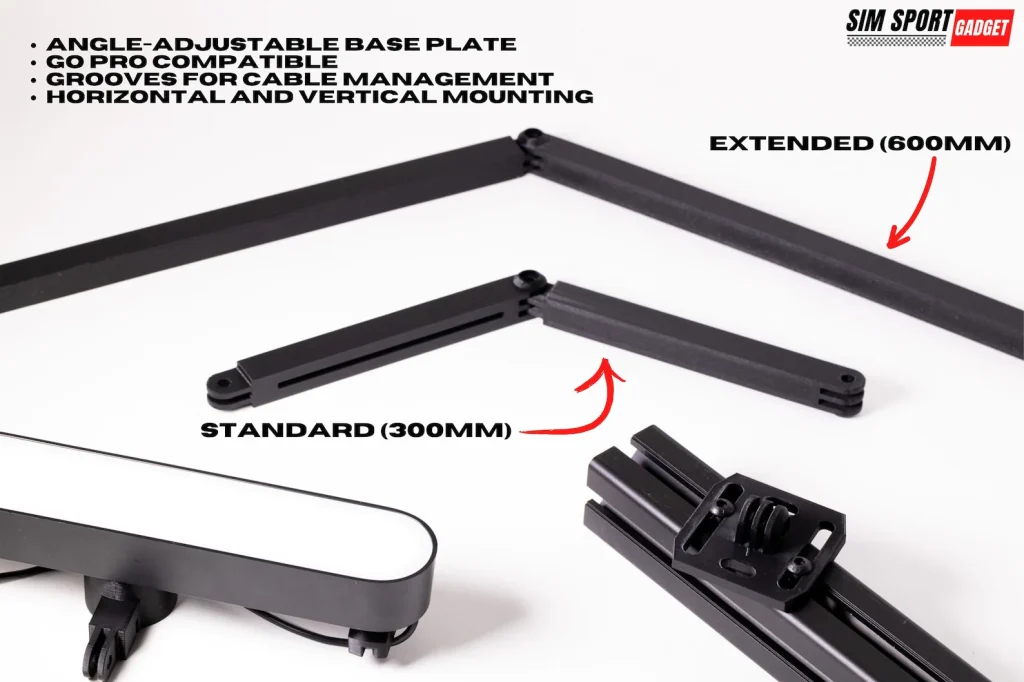
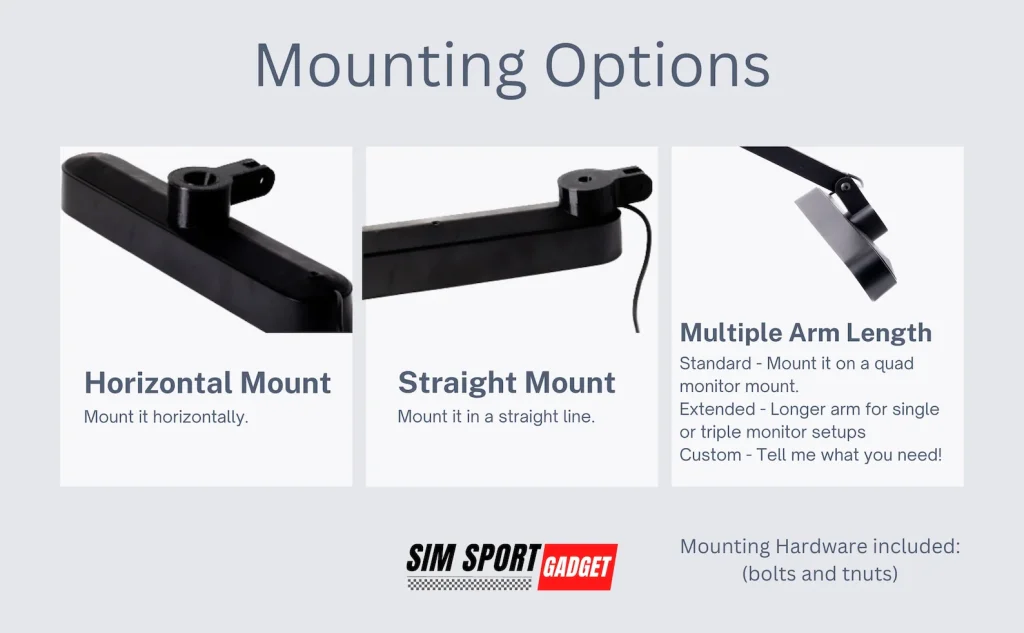
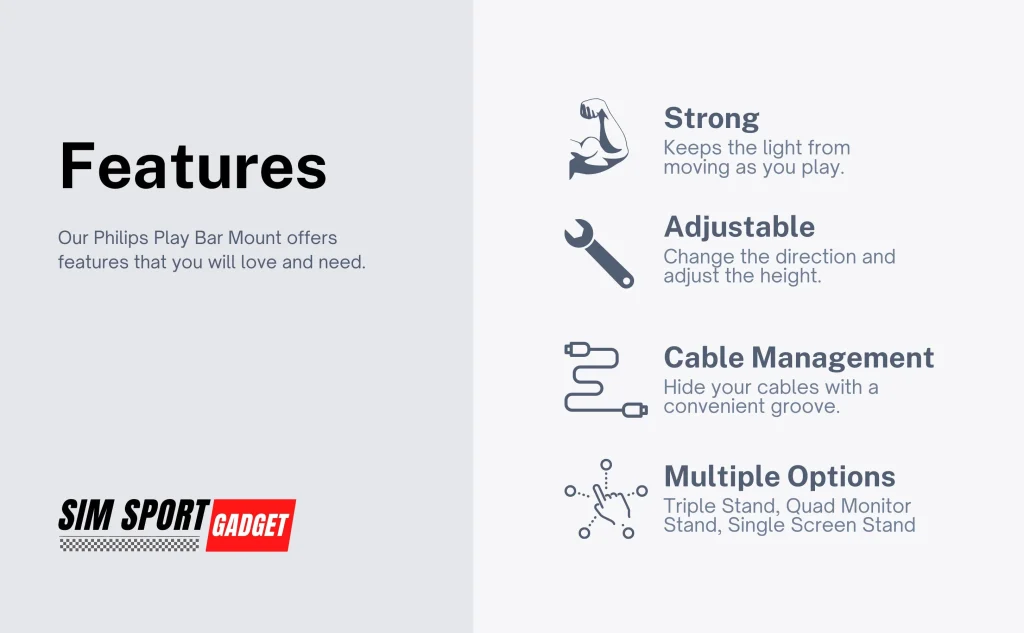
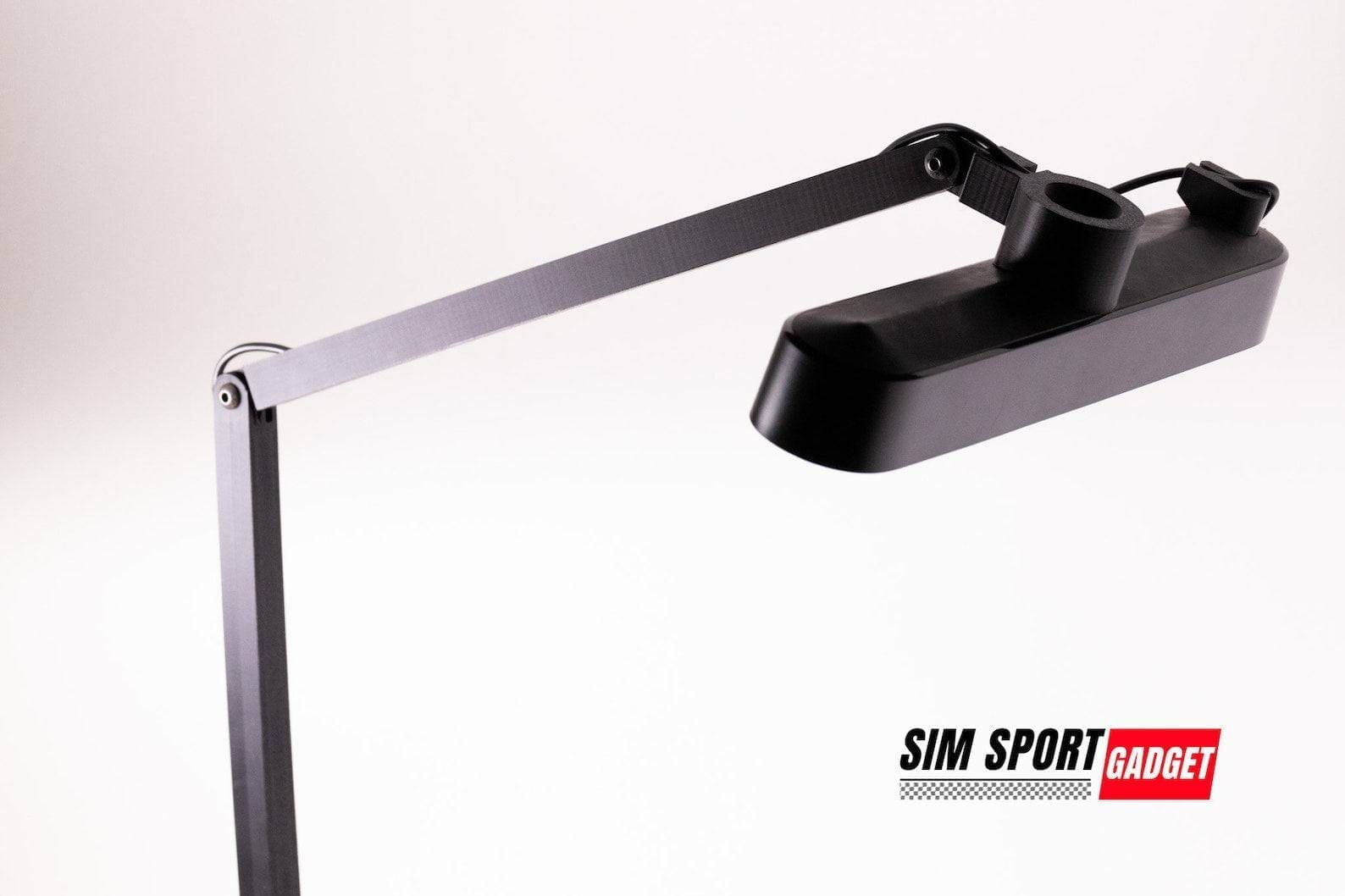
The second step is mounting and attaching the Philips Hue Lamps. If you have already done this, you can skip this step or get inspired by the montage options I list here. I opted for an integrated design where my Philips Hue lamps seamlessly fit into my sim racing roof are integrated. But you can also choose the Hue Play Bar Light Mount by Sim Sport Gadget. This flexible arm allows you to mount and adjust your Philips Hue with a flexible arm the way you want. Below are two examples of the Philips Hue Play Mounts from Sim Sport Gadget and the integrated roof solution I have in my setup.
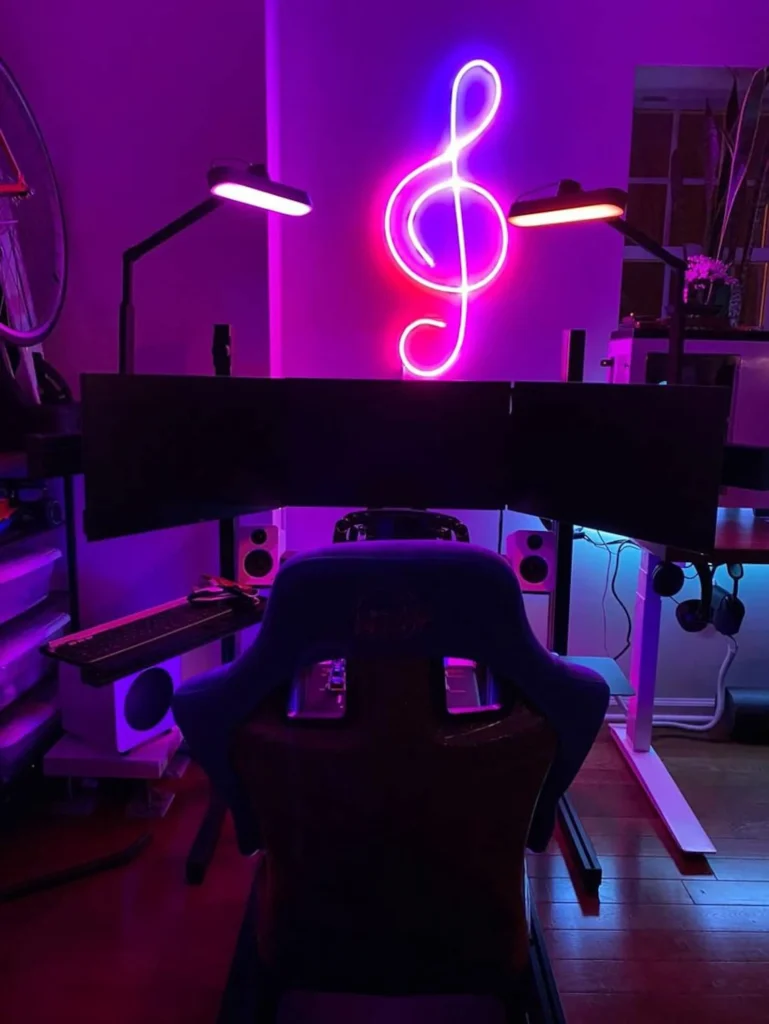
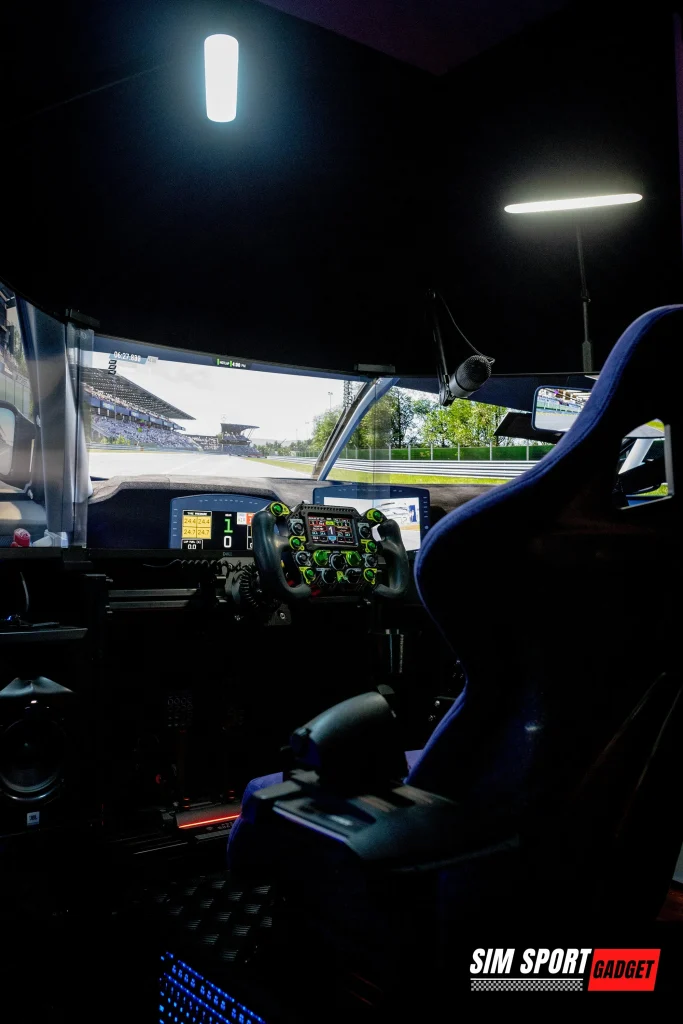
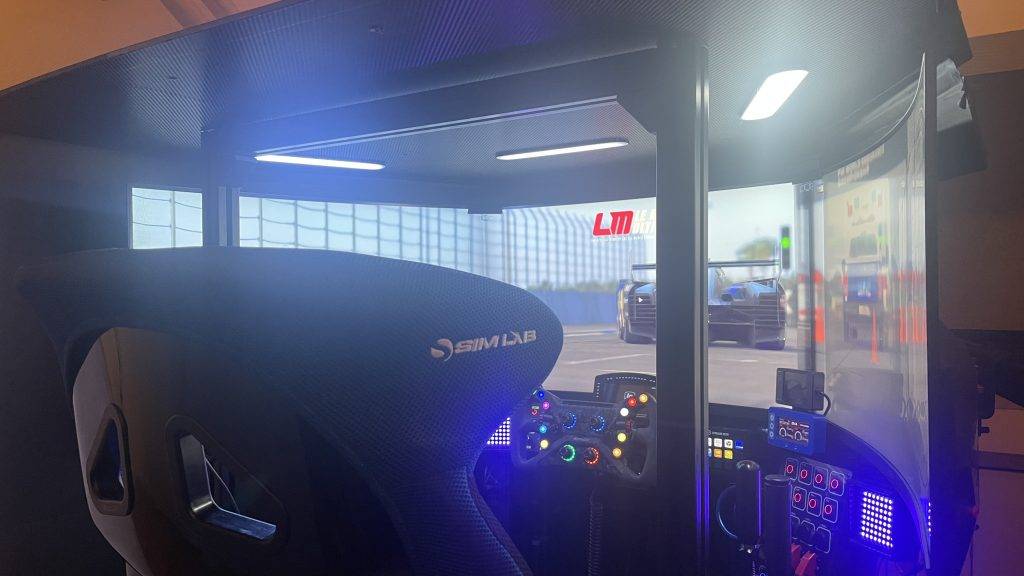
There are different options, length of support arms and mounting options available ranging from around €17 / $ 17 to €75 / $ 75 each. These arms offer you complete freedom and control and the print quality from Sim Sport Gadget is good to go.
Step 3: Configure Philips Hue Lamps
Once you've fitted the Philips Hue lamps, it's time to connect and configure them. Connect the Hue Play Bars to power and connect the Philips Hue Bridge to the internet. The Philips Hue Bridge is needed to control the lamps via your mobile and PC. Via the handy Hue App on your phone, you can easily set the lamps. Open the Philips Hue app and follow the instructions to pair the lamps with the Bridge. This usually involves pressing the big button on the Bridge to find and add the lamps. To do this, go to ‘Settings’ and follow the process. Due to changes in the app's user interface, this changes regularly, but it's so easy that anyone can do it.
Next, create an Entertainment space. You do this by going to ‘settings’ and then ‘Entertainment spaces’. Click on the + and create a space. Then, depending on the number of lamps, add them to this room. Voila! That's it.
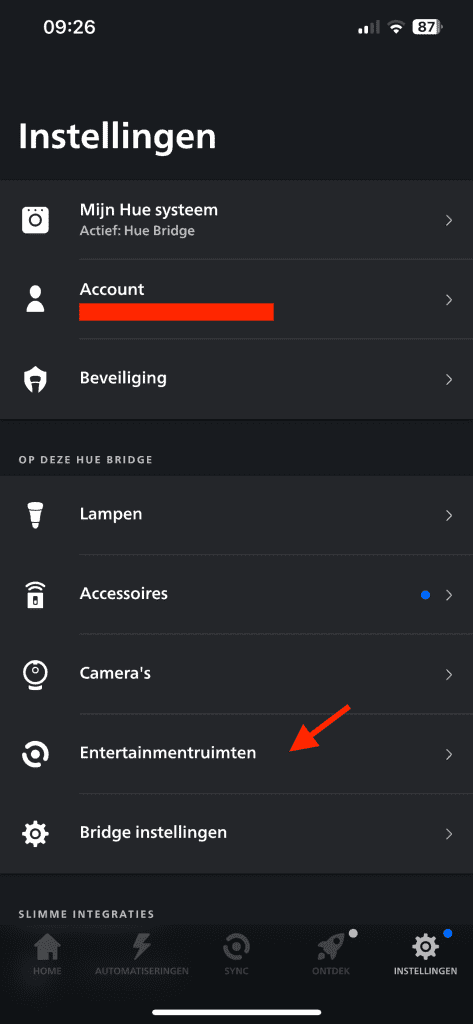
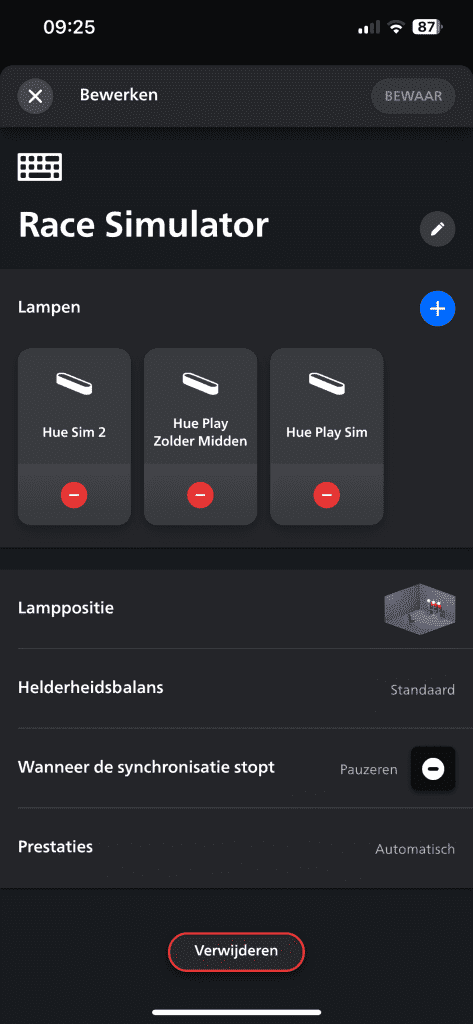
Then download the Philips Hue Sync App for the PC. Nice and easy to control your lights via your PC too.
Step 4: Downloading and setting up SimHub
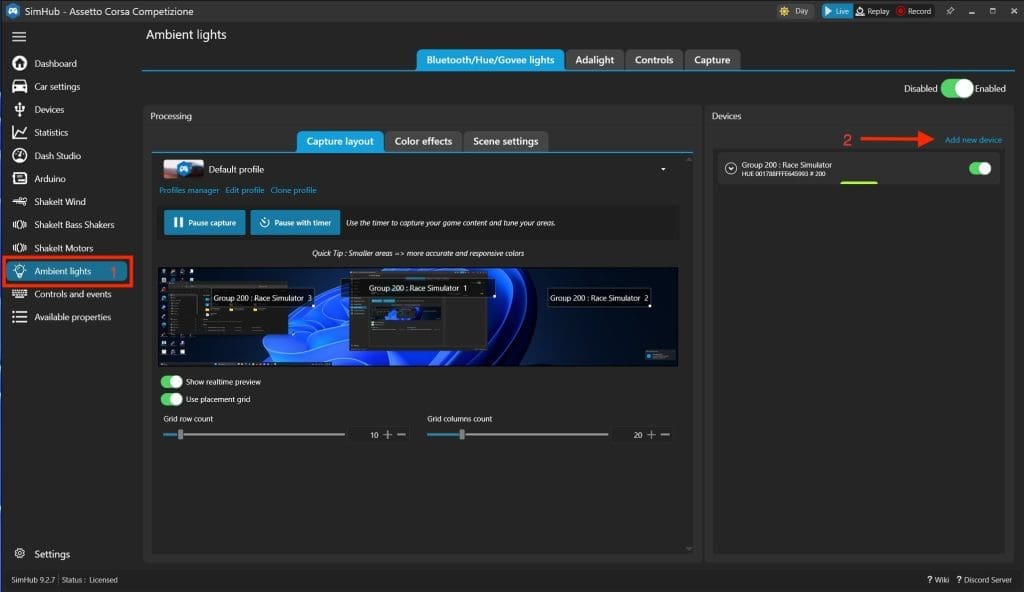
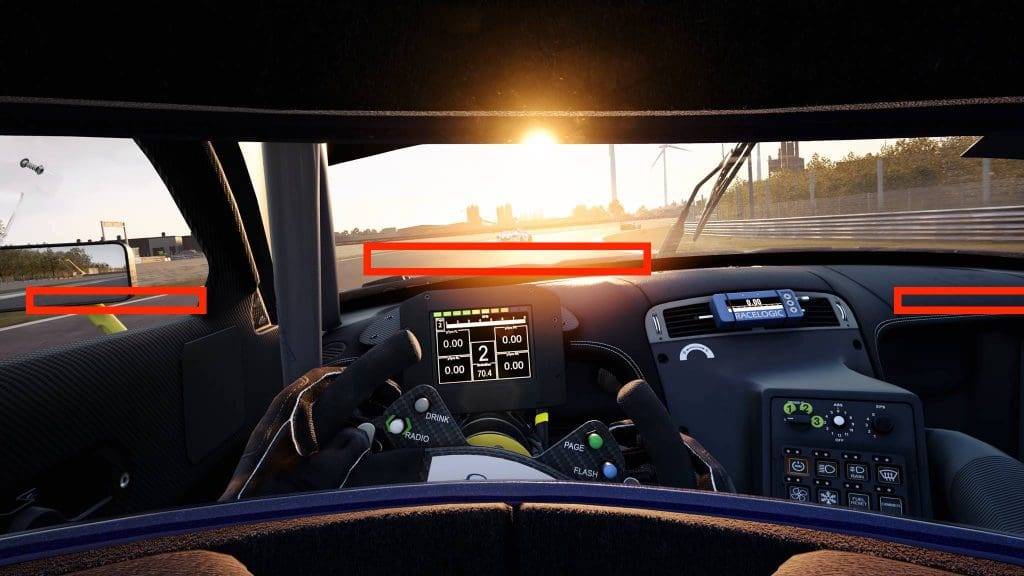
Should you SimHub do not yet have on your PC, download and install this application. It is absolutely indispensable when sim racing on a PC. Once you have installed SimHub, go to ‘Ambient Lights‘. Then click on ‘Add New Device‘ and follow the steps. Once you have paired the Bridge with your Hue Lamps, they will be visible on the right-hand side. In my case, there are three of them. Then, in the middle screen, you will see three areas that you can resize and move as you choose. Once you click on these, the relevant Hue lamps will light up so you can be sure you have the right lamp.
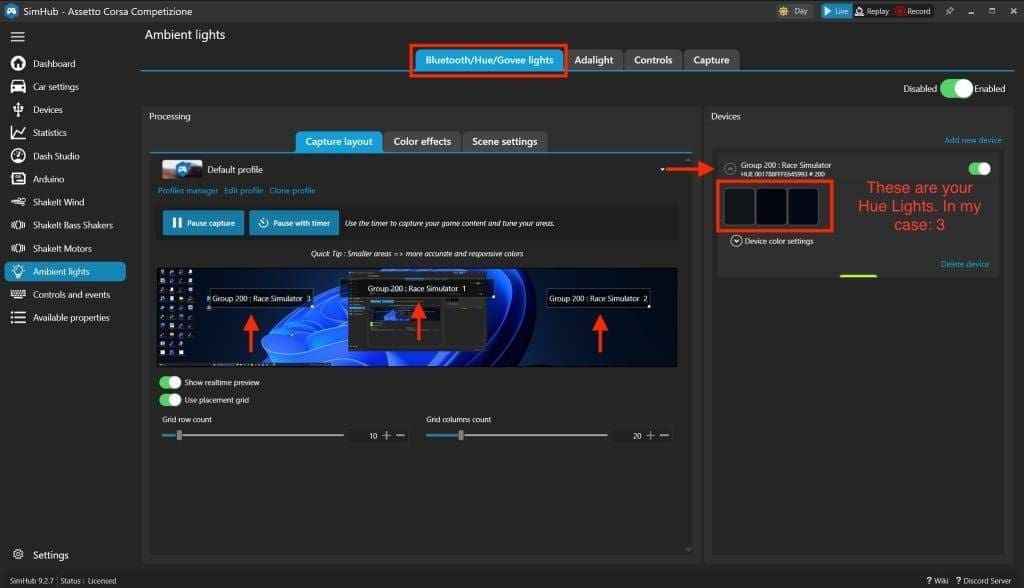
Tip: start up your favourite sim and open a test session and go out on the track for a while. Once you are in a session make sure you set the camera from the cockpit. Then take a screenshot and save it. Now that you have a screenshot of a cockpit view, you can load this image into SimHub so you can better position the lights. Position the left lamp on the left side near the mirrori, the middle lamp above the dashboard and the right lamp on the right side near the car window or mirror. This obviously depends on your FOV. See what works best for you and gives the best results.
Step 5: Testing Philips Hue lamps
Now that we have everything set up, it's time to test the Philips Hue bulbs. Choose your favourite sim racing game and start a test session. Choose a track with lots of contrast differences and shadows caused by trees. Monza, Spielberg or Long Beach are good circuits to test the lighting. Monza because of the many trees, and Long Beach because of the many objects next to the track and at sunset.
Step 6: Ready! Time to take to the track
Now that you have set up the Philips Hue sim racing lamps to your liking, you don't really need to look at them anymore. As soon as you start SimHub, the Philips Hue Lamps are automatically synchronised with your display. Handy, right? We're now done setting up your Philips Hue lights. Have fun racing!

Conclusion: Philips Hue Sim Racing
Want the ultimate sim racing experience with maximum perception? Then Philips Hue Sim Racing lights are absolutely essential for a realistic and immersive racing experience. Setting ambient lighting is easier than ever these days. Using the step-by-step guide, you can install and configure the lights without much effort.
This addition makes your sim racing experience not only more beautiful, but also much more impressive. Racing around your favourite track with changing light is so incredibly cool. Whether you are racing through a wooded area at Spa-Francorchamps or in Africa with a setting sun, this dynamic experience is sublime and makes your experience a true visual spectacle.
In short, Philips Hue sim racing lights are a simple and relatively inexpensive way to take your racing experience to an even more realistic level. This makes racing not just a game, but a spectacular visual experience!
Have any thoughts?
Share your reaction or leave a quick response — we’d love to hear what you think!
-
 0
0
-
0
-
0
-
0
-
0
-
0


 Nederlands
  Deutsch
  English (UK)
  Français