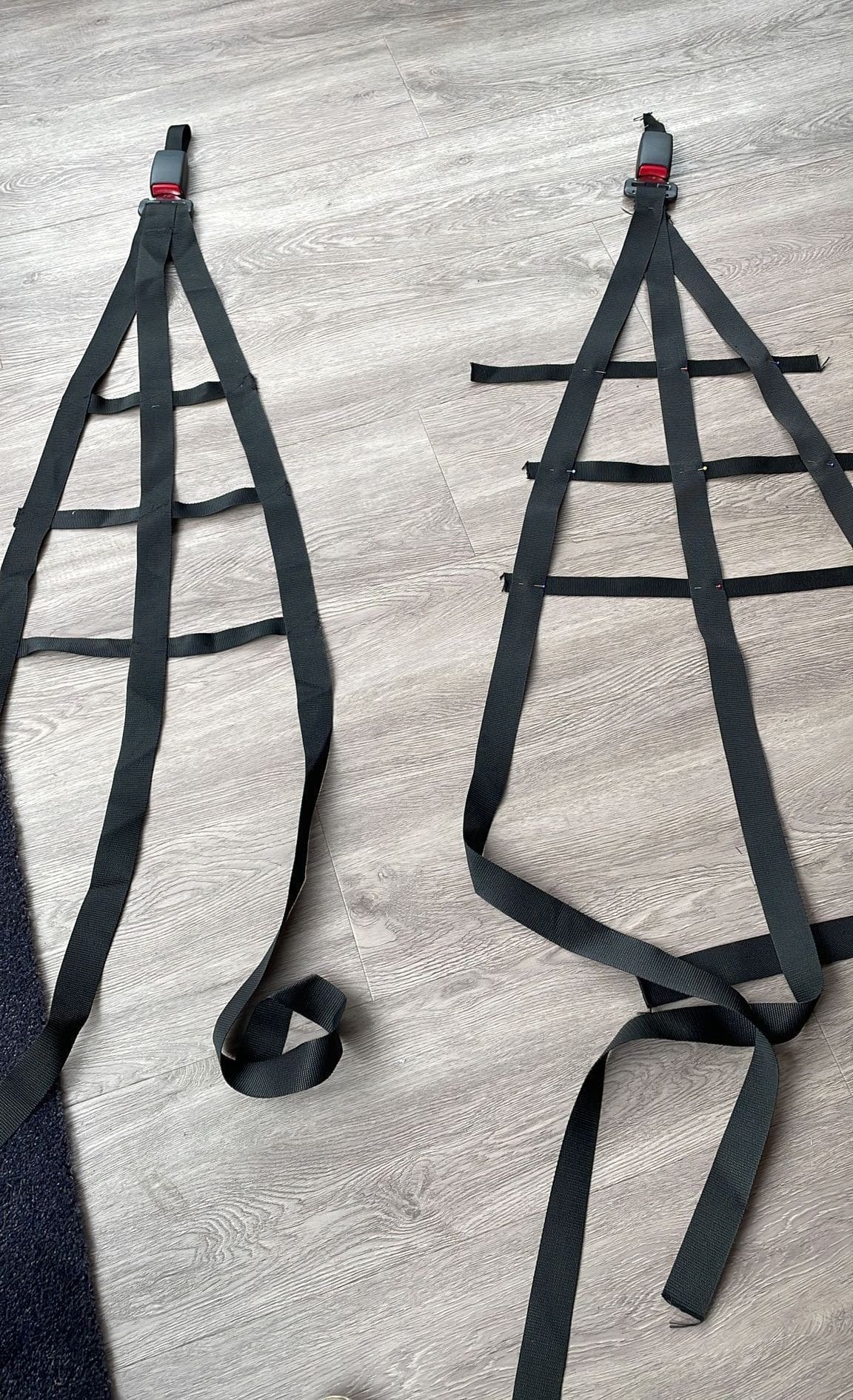
Sim racing is becoming increasingly realistic and people are becoming more fanatical in their quest for realism and experience. You can do this through good hardware from, for example Fanatec, but also by adding, for example, a wind simulator Or even a sim racing roof! You also see more and more simulators with (DIY) sim racing safety nets. This makes you feel like you are really in a race. cockpit sits.
Sim Racing Safety Nets play an important role in recreating an even more realistic racing experience. Of course, they do not offer real safety, but they do increase realism and the overall experience. In this comprehensive article, we take you through the process of making these yourself DIY Sim Racing Safety Nets. And it's easier than you think!
What are Sim Racing Safety Nets?
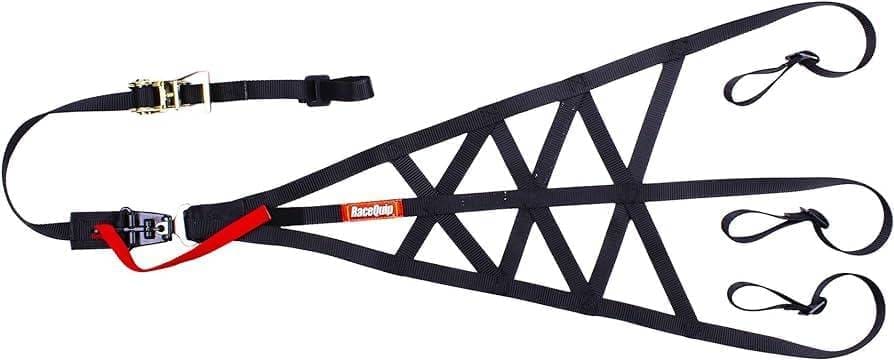
Safety nets are nets installed next to the seat of a racing simulator. They simulate the safety nets found in real racing cars that are meant to protect the driver. In a sim environment, they add an extra layer of realism.
Why DIY Sim Racing Safety Nets?
A DIY approach has several advantages. It allows you to have full control over the size, shape, and style of your safety nets so that they fit perfectly with your existing setup. Moreover, it is a cost-effective solution compared to ready-made options. Buying ready-made safety nets can be expensive, especially if you're looking for something specifically tailored to your setup. These quickly cost around €150 per net (and you need two). The price is often so high because these are officially safety nets that have to meet the strict safety condition and FIA regulations. By making them yourself, you can save significantly on costs because you only pay for the materials you need.
DIY projects allow you to customise every aspect of the net to suit your specific needs and preferences. You can choose the size, shape, colour and material of the net to perfectly suit your simulator and personal style. Moreover, making it yourself is many times more satisfying and fun to do, as it is more satisfying.
Supplies
Making sim racing safety nets is, as mentioned earlier, easier and cheaper than you think. And you fortunately don't need too many materials for this. The whole project will cost you around €50 on average.
- Mesh material: Choose a durable material such as nylon or polyester. It should be strong enough to resist the force of a person leaning against it. Choose 25 or 40 mm polypropylene. These nylon straps are available in different colours and sizes, depending on the design you want to make. In my case, I went for black polypropylene in 25 and 40 mm.
- Fastening materials: Consider buckles, cable ties or even metal rings, depending on your preference and the structure of your simulator and how you want to attach this to your simulator. I bought two seatbelt receivers from a local car recycler for just €10.
- Tools: Sturdy scissors, pins, measuring tape, and possibly a sewing kit or sewing machine are essential.
Roadmap DIY Safety Nets Making
Grab your tools, prepare for some creativity and perseverance and let's start building your own DIY Safety Nets!
Step 1: Planning and Measuring
The first stage is crucial: good preparation and precise measurements are essential for a successful DIY project. Carefully consider your design. Do you plan to use different colours of polyester tape? And are you considering using bands of various widths? In my project, I used both 25 mm and 40 mm tape, with the narrower 25 mm tape serving for the vertical connectors and the wider ones for the horizontal lower, middle and upper parts.
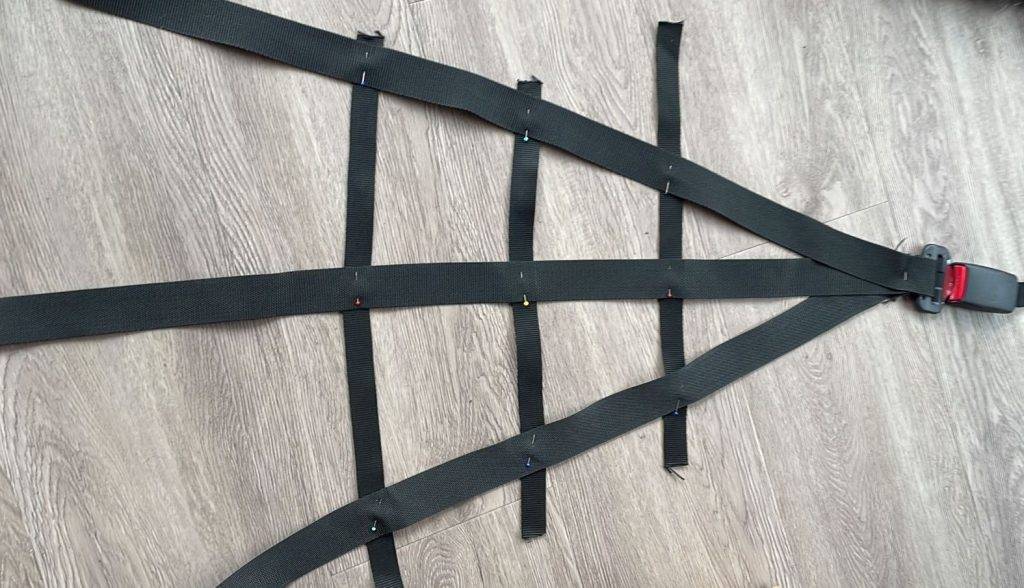
Determine the exact dimensions of the space next to your seat where you want to install the safety nets. Take into account both length and width, but be sure not to forget depth, so that your safety net functions effectively as a barrier, while at the same time giving you enough freedom of movement. Every setup is unique, so don't be afraid to creative to be. You might find a better way, solution or use a different type of material that better suits your personal preferences.
Step 2: Preparing materials
Cut the net according to the correct measurements. Always allow an extra few centimetres on each side for fastening and any adjustments. If the material frays, you can sew or burn the edges with a lighter. Once you have cut all the bands into the right dimensions, lay the design down on the ground or a table. Use pins to connect the horizontal and vertical bands. Check the design and attach it provisionally to see if the design, dimensions and position of fasteners are to your liking.
Step 3: Confirmation and installation
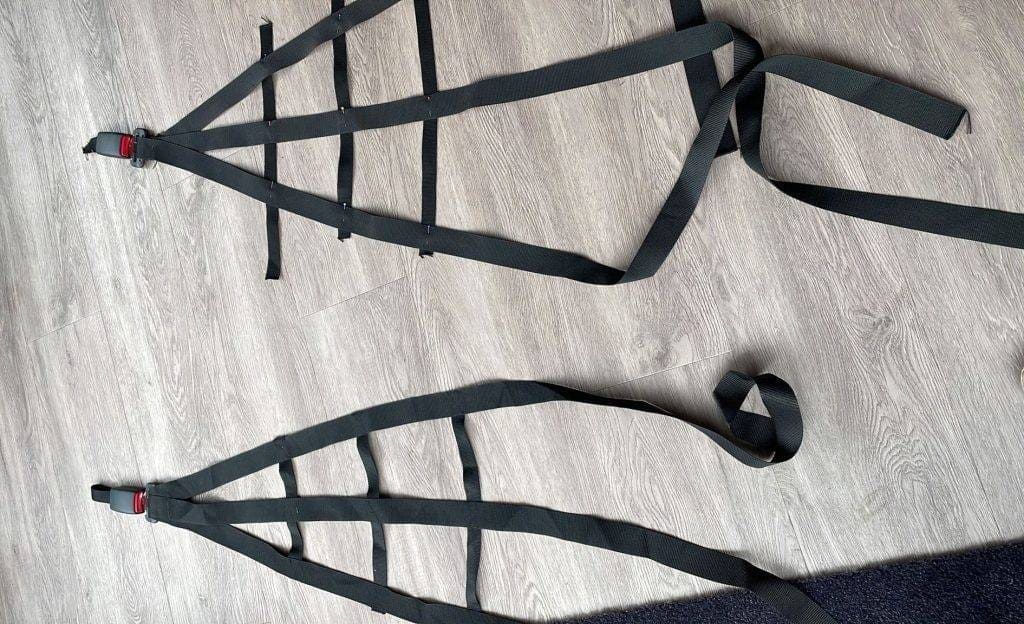
When you are happy with the design and all dimensions are right, it is time to sew on the nylon straps. The quickest and best way to do this is with a sewing machine. This is when I enlisted the help of my mother who sewed everything down perfectly for me 😉
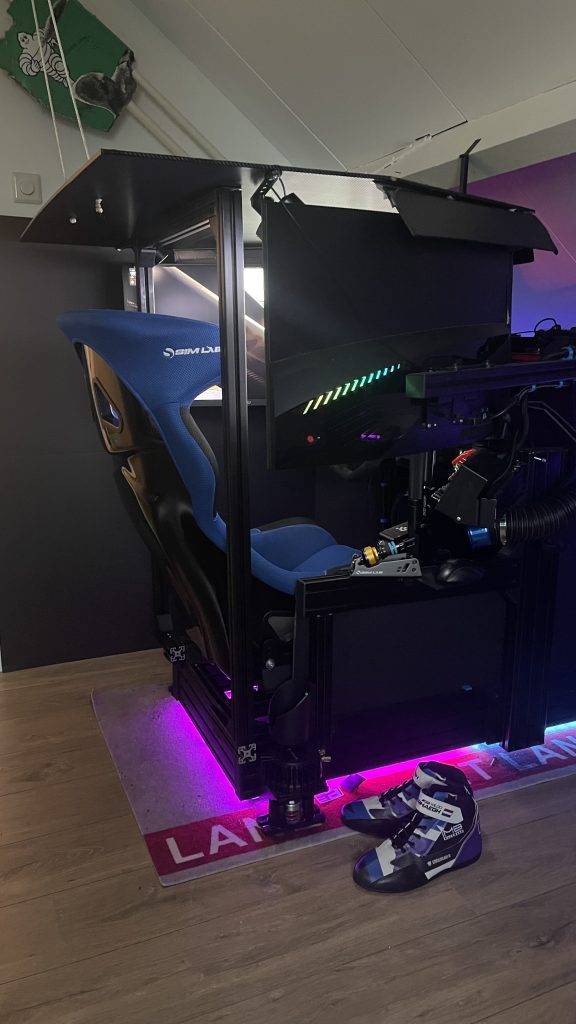
Once your home-made sim racing safety net is ready, the moment arrives to attach it to your (home-made) simulator. This represents the most complex phase of the whole project and requires creativity, insight and determination to attach the safety net just right. The biggest challenge lies in finding a suitable attachment without interfering with the centre console, shifter and handbrake on the right-hand side.
Because my simulator is quite compact, this was a huge challenge and headache and something I am not satisfied with at the time of writing and have found the perfect solution for. I attached the front strap, where the belt receiver is on the end, to the side of my simulator. I attached the rear upper, middle and lower straps to vertical aluminium profiles that I attached to my simulator.
Step 4: Testing and adapting
Once you have attached the safety nets, start your favourite SIM up and take to the track! Sit down and race a few laps. See and experience if your DIY sim racing safety is just to your liking and adjust where necessary. Are you happy with the final result? Congratulations! You have now successfully created your own DIY Sim racing safety net!
Conclusion
Making your own Sim Racing Safety Nets is a fun, easy and inexpensive DIY project. It not only increases safety and realism, but also gives you a sense of pride and satisfaction every time you step into your simulator. Until the next project!
Have any thoughts?
Share your reaction or leave a quick response — we’d love to hear what you think!
-
 0
0
-
0
-
0
-
0
-
0
-
0


 Nederlands
  Deutsch
  English (UK)
  Français