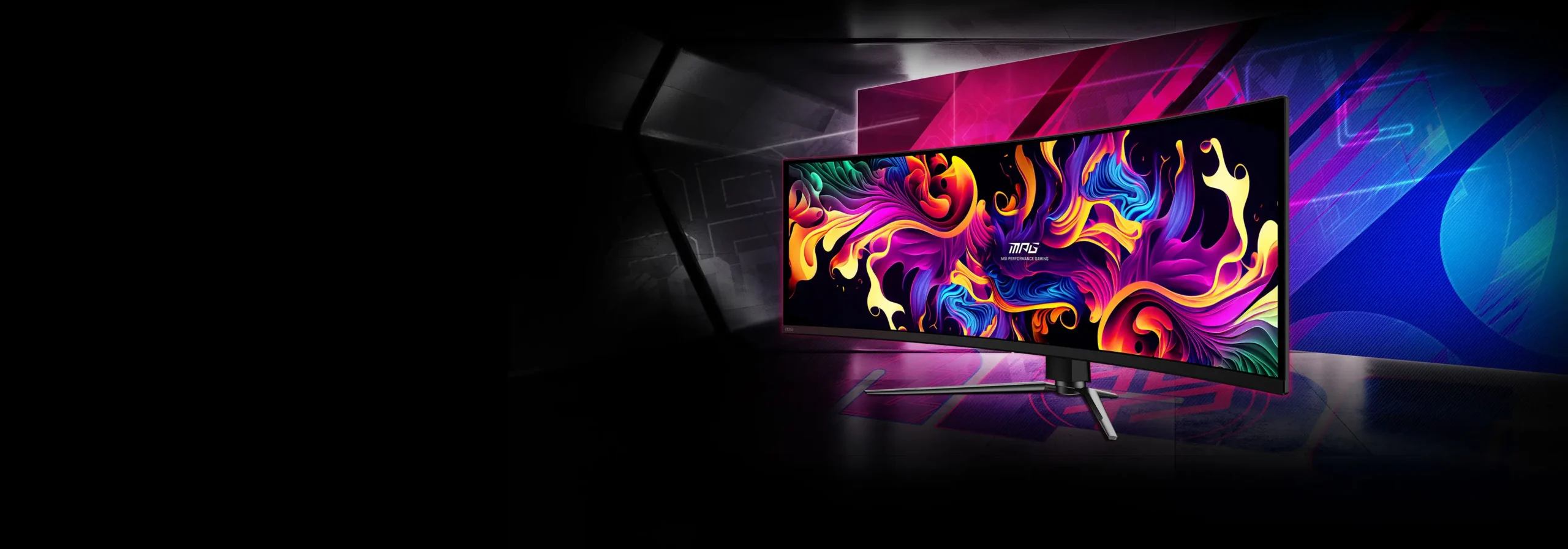
I remain critical when testing super ultrawide monitors. Especially when it comes to OLED. The technology sounds great on paper, but comes with risks: burn-in, limited brightness, limitations in resolution support and physical size. Still, after months of intensive testing of the MSI MPG 491CQP QD-OLED genuinely impressed. This monitor surprised me on several levels - in a positive way.
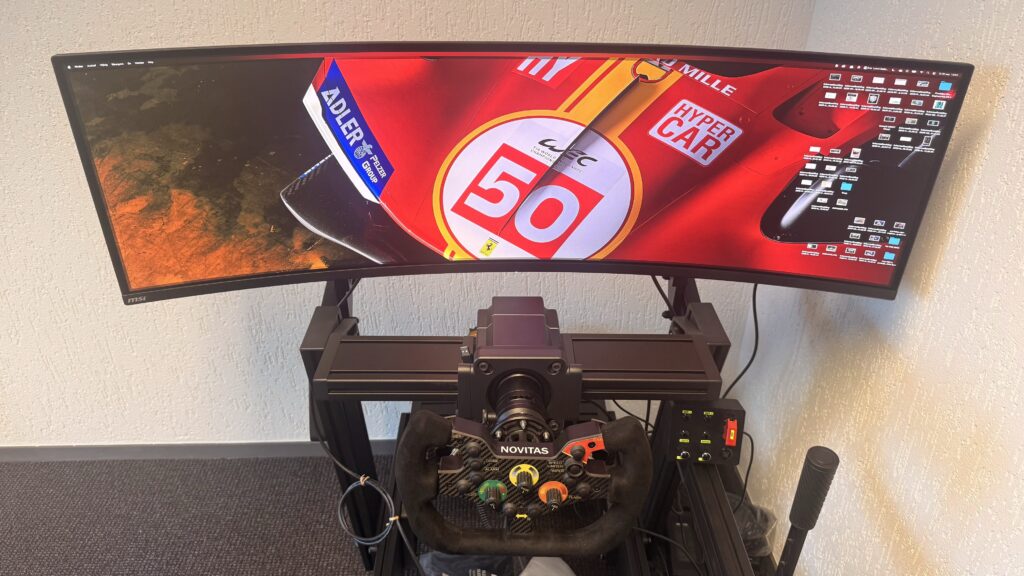
I use this screen alongside my triple screen setup, in my new test setup: a Sim-Lab P1-X Pro cockpit which I set up for single-screen use. Where triple screens remain powerful for wide FOV work, this screen offers something different: tranquillity, sharpness, one seamless image surface - without the visual interruptions of bezels or colour differences between panels.
The technical specifications of the MSI MPG 491CQP QD-OLED are impressive: 49-inch diagonal, 32:9 ratio, 5120×1440 resolution, 1800R curve, 144Hz refresh rate and a QD-OLED panel. But in the end, of course, it's not just about the numbers, but what this means in practice for sim racing. And that is exactly what this review is all about!
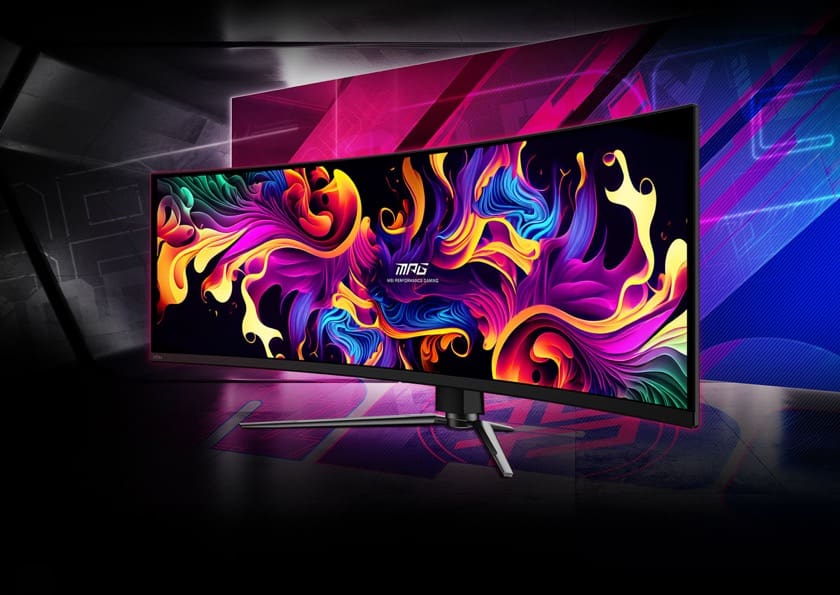
Unboxing & first impressions
When the MSI MPG 491CQP QD-OLED arrived, I knew immediately: this is not your average monitor. The box is hefty, sturdy and well-packaged - logical considering the size of the screen. The colours - as on the display itself - splash off. Inside, everything is neatly separated with foam, cardboard and protective film. You will find this inside the box:
- The MSI MPG 491CQP QD-OLED monitor itself
- A sturdy metal base (for those not using it in a rig)
- A VESA-mount cover
- DisplayPort 1.4 cable
- HDMI cable
- USB-C cable
- USB upstream cable (for KVM)
- Power cable + adapter
- Quick installation guide
- Warranty card
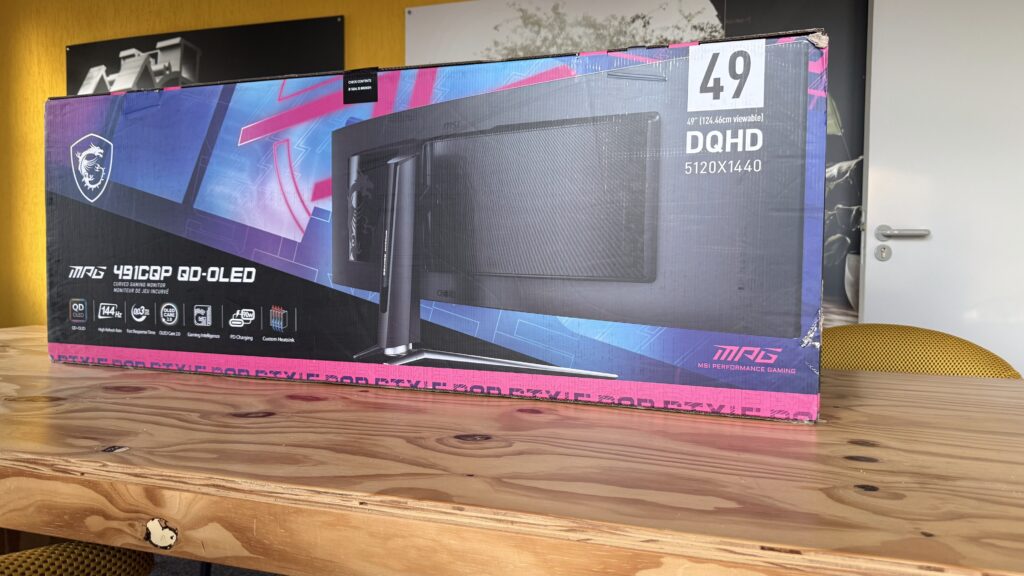
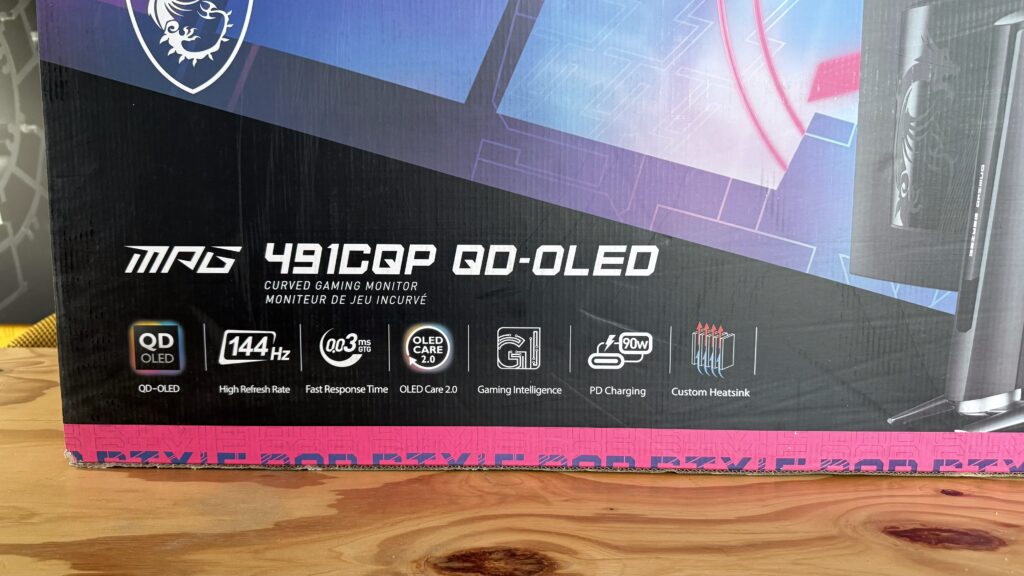
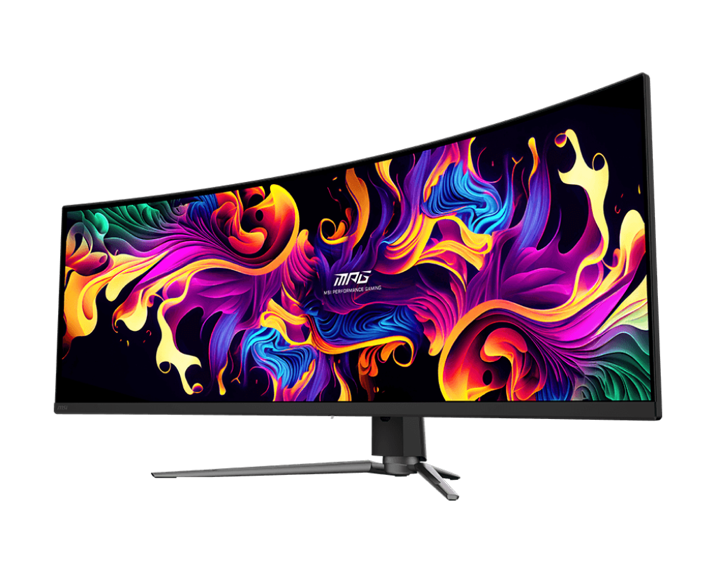
The screen is immediately impressive: clean finish, narrow bezels, and a robust but modern look. The slightly curved 1800R curve is highly visible without being excessive. Everything oozes quality. What struck me most was how thin the screen panel itself is, especially considering its size.
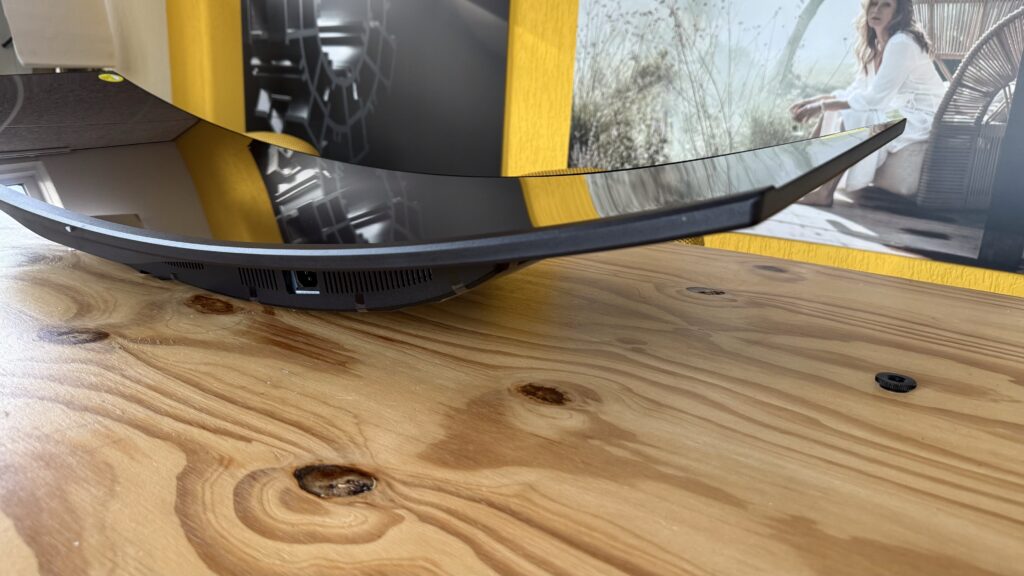
In any case, the first impression is very positive. It feels like a product designed with care, and this is reflected in design and specifications. The connectors are conveniently hidden at the back, with plenty of room for cable management. An important aspect for sim racers. Once out of the packaging and placed on my rig, it felt like the screen exactly belongs in a this new, simplistic and clean cockpit. It is a feast for the eyes!
Specifications
- Screen size: 49 inch (32:9 ultrawide)
- Resolution: 5120 x 1440 (DQHD)
- Panel type: QD-OLED (Quantum Dot OLED)
- Curvature: 1800R
- Image refresh: 144Hz
- Response time: 0.03ms (GtG)
- HDR: DisplayHDR True Black 400
- Contrast ratio: 1,500,000:1 (typical)
- Colour range: 98% AdobeRGB / 99% DCI-P3 / 146% sRGB
- Brightness: 250 nits (typical)
- Adaptive Sync: AMD FreeSync Premium Pro
- Montage: 100 x 100 mm VESA
- Dimensions (without base): 1195 x 190 x 372 mm
- Weight: 10.3 kg (net)
- Viewing angle: 178° (H/V)
- Anti-reflection coating: Yes
- Frameless design: Yes
- PIP/PBP functionality: Yes
- KVM switch: Built-in
- Guarantee: 3 years (including burn-in protection)
With its 49-inch QD-OLED panel, 144Hz refresh rate and razor-sharp 5120×1440 resolution, the MSI MPG 491CQP delivers an unparalleled racing experience. Thanks to the ultra-wide 32:9 image, 0.03ms response time and 98% AdobeRGB colour gamut, you'll see every apex, braking zone and weather change in stunning detail. This is the screen that lets you not only race, but fully immerse yourself in the simulation.
With a recommended retail price of around € 1049 MSI positions the MPG 491CQP QD-OLED as a premium display, but one that is significantly cheaper than comparable ultrawides from the likes of Samsung or LG. For this price, you get a particularly complete package.
Installation - quick and easy with the right mount
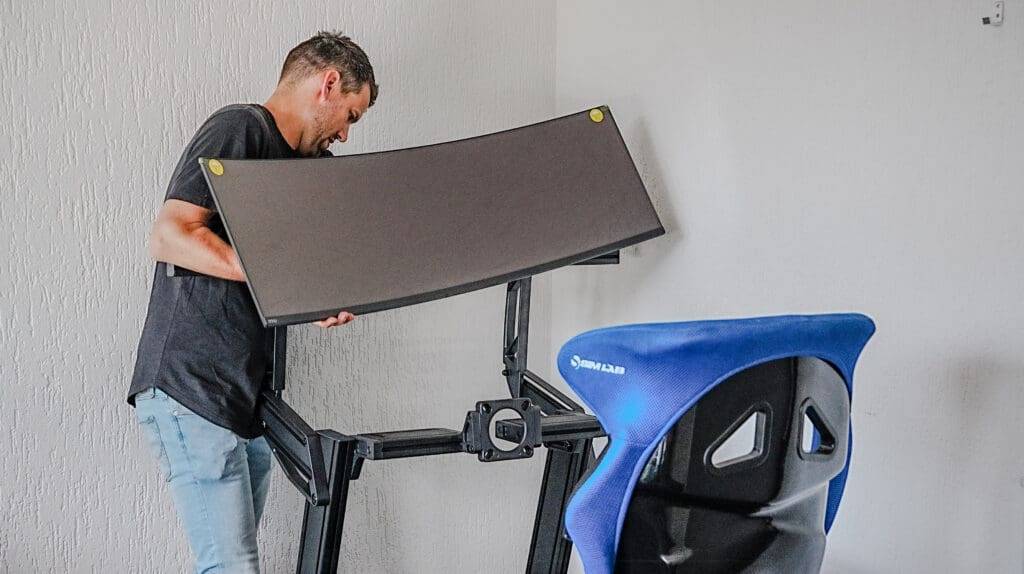
Installing the MSI MPG 491CQP QD-OLED in my Sim-Lab P1-X Pro cockpit went surprisingly smoothly. Thanks to Sim-Lab's VESA mount, it was a piece of cake. Although the screen looks hefty at 49 inches, it is surprisingly light in weight for an OLED of this size. You easily lift it up and position it without fuss.
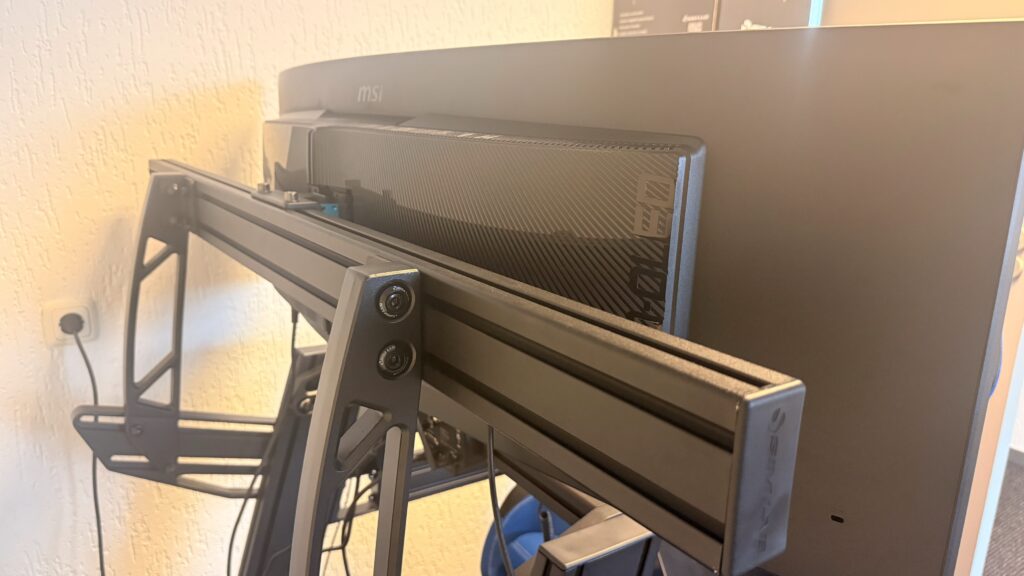
Using the additional Vario VESA adapter quickly attach the monitor to your rig, and alignment is remarkably easy and precise. The montagegates are easily accessible and the finish on the back makes cable management easy. In less than 15 minutes, the screen sat completely level at the right height. This easy installation makes the screen extra attractive for those who already have a rig with VESA support, such as from Sim-Lab or Trak Racer.
Impressive size that feels instantly functional
The size is overwhelming at first glance. But once you mount the monitor, you immediately notice how naturally the view forms around the screen. The 1800R curve keeps even the outer zone within your peripheral vision active. The screen is truly designed to completely fill your field of vision, without tiring.
For sim racing, this means all visual information at a glance. The virtual mirrors, dash, apex points, race overlays - everything is within your line of sight. You hardly need to turn your head anymore. Especially in long endurance sessions, this pays off: less visual fatigue, faster reactions and less chance of making mistakes. And fair's fair: every now and then, stepping into this single monitor cockpit feels nice!
Connections and settings
I use the monitor exclusively via DisplayPort 1.4, directly connected to my sim-PC from YourBuild. Other connectivity options such as HDMI 2.1, USB-C with 90W power delivery or KVM switch options are available, but I did not use them in this setup. KVM can be useful for those who want to share the monitor between a gaming PC and work laptop.
The menus are clear and intuitive. The joystick at the bottom of the screen works quickly and responsively. OLED Care 2.0 offers multiple burn-in prevention tools such as Pixel Shift, Panel Refresh and Static Detection. Notifications appear - apparently after - prolonged use. But in all honesty, I have never experienced this myself. Because racing for more than six hours is unfortunately not in the cards for me 😉
QD-OLED picture quality - detail, contrast and colour depth
What sets this monitor apart from the 32″ curved MSI Optix MAG322CQR monitors I use in my triple monitor setup is the picture quality. OLED in itself is impressive for its deep blacks and high contrast, but the addition of Quantum Dot technology gives the colours an extra layering. They are vibrant, but not overly saturated - an important difference when driving for long periods of time.
In night racing or rainy conditions, the screen really comes alive. Think reflections on wet asphalt, slight glare on bodywork, or small corrections of cars in front of you. Details, colour depth and contrast are stunning. Details that fall away on other screens are razor-sharp here. Brightness is more than adequate - both in darkened rooms and during the day in a bright studio.
What I also find strong is the uniformity of the panel. No clouding, no colour banding, no hotspots. The anti-reflection layer does its job without making the image flatter. Even with HDR content like ACC or Le Mans Ultimate, the image remains powerful and consistent. It is a breathtaking improvement over my monitors in my triple monitor setup.
Design and finish - functional and modern
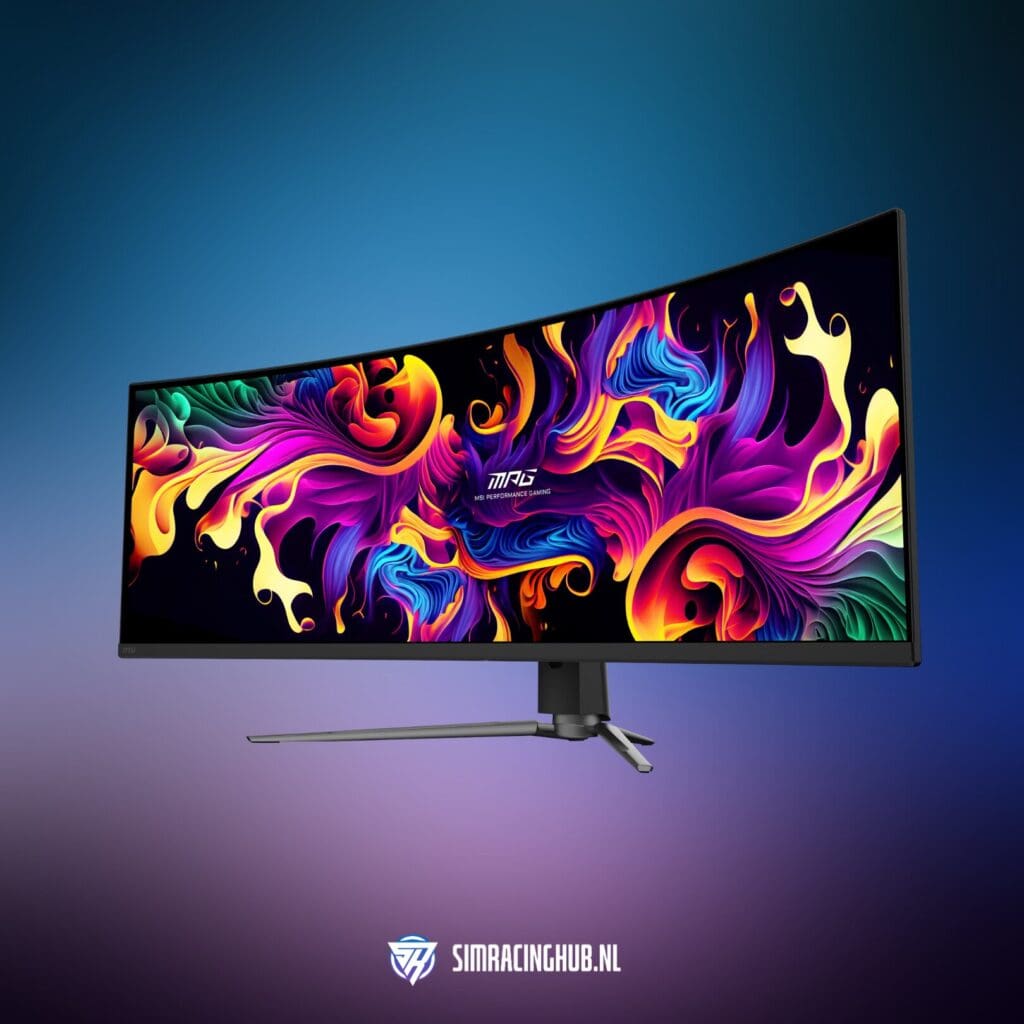
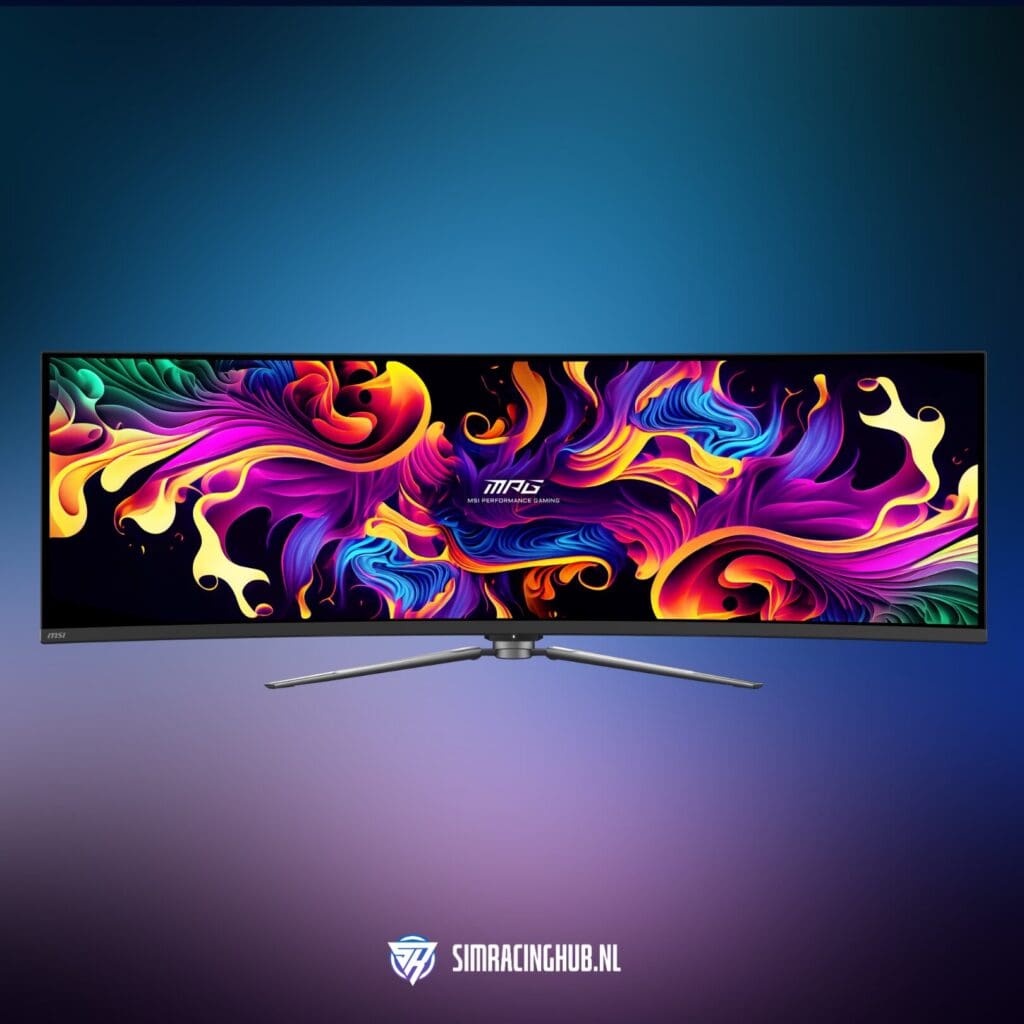
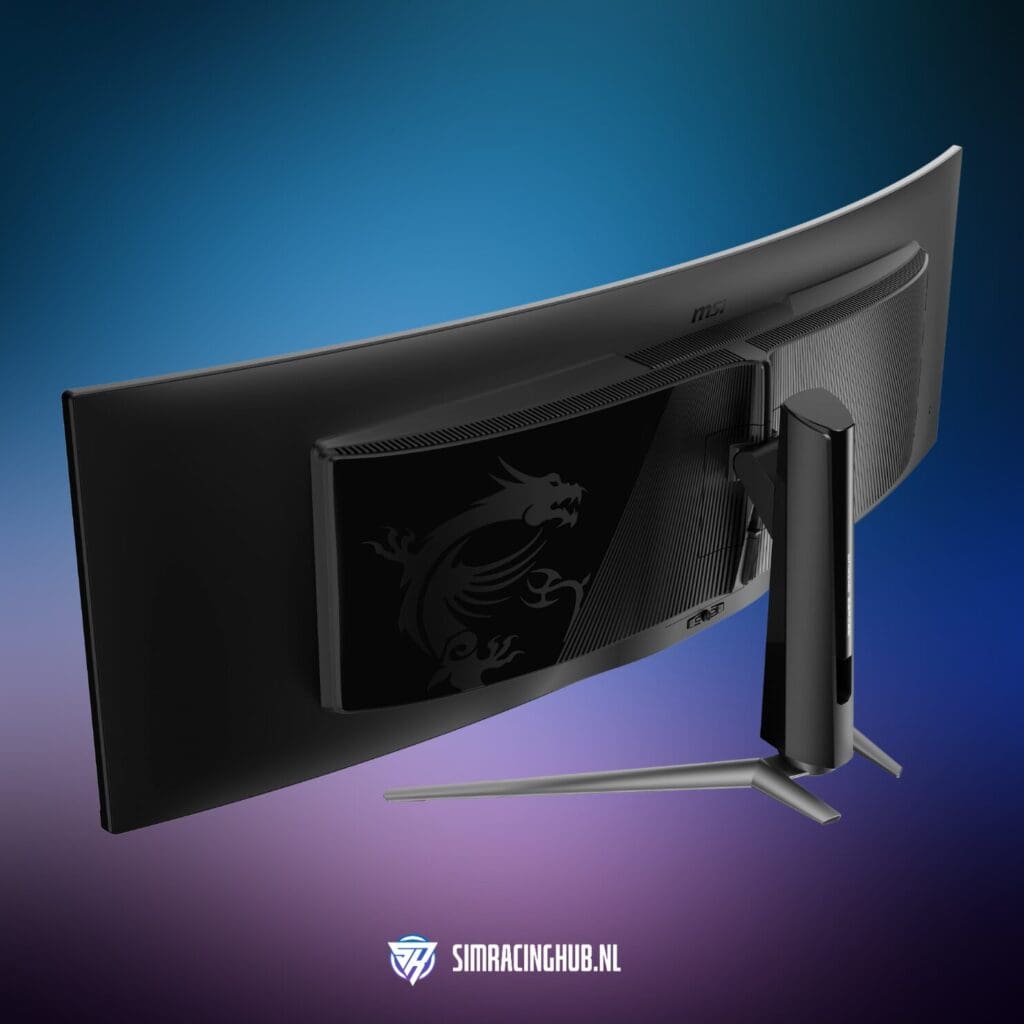
The design of the MSI MPG 491CQP QD-OLED is sleek, subtle and thoughtful. The body has a mostly matte black finish with a modern and minimalist look that fits well in a sim racing cockpit. The bezels around the screen are narrow, maximising the visual area.
MSI deliberately chose not to use prominent RGB lighting or unnecessary design elements here - and that is exactly what you want in a cockpit setup: focus without distraction or annoying RGB lighting. That's nice and fine if you want to use this monitor for a desktop game setup, but for sim racing it's an absolute no-go as far as I'm concerned.
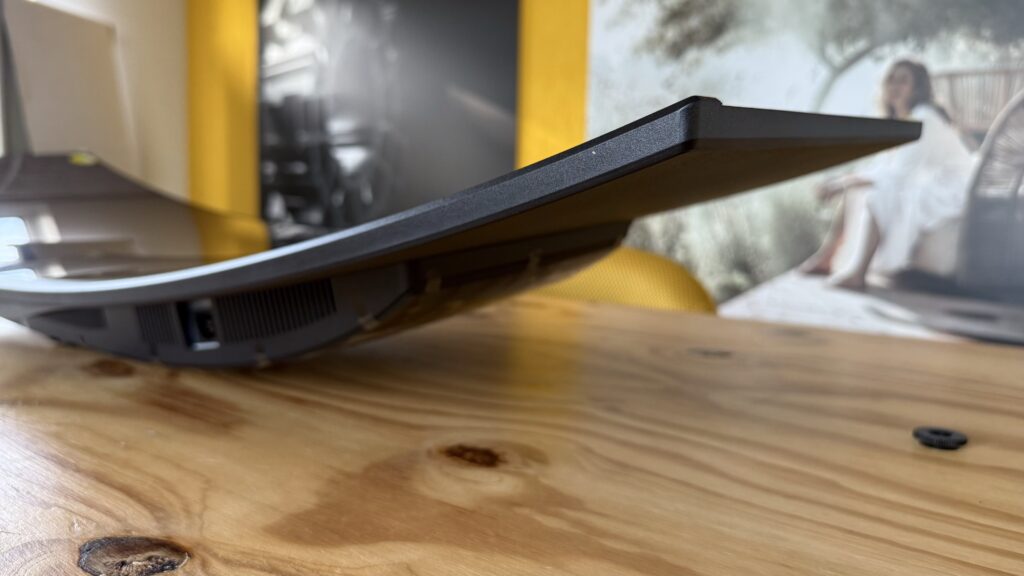
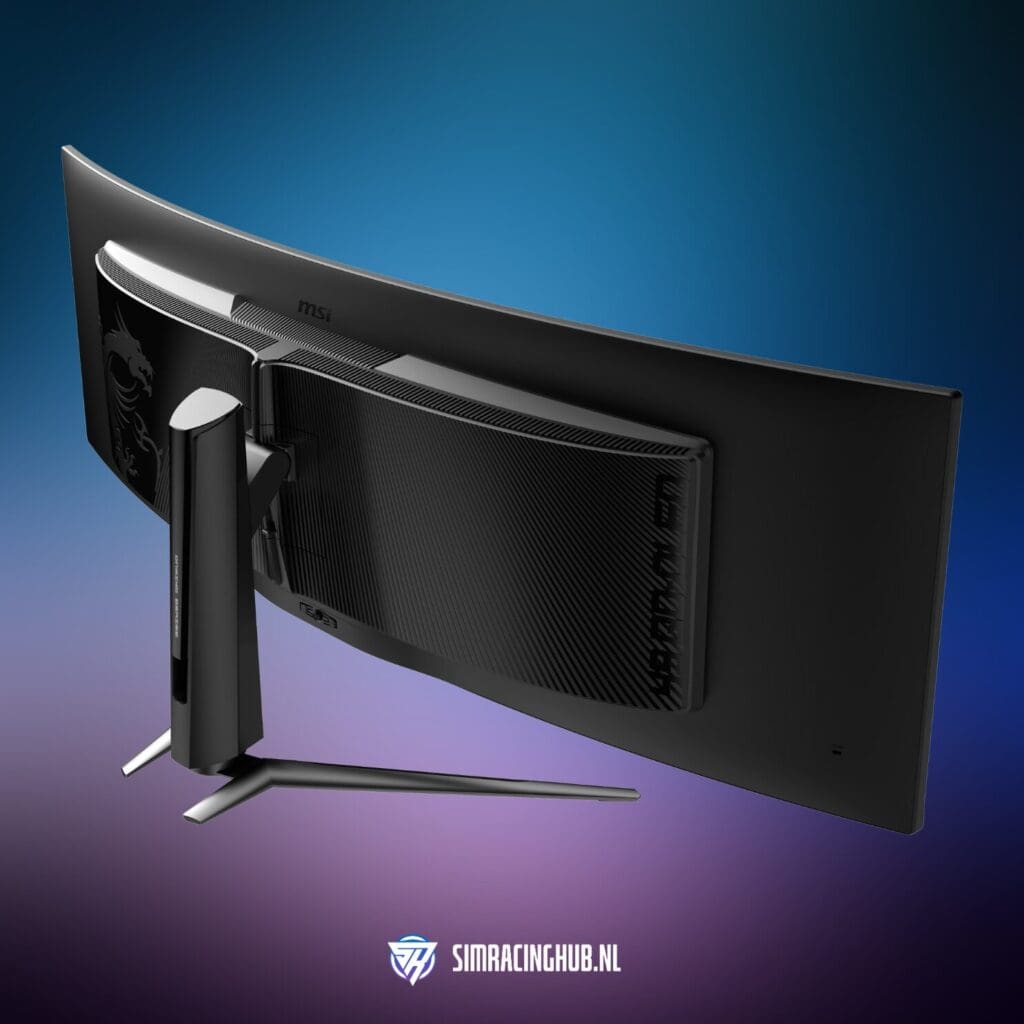
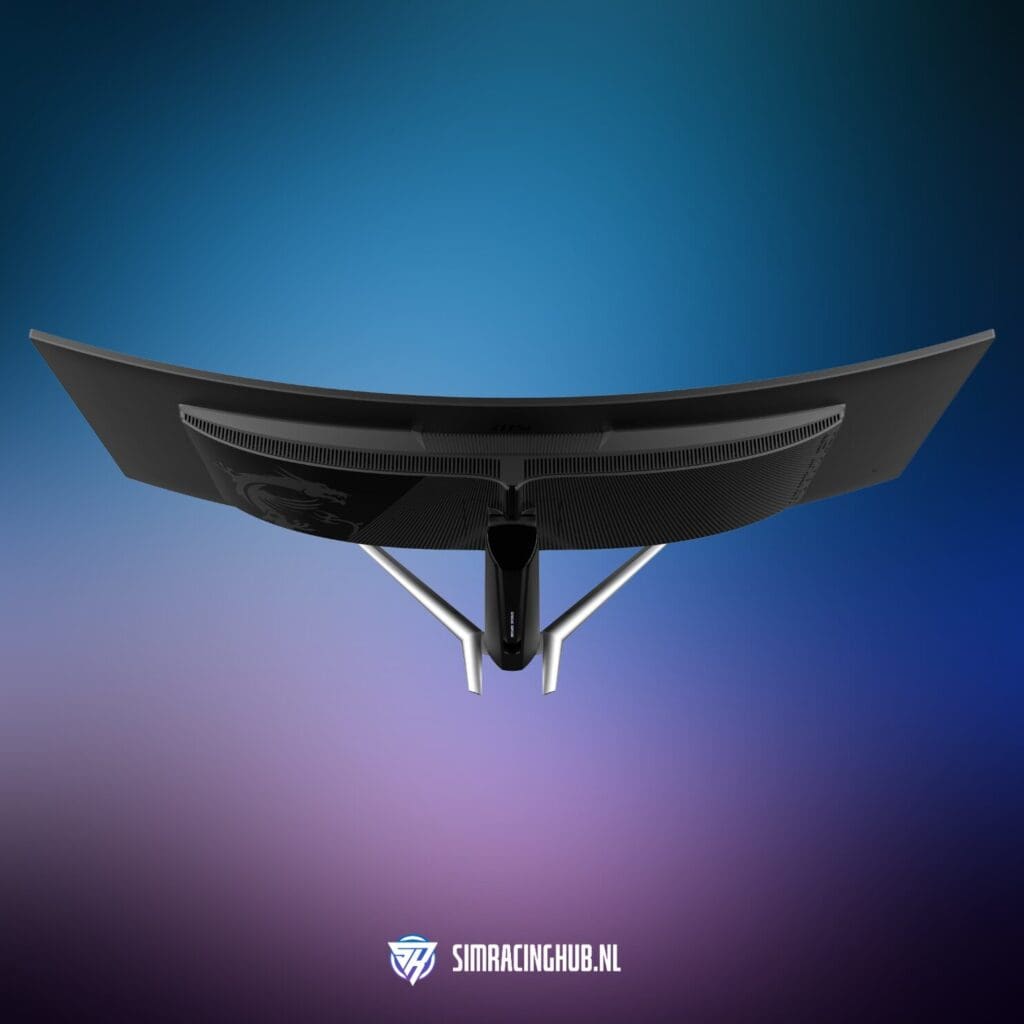
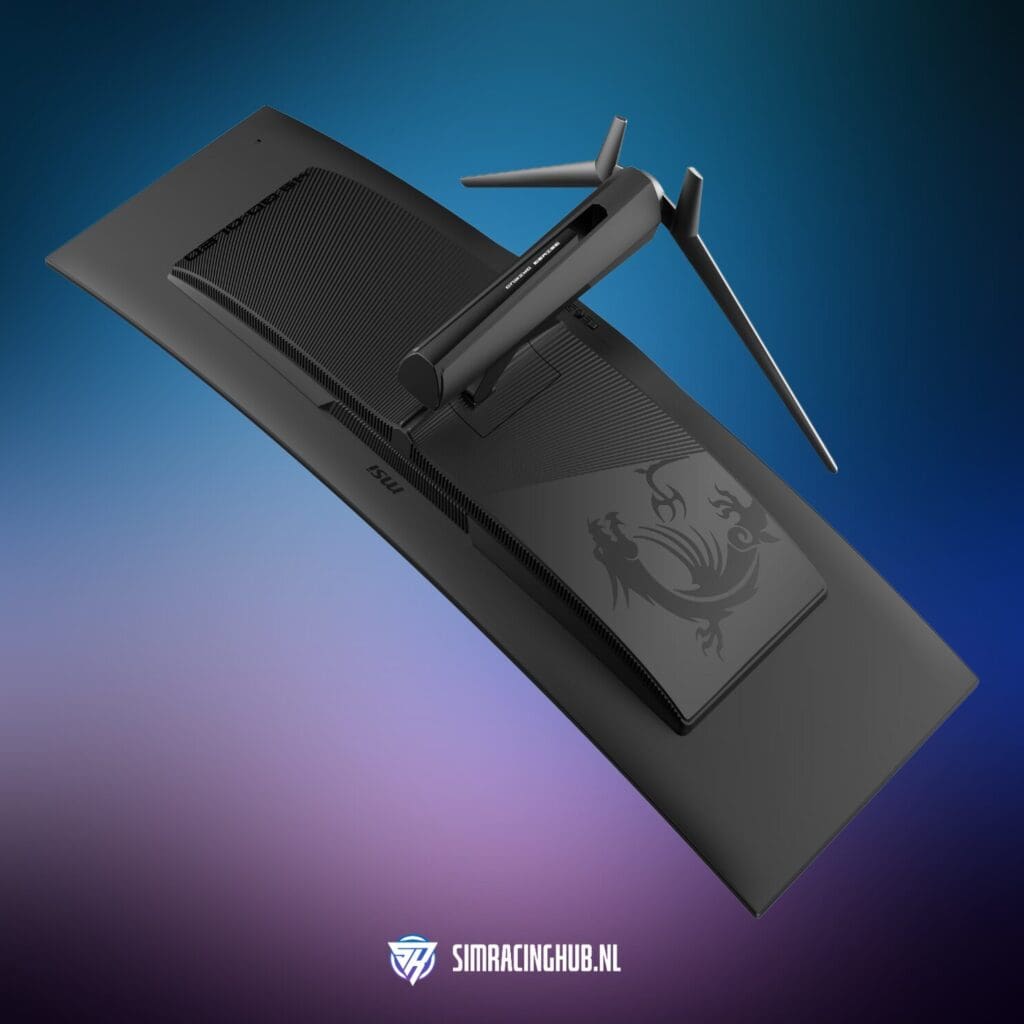
At the back, the panel is thin and elegant, especially for a screen of this size. Connectors are cleverly concealed in a recessed panel, which helps to neatly hide cables. Ventilation has also been considered: discreet air ducts provide passive cooling without visible grilles or distracting noises.
The curve (1800R) is also nicely integrated into the design. It looks natural and gradual, without excessive convexity. This makes the display visually fit in nicely with the lines of a cockpit or desk setup. In short: this is a display that does not come across as garish, but instead exudes calmness and quality, which integrates beautifully into my sim racing setup.
Burn-in with OLED? This is how MSI cleverly prevents burn-in
The Achilles heel of any OLED display is burn-in. Especially in sim racing where HUDs, tachometers and overlays are often in the same place for long periods of time. Yet MSI has built in some clever solutions that help prevent burn-in.
Graphene-layer passive cooling keeps the panel surprisingly cool - even during race sessions of 3 hours or more. I did not experience ghosting, image retention or 'ghost images', even with static elements such as pit overlays or dashboards.
As long as you are conscious about screen time and use the built-in routines, the risk is quite manageable. Especially in an environment where you use the screen purposefully - like in my sim rig - this is no cause for concern. Very long race sessions of several hours I no longer do anyway.
Refresh rate and performance - ample for sim racing
The monitor runs at 144Hz with a 0.03ms response. And you can feel that. Every steering input, every vibration of the kerb - it comes through instantly. I tested with an RTX 4090 and achieved frame rates above 120fps in iRacing, ACC and Le Mans Ultimate - all ultra settings.
Adaptive Sync worked flawlessly. No G-Sync or FreeSync certification, but definitely a stable experience without tearing. That's important - especially in motion rigs where even small tearing effects are extra distracting.
User experience - all in one smooth line
In which a triple screen, together with VR such as the Pimax Crystal Light or Crystal Super, undoubtedly offers the most immersive experience, I especially like the variety with this single monitor. Whereas with my triple monitor setup it is challenging to crawl in, also because of my sim racing roof, here I just step in, sit down and can actually start racing immediately! This monitor and setup brings back a bit more fun and simplicity, and so - secretly - I quite like that. The monitor is gorgeous and the colours are sublime.
With triple screens, you are constantly calibrating colour, position and bezels. That falls away completely here. You work with one screen, one colour profile, one central focus. That gives peace of mind - and in sim racing in particular, peace of mind is worth its weight in gold.
“The colours splash off the screen without looking unnatural - this is QD-OLED at its best.”
During long test days, I notice a marked difference in fatigue. Less eye movement, less visual distraction. Even in software outside the game - such as telemetry, crewchief overlays or race strategy tools - the screen area is perfectly utilised. You have the space to juxtapose multiple elements without overlap or ambiguity. Whereas with my triple monitor setup, this is exactly what I don't want - for the most realistic and immersive experience - precisely in this setup, I do want that overview with HUD elements. The MSI 491CQP gives you that overview, with no compromises in sharpness or responsiveness. Everything feels so perfectly balanced. The peace, space and overview are incredibly pleasing.
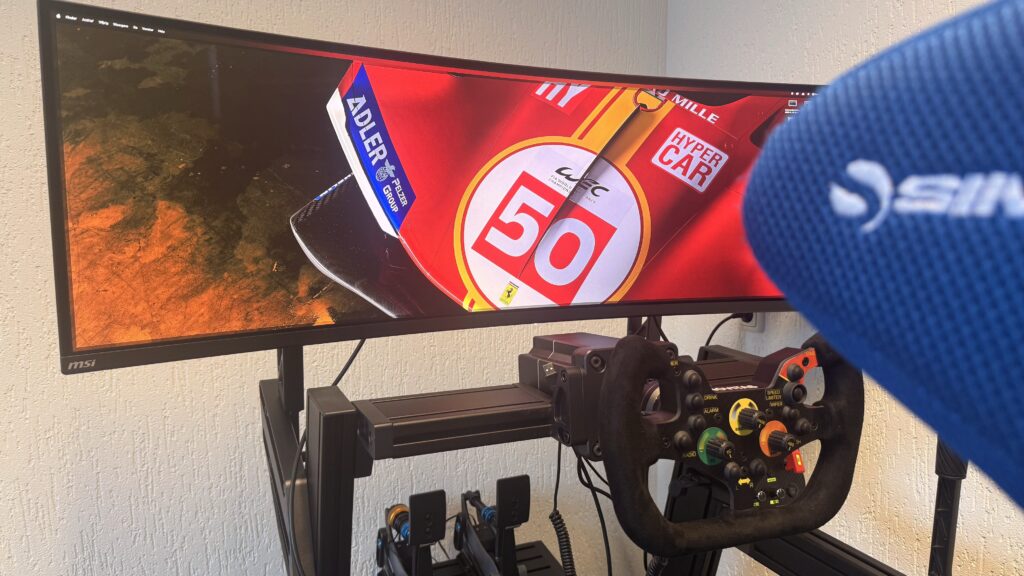
While 49" is more than enough in most cases and feels big enough, I still find that I miss some vertical space. The screen is relatively wide but not particularly tall, and you feel this especially when doing cockpit cams or when you need extra overlay spaces in simulations. Personally, a screen with a bit more height - like an LG or Samsung Odyssey G7/G9 - would suit my preference just a bit better in terms of size. Unfortunately, MSI does not offer this particular size (yet), which is a shame for those who want that little bit extra.
Advantages and disadvantages
Advantages
- Superb QD-OLED picture quality
- Wide 32:9 display without bezels
- Fast 144Hz refresh rate and response time
- Easy to mount in a sim rig
- Quiet, seamless experience without colour differences
- Competitive price for this type of screen
Cons
- OLED Care notifications can be disruptive
- Risk of burn-in with prolonged static use
- Requires powerful GPU for optimal performance
- Limited screen height
- Less immersive than triple screen or VR
Buy the MSI MPG 491CQP QD-OLED as...
You are looking for stunning 32:9 picture quality in sim racing
This monitor offers impressively sharp visuals, deep contrast and rich colours thanks to its QD-OLED panel. The 32:9 format completely fills your field of view without bezels or colour differences, providing a seamless and soothing racing experience.
You want a premium experience at a relatively affordable price
While the MSI 491CQP is not a budget monitor, it does offer high-end performance for a friendlier price tag than, say, a comparable Samsung Odyssey G9. You get a solid overall package: QD-OLED, 144Hz, 0.03ms, VESA-compatible and a sleek design - without unnecessary bells and whistles.
You value simplicity and ease of use
Whereas triple screens or VR sometimes have a higher threshold in terms of setup and maintenance, this screen is plug-and-play. Mount, switch on, adjust and race away. Ideal if you just want to drive fast without having to fine-tune your entire setup first.
Do not buy this screen as...
Your maximum vertical screen real estate searches
Although the screen is wide and impressive, it is not particularly tall. For sim racers who want extra space above and below (e.g. for dash displays, map overlays or streaming tools), the vertical size may feel a bit restrictive. In that case, some larger curved models from LG or Samsung might be more interesting.
You'd rather drive with triple screens or VR for ultimate immersion
This monitor offers a lot of peace and simplicity, but it is and remains a single monitor. If you are used to the wide field of view of triple screens or the depth perception of a good VR headset, this can feel like a step backwards in immersion. Especially in serious endurance races or multi-class events where visibility around your car is crucial.
Conclusion: An impressive choice for sim racing
The MSI MPG 491CQP QD-OLED is without a doubt one of the most impressive ultrawide monitors I have tested so far within sim racing. The combination of a razor-sharp QD-OLED panel, wide 32:9 format and smooth performance make for an immersive yet calming experience behind the wheel. You see more, react faster and stay focused for longer - all without the visual distractions of bezels or colour differences as with triple screens.
Still, this screen is not for everyone. The limited screen height can be a drawback, especially if you are used to VR or a higher vertical FOV. In addition, the resolution requires serious GPU power and OLED technology is not without concerns, such as burn-in and maintenance via OLED Care.
“Whereas triple screens are impressive, this screen actually brings calm and simplicity back into my racing sessions. For those who want to get in quickly and race without fuss, this screen is a breath of fresh air.”
But set those caveats against what you get in return - namely a stunning screen with fantastic colour reproduction, lightning-fast response and plug-and-play installation in your sim rig - this is simply one of the better choices in the higher end. For sim racers looking for a minimalist, powerful and aesthetically pleasing single-monitor setup, the MSI MPG 491CQP QD-OLED is definitely worth considering.
Buying MSI MPG 491CQP QD-OLED?
Experience sim racing in ultra-wide QD-OLED quality with the MSI MPG 491CQP - razor-sharp, smooth and impressively wide. For €1049, you get a premium 49" screen that perfectly complements your cockpit, without concessions.
Small disclaimer, big impact
This review contains affiliate links. Did this article help you in your choice? Then consider making your purchase through our affiliate link. That way, you will receive the exact same price and support SimRacingHub.nl at the same time. This way, we earn a small percentage - and can continue to invest in honest, in-depth reviews and great content. Everything you read here is created with passion, precision and a personal touch. Thank you for your support! 🙏
Have any thoughts?
Share your reaction or leave a quick response — we’d love to hear what you think!
-
 0
0
-
0
-
0
-
0
-
0
-
0


 Nederlands
  Deutsch
  English (UK)
  Français