Your own digital race engineer
Have you always wanted to have your own digital race engineer like Max Verstappen? You can! With CrewChief you have your own digital radio spotter who motivates you during every (online) session and provides you with the information you need on the track. This seems obvious, but there are few, if any, games where you get really good information via your race engineer or spotter.
The big advantage of a digital radio spotter is that you are less likely to be distracted by looking up the right information on the screen or DDU display. With CrewChief, that's a thing of the past! You just ask your race engineer! In this article, we take you step by step through how to get CrewChief up-and-running!

What is CrewChief?
CrewChief is a free (!) software application for PCs that adds a realistic race engineer and radio spotter to the game. This software is compatible with almost every popular racing game on the PC. These include iRacing, Assetto Corsa Competizione, Automobilista 2, RaceRoom Experience and the F1 franchise.
CrewChief provides extra experience and realistic audio while racing. Your personal spotter and race engineer continuously provides you with relevant information to help you on your way to the finish. Here you can think of questions such as “What's the gap in front“, or “how many laps left“. Your personal spotter also provides you with lap times and alerts you of flagging situations on the track.
Your spotter is even so realistic that he occasionally curses through the microphone too. And this is really super cool! It's like being addressed by Lewis Hamilton or Max Verstappen's race engineer. The software is fully customisable and can be fully configured to your liking! You can read how to do that below.
iRacing CrewChief setup
Setting up and installing CrewChief is very simple and only takes a few minutes. The steps below are for setting up CrewChief in iRacing, but this will be the same for almost every racing game. With the steps below, you will have a realistic race engineer on your side in no time.
Step 1: Download the free CrewChief software
The first step is to go to CrewChief's website and download the free software. Yes, you read it right. The software is completely free!
Step 2: Install CrewChief
After downloading the software, install this add-on on your PC. Follow the step-by-step instructions and complete the installation process.
Step 3: Download and install the additional sound packs
Open the application once it is installed. The next step is to download the sound packs and driver names. If you don't do this, your spotter will say nothing. Also check that all personalities are up to date.
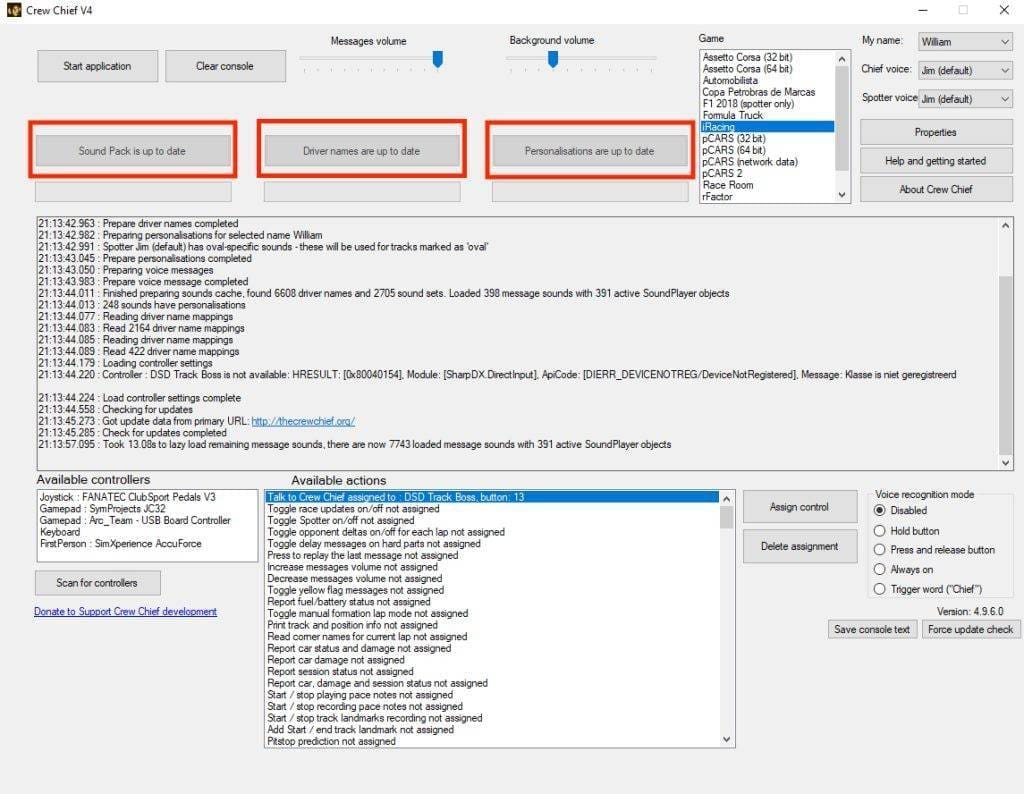
Step 4: Configure the settings in CrewChief
Once everything settings are up to date, you can start configuring CrewChief. Fortunately, many settings are already correct in the basics.
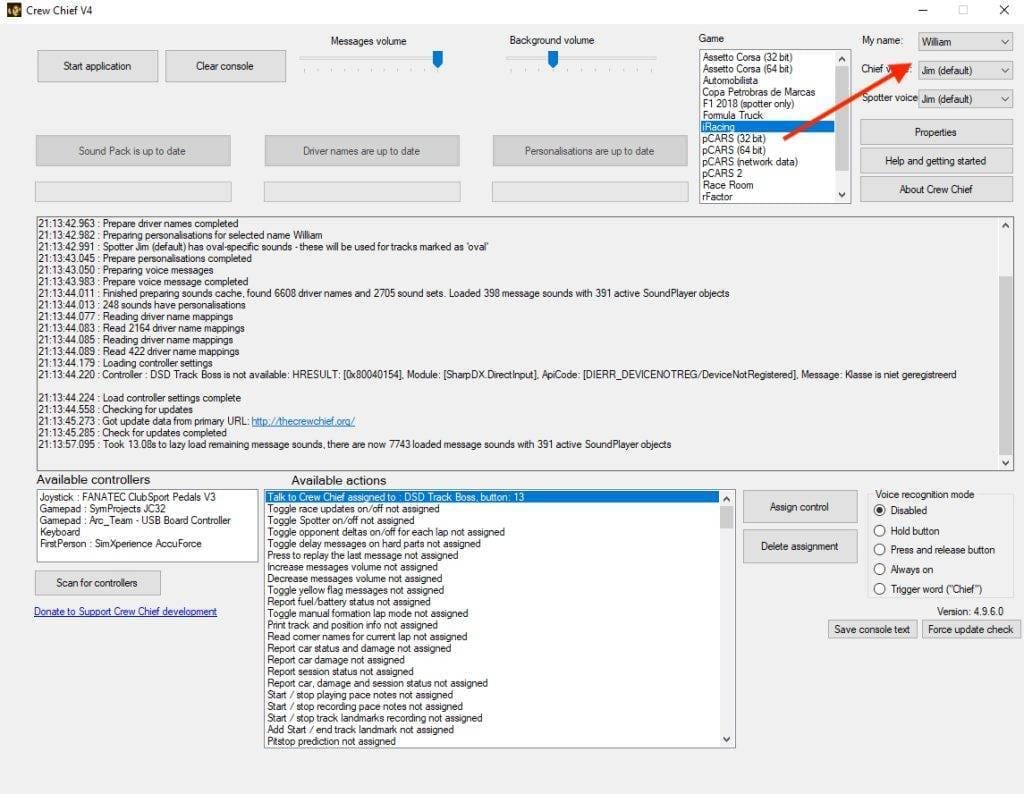
Setting your own name and the voice of your engineer and spotter
The most important and first thing to set and choose is your name in the drop-down menu and the voice of your engineer and spotter. Each voice brings a different experience! The different voices all sound very realistic and are a nice addition for even more realism in the game.
Recommended settings
Now that you have set your name and spotter, click ‘Properties’. A new window will now open. In this window, you can configure CrewChief completely to your liking. The application is extremely detailed and the possibilities are enormous! We will now cover some settings that we personally like a lot.
- Enable Sweary Messages
Ticking this option allows your spotter to swear as well. And yes, that's cool! Motorsport and racing is all about emotion. And that includes swearing. It gives your spotter personality as well as realism. Leave this setting off if you don't like swearing. - Enable iRacing auto refuelling
This option ensures that your car is automatically filled up when entering the pit lane according to the in-race fuel calculation. This is a handy option, saving you from having to frenziedly turn the knobs yourself to add the right amount of fuel. - Reduce max complaints per session
This option defaults to 60 per session and means your spotter will approach you at every mistake or bad lap time on the track. This can be very frustrating and annoying, as it can take you out of your concentration tremendously. Decide for yourself what frequency is desirable. Personally, I have set it at 10. - Enabling voice recognition
If you race with a headset then this option is definitely recommended. Enabling this option allows you to communicate with your race engineer and spotter! You can find this option in the bottom right corner of the main CrewChief screen. Instead of preset hot-keys, you can now ask your spotter for information. This adds a huge amount of realism and experience on the track. Super cool!
See which settings are comfortable for you
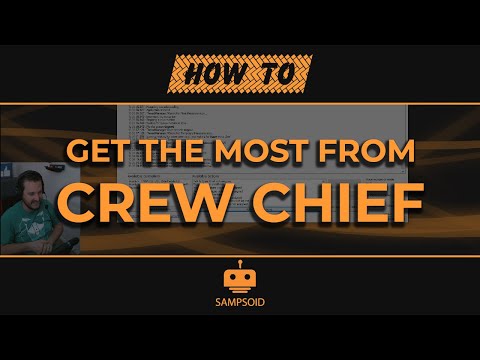
Take your time to look at all the settings calmly and set them properly. See what is comfortable for you personally. Want to get the most and best out of CrewChief? Then watch the video below. When you have finished configuring the settings, you can move on to step 5.
Step 5: Launch your favourite simulation game
We can finally hit the track! Once you have configured all the settings to your liking, select your favourite game and click ‘Start Application’. Now fire up your favourite sim, start a session and enjoy this unprecedented realistic experience! Note: if you still hear the iRacing spotter, please turn it off in the settings.
Latest thoughts on CrewChief
I have installed this application for a few days now and I am hugely excited! CrewChief may well be, along with RaceLab, the best add-on for iRacing and other simulation games.
The big advantage of this software is that it is free and adds a lot of experience and realism to your game and racing experience. The software and user interface (UI) looks dated, but this does not detract from the on-track experience. If you don't already have this add-on, download and install it today. You won't regret this!
In conclusion, then, I can say that this application is without a doubt indispensable. It provides the ultimate racing experience! So, I'm off to the track again soon!

Want to keep up to date with sim racing content, news, DIY, tutorials, reviews and more? Follow us on Instagram @simracinghub.co.uk
Have any thoughts?
Share your reaction or leave a quick response - we'd love to hear what you think!
-
 0
0
-
0
-
0
-
0
-
0
-
0


 Nederlands
  Deutsch
  English (UK)
  Français