In sim racing, the right information at the right time can make the difference between winning or dropping out. Tyre temperatures, fuel levels, sector times - every detail counts. But what if your wheel does not have an integrated sim racing display? An external Data Display Unit (DDU) or sim racing display could then be the solution. It provides instant, peripheral feedback on everything that matters: deltas, sectors, fuel, tyres, flags and more.
And with the Precision Sim Engineering DD-X you get one of the most advanced data displays on the market. But does it really do what it promises? Is that premium price tag justified? And is a 6.8-inch sim racing display also the best choice for your cockpit?
In this hands-on review - based on countless races, time-trials, test sessions and endurance races - I share my honest experience with the Precision Sim Engineering DD-X. From montage to cons. And above all: can this 6.8″ sim racing display make the difference in your sim racing cockpit. Let's go!

First impression of the Precision Sim Engineering DD-X: bigger than expected
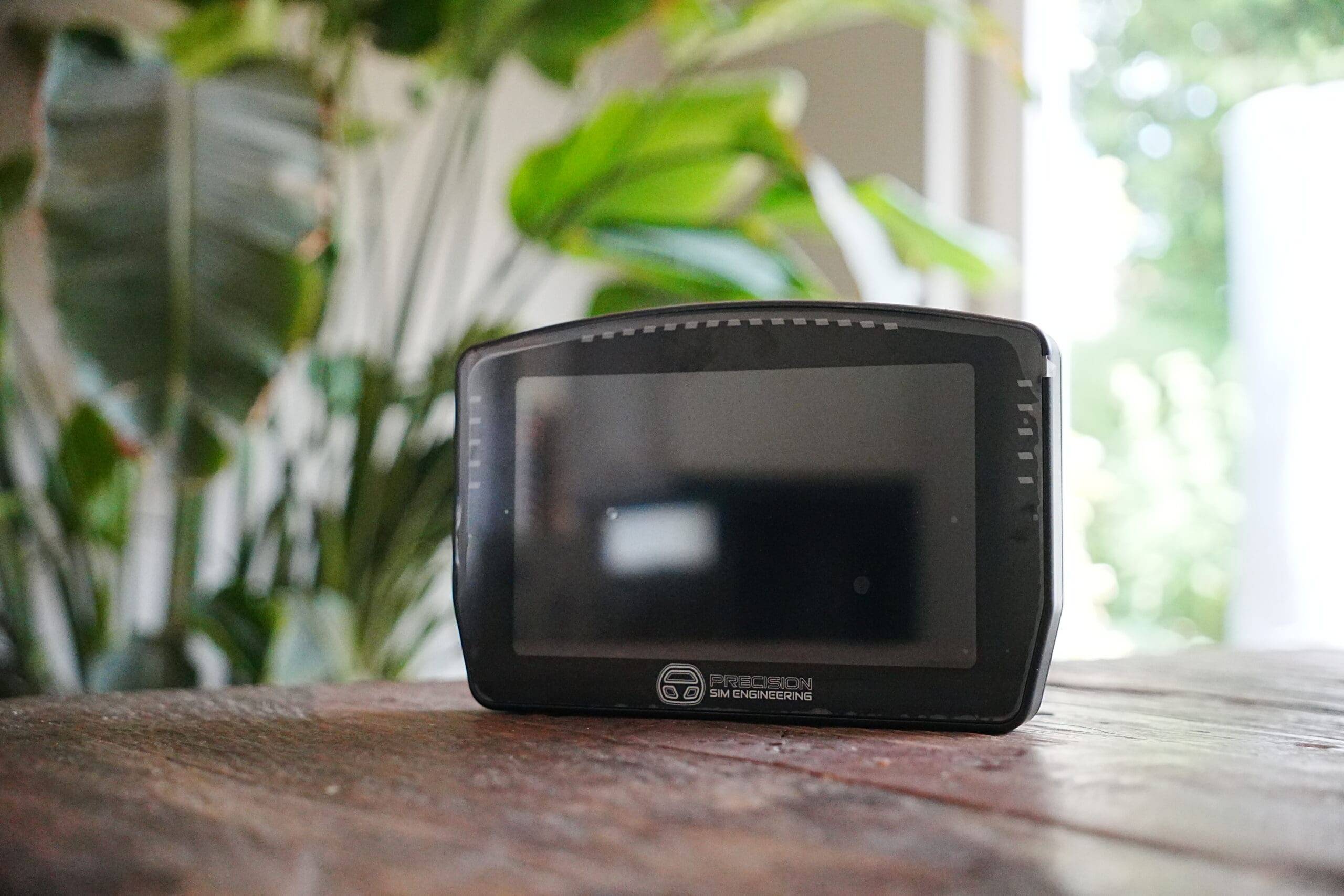
My first impression of the Precision Sim Engineering DD-X? It is ENORMOUS! And I mean that literally. I did not - despite all the product pictures and specifications - expect this DDU to have such a presence. Put it next to an average 5" dashboard, it almost feels like switching from a smartwatch to a tablet. But: is bigger also automatically better?
Of course, that depends on what you want to do with it. For me, the search for a data display actually started with a frustration. I wanted to integrate my old DDU on my Pro Switch Panel, but none of the solutions really worked neatly. Everything was loose, crooked or awkwardly in the way. Until Precision Sim Engineering knocked on my door and informed me that their DD-X comes standard with an adjustable bracket. That made me curious.
And honestly, when I took the PSE DD-X out of its packaging, I immediately felt that this was not a standard product. My previous experience with Precision Sim Engineering was already positive, but with the DD-X, expectations were even higher. Everything breathed quality, weight, sturdiness. In fact, exactly as I am used to from this British manufacturer. The whole experience makes you spontaneously want to make this DDU part of your rig. And this anticipation is important.
What does the Precision Sim Engineering DD-X cost?
What does the de Precision Sim Engineering DD-X And how does it compare to the competition? With a price of £449 excluding VAT and shipping if you buy it from Precision Sim Engineering. In total, this comes to around £630 including VAT and shipping. For an optional RAM mount, you'll pay another £35 / €30 and for the additional Display Mount also another £20 / €23. And yes, that's a lot of money for a DDU and associated accessories. An awful lot of money. With this, Precision Sim Engineering positions itself firmly in the high-end segment of sim racing hardware.
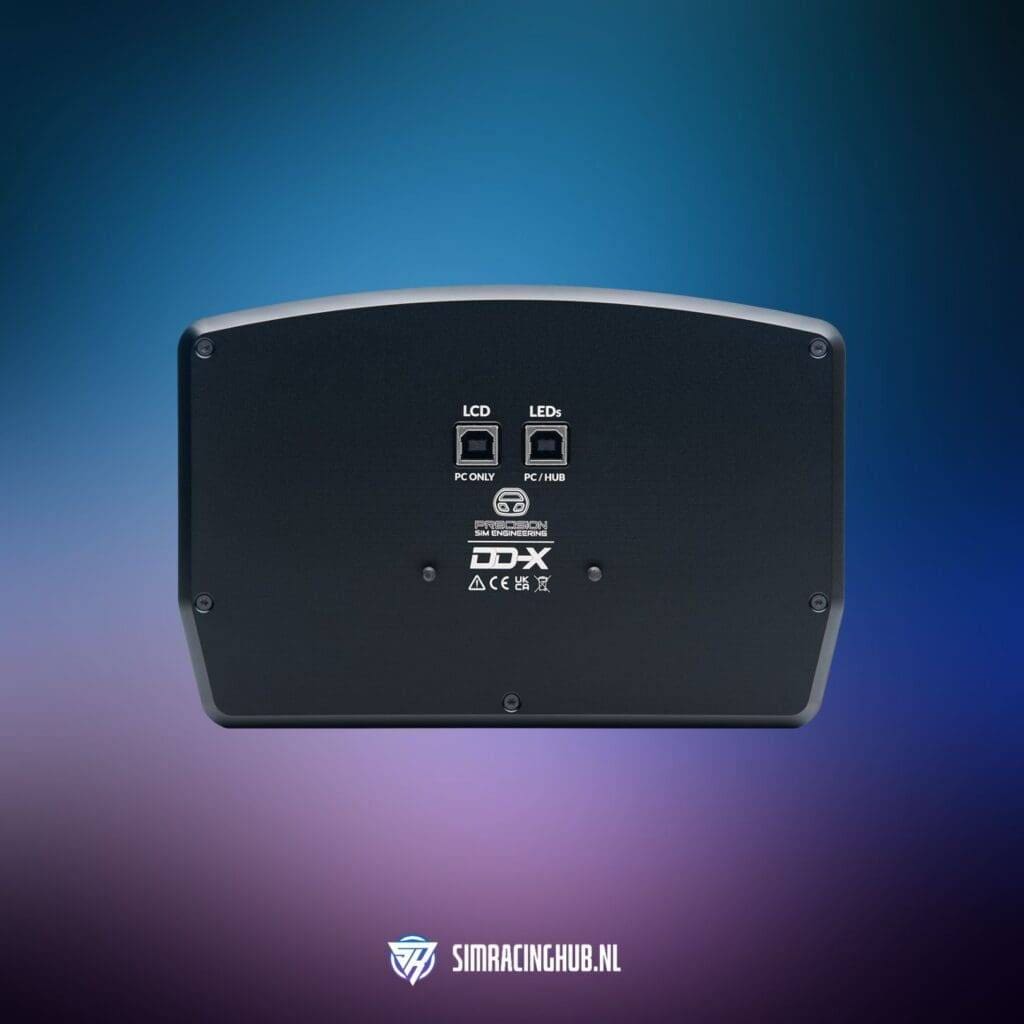
While there is relatively little direct competition within this particular size and segment, there are some alternatives that are worth mentioning. For example, the SimCore UD68 costs around €485, while the licensed 10″ Porsche 911 GT3 Cup DDU by Grid Engineering is priced around €599. Would you prefer a smaller 5″ model? Then you can also opt for the DD-X's smaller brother, the Precision Sim Engineering DD-R.
The higher price is partly justified by the combination of high-quality materials such as CNC-milled 6061-T6 aluminium, a large and smooth 60fps touchscreen with Gorilla Glass, and a smart montage bracket that is adjustable without tools. Add to that the included SimHub profiles from Daniel Newman Racing and you get a total package that not only feels solid, but is ready for professional use straight away. It is clearly not a budget solution, but an investment that is clearly felt in quality, finish and ease of use. But what do you get for your money? Time to unbox it!
What do you get with the Precision Sim Engineering DD-X?
The Precision Sim Engineering DD-X comes in a luxurious EVA foam presentation box, with everything perfectly in place. Even on opening, it is noticeable that this is a premium product. Everything is tightly milled, firmly protected and organised with care - as if you were unwrapping a high-end watch or instrument. The experience is one in itself! The presentation and sense of quality jump out immediately, setting the tone for what follows.
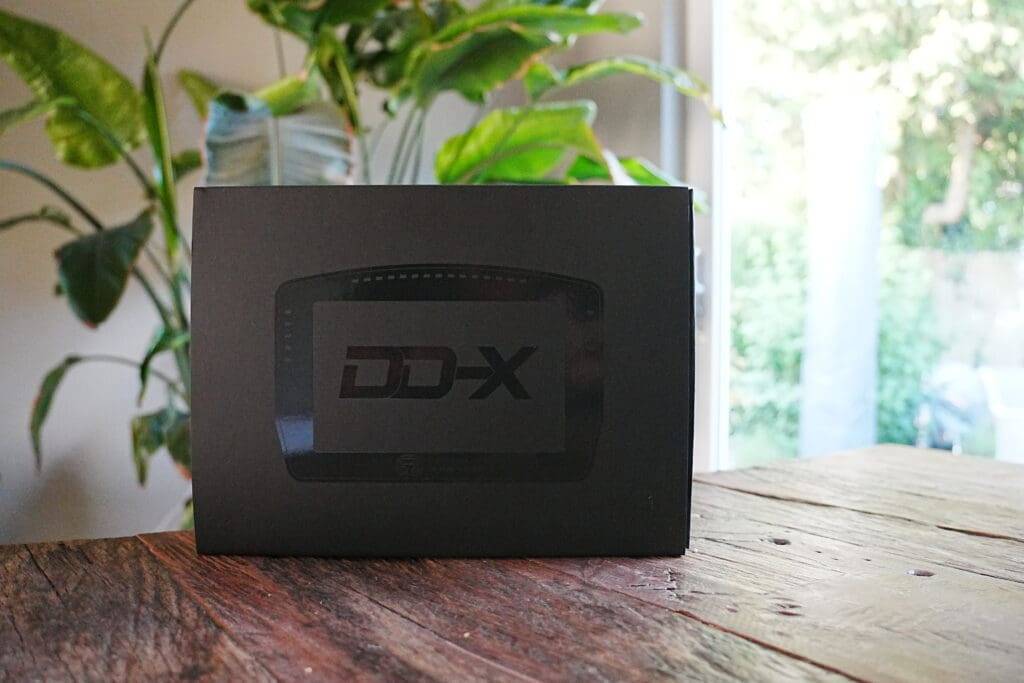
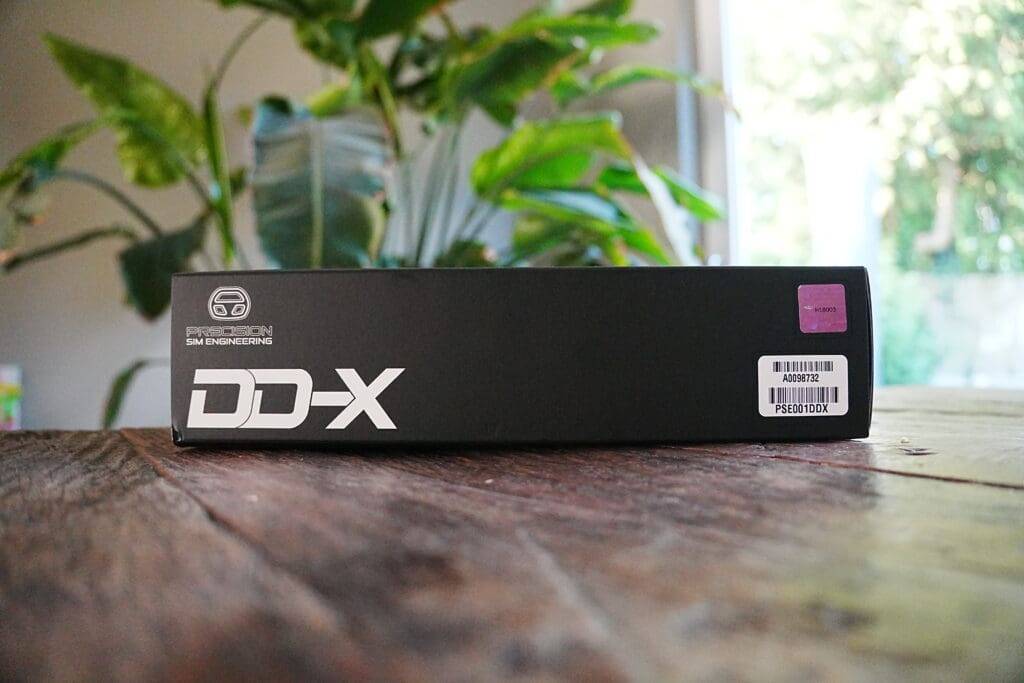
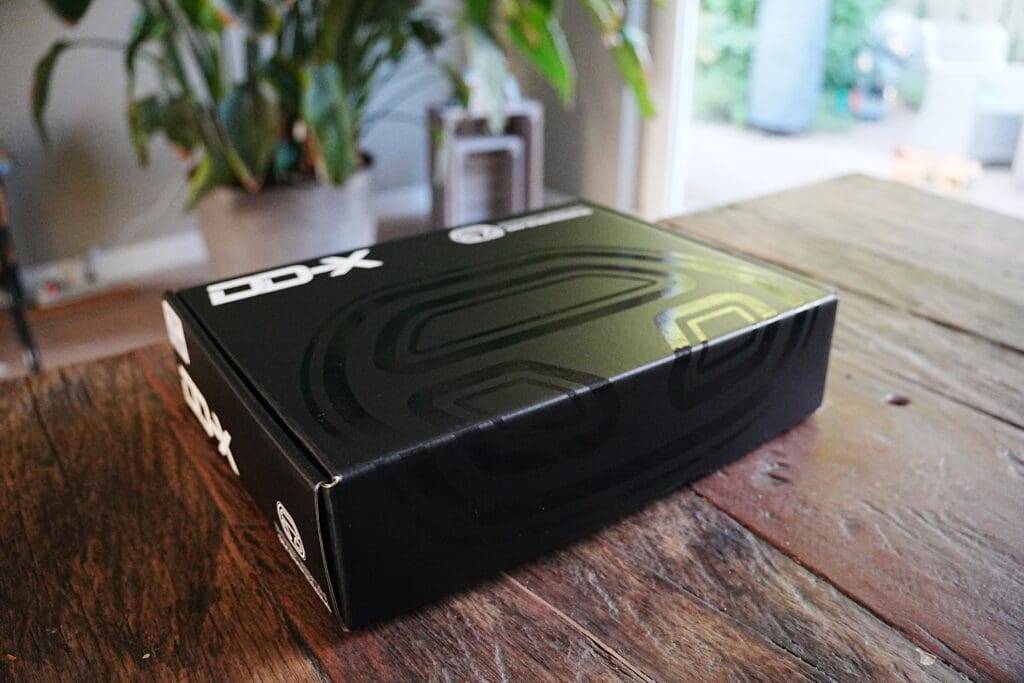
In the box you will find:
- The DD-X display unit
- 2x USB cables with angled connectors (high-quality, high-retention)
- Optional: aluminium montagebracket with adjustment options for various direct drive systems (Simucube, Fanatec, Asetek, etc.)
- Fixing material
- Access code to Daniel Newman Racing dashboards and plugins
What is immediately noticeable is that really everything has been thought about. The USB cables are not only of good quality, but have angled connectors that connect more neatly to the display and are easier to tuck away.
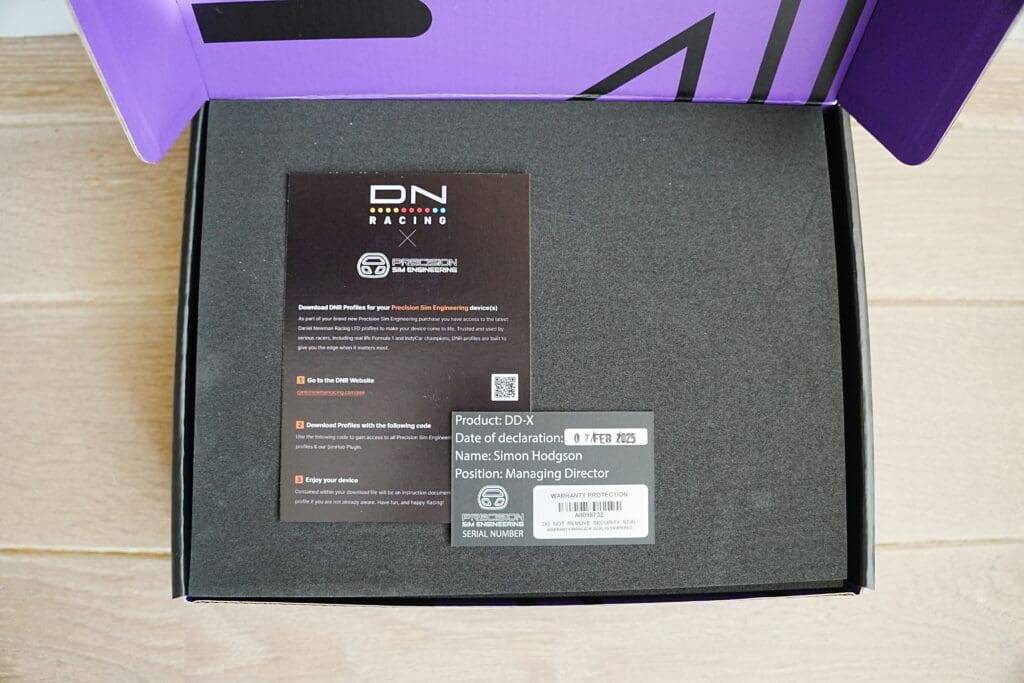
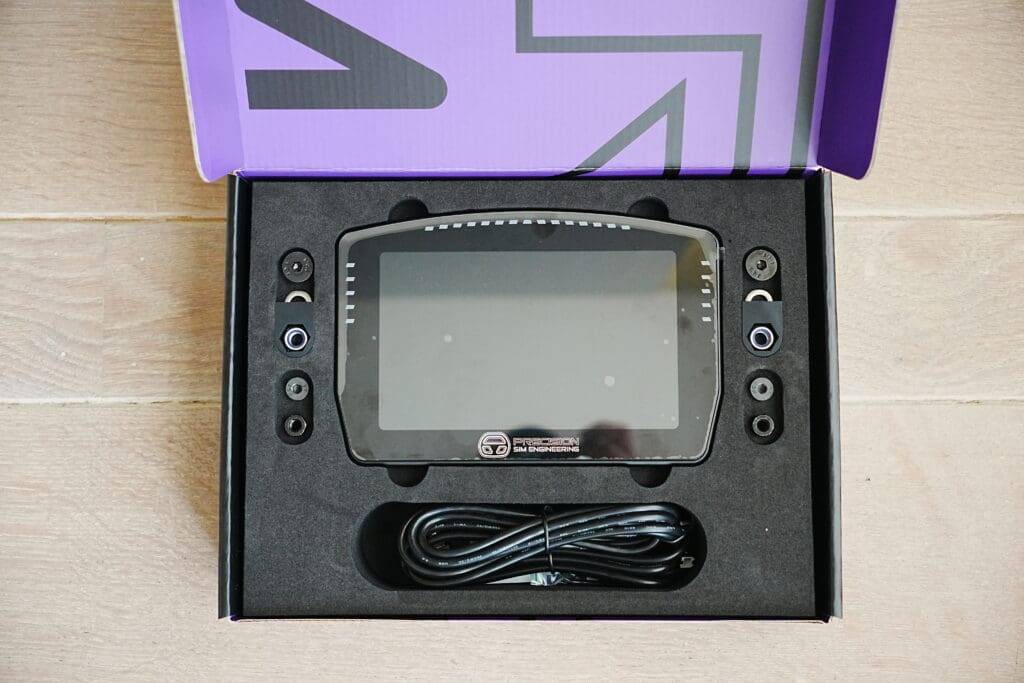
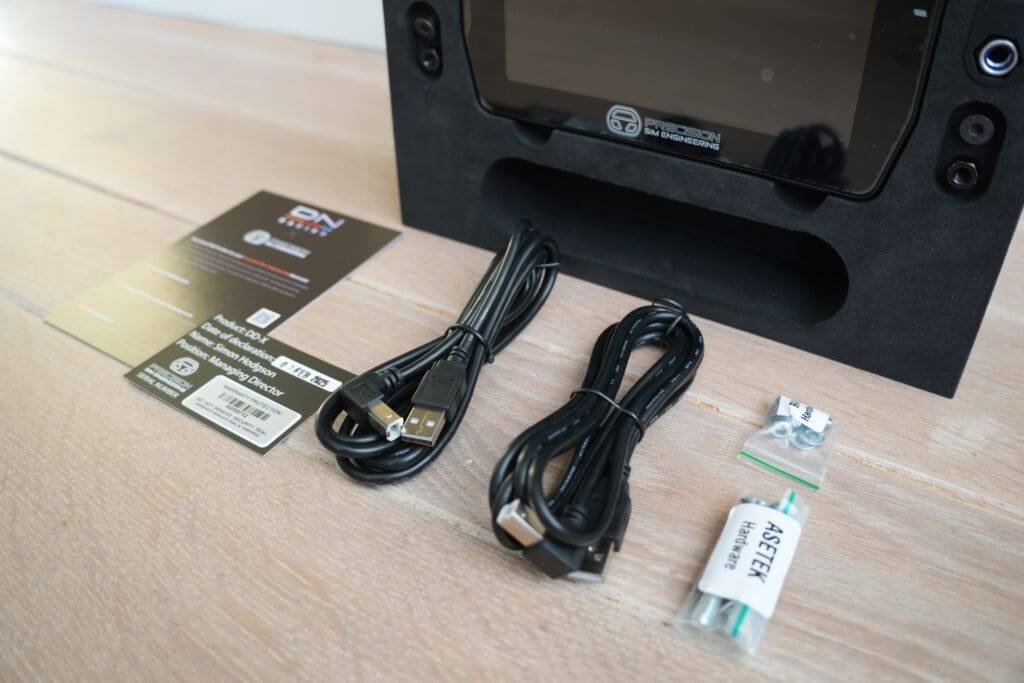
The included montage bracket feels solid and is easily adjustable without tools. And the addition of preset SimHub profiles from Daniel Newman Racing allows you to get started right away without spending hours on setup first. A smart move!
The whole thing oozes quality and immediately gives the confidence that you have something special in your hands. No plastic gimmicks or half-baked montage solutions, but professional tools for sim racers striving for quality, aesthetics and a premium experience. The DD-X feels like the MacBook equivalent among sim racing displays: sleekly designed, solidly built, and aimed at those who don't want to compromise on finish or user experience.
Montage and installation
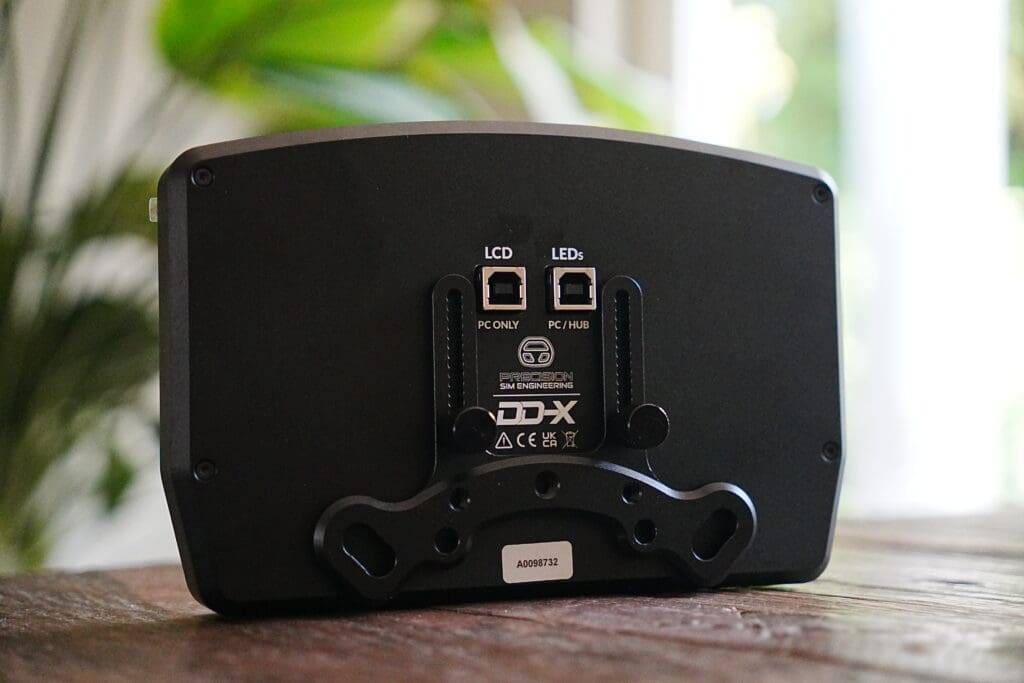
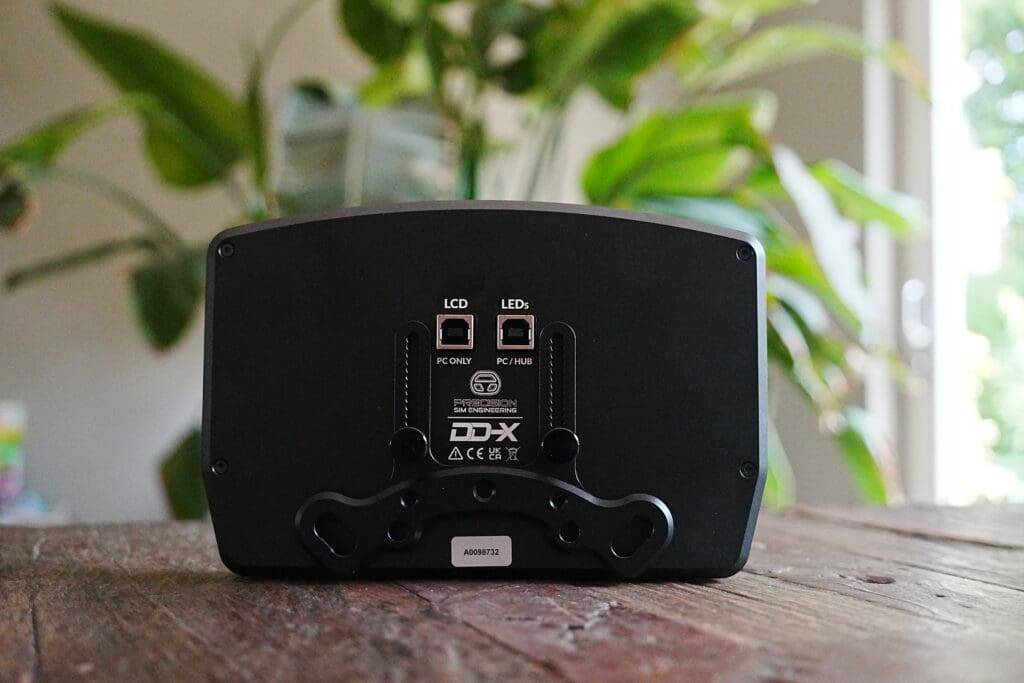
The montage went surprisingly easy thanks to smart notched aluminium mounting bracket. It allows tool-free height adjustment, while maintaining perfect parallel alignment with your rig - a small but important finesse rarely seen with other displays. The mounting points are sturdy and remain stable even under prolonged loads, without sagging or vibrating loose.
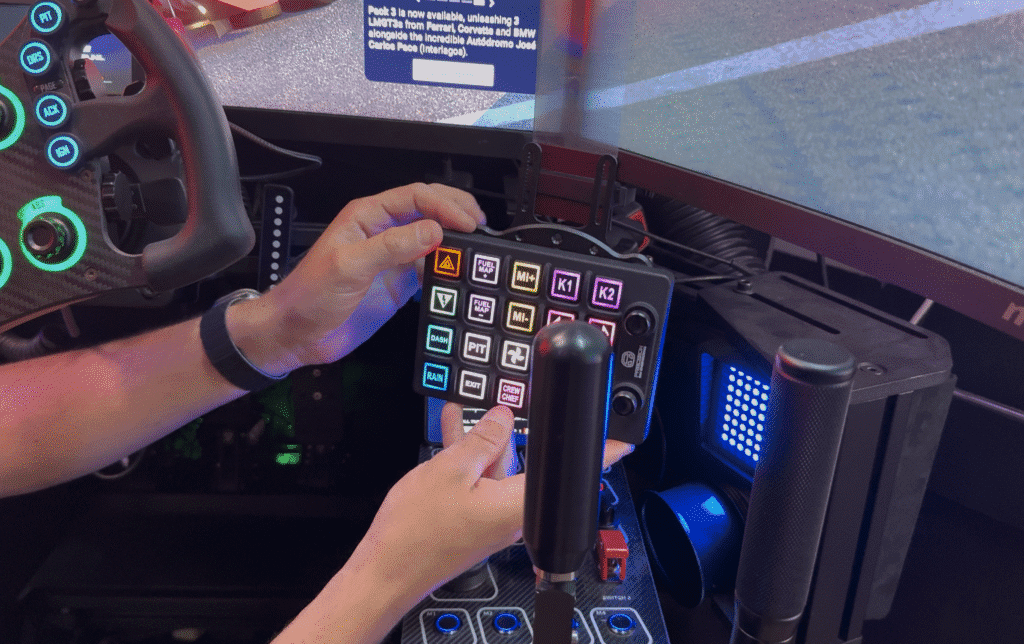
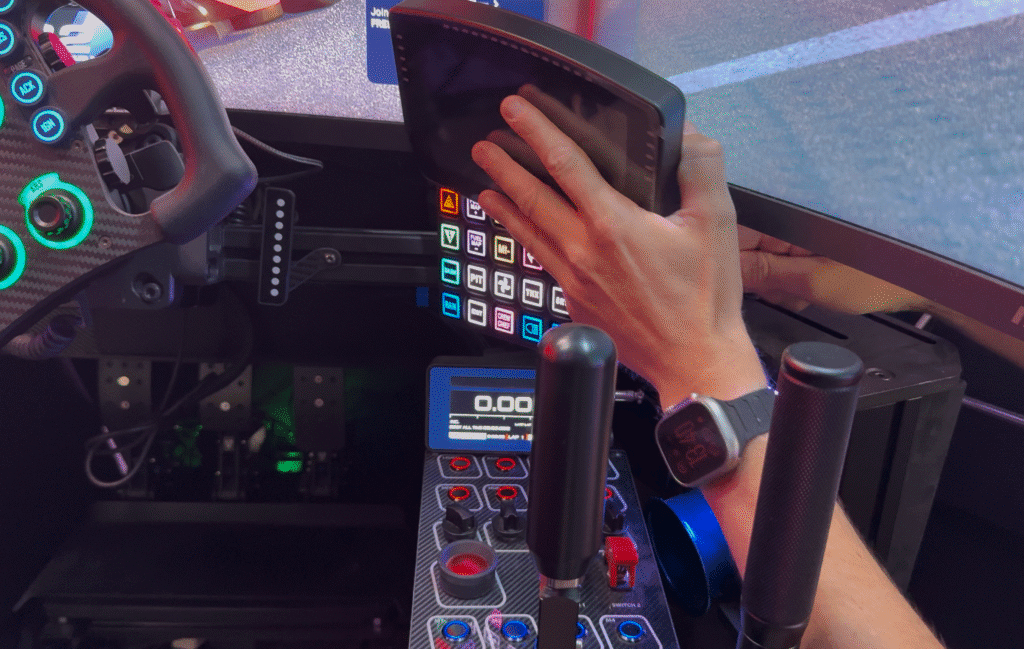
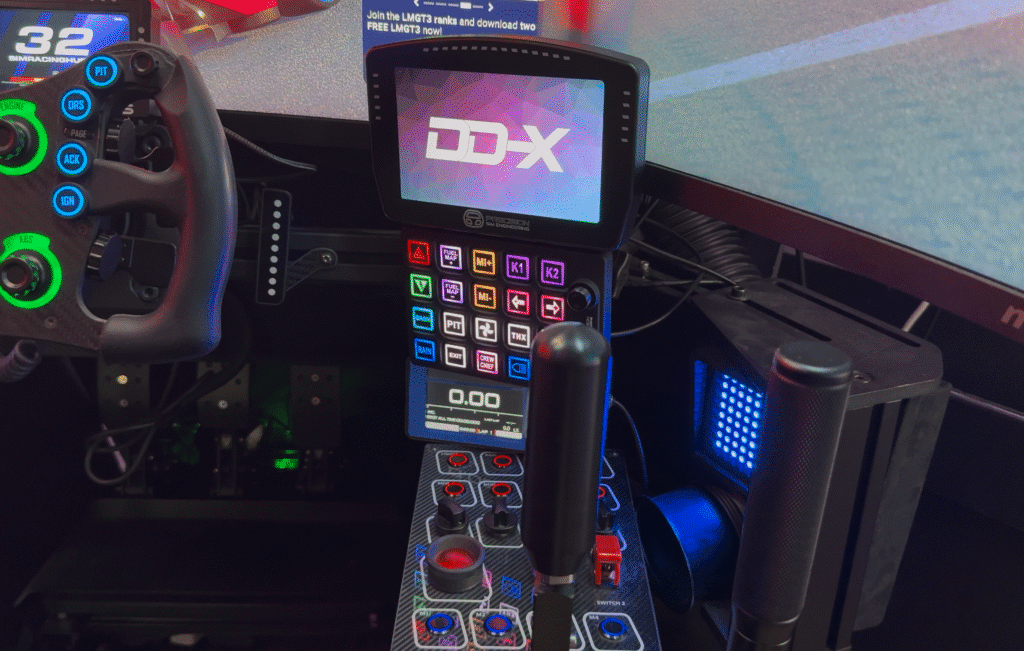
In my case, I deliberately chose not to mount the Precision Sim Engineering DD-X on my Simucube 2 Pro wheelbase, but to position it horizontally on top of my Pro Switch Panel. Why? Because I wanted to use it to create a cockpit layout more akin to a prototype race car. So for me, the DD-X acts as an integrated centre console display - the heart of my sim rig - and in that role, its size and design comes into its own.
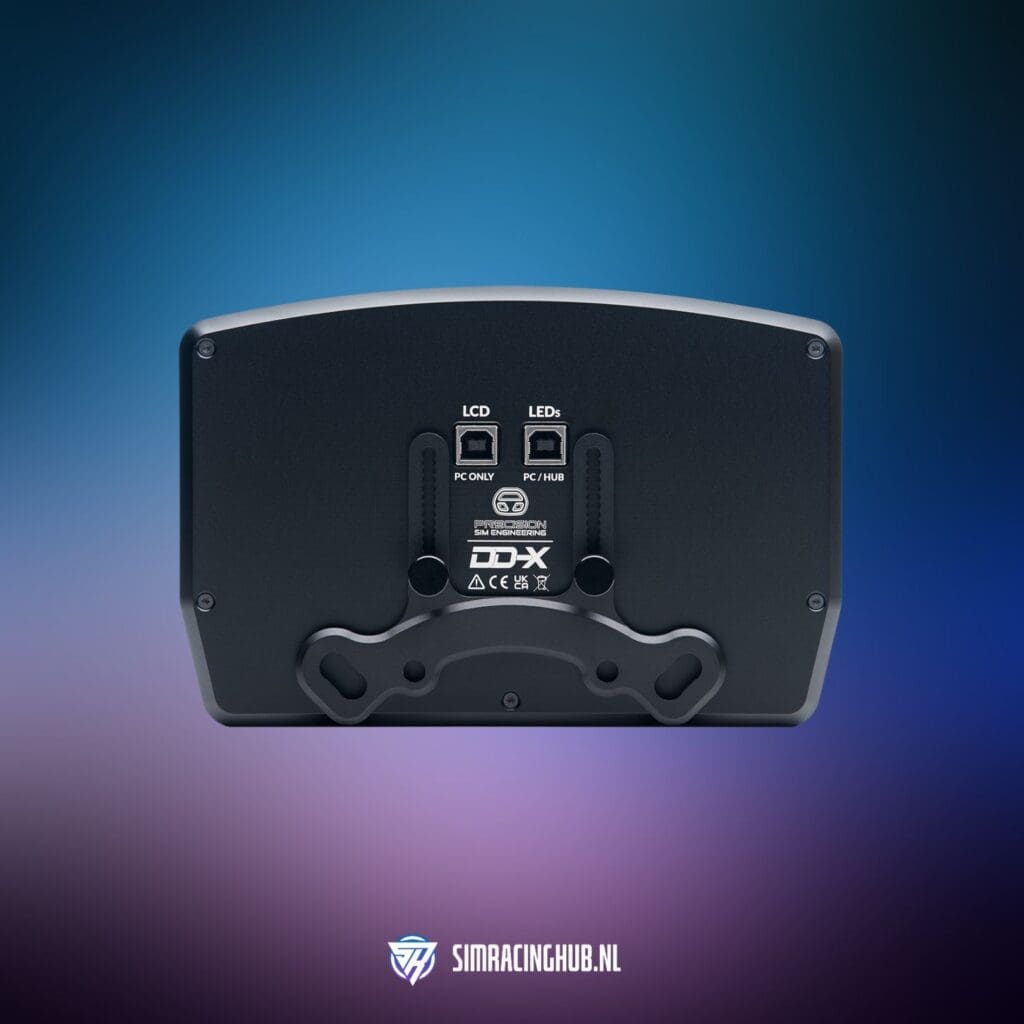
The montage went off without a hitch: all screws, spacers and bolts are neatly included and feel like industry-quality, although I didn't need them in my situation. You connect the DD-X with the two included USB cables. Yep, you read correctly: the DD-X requires the necessary power from your PC so the display and LEDs have to be connected with two cables. This is something to take into account, though.
Mocht je de Precision Sim Engineering DD-X wel op je wheelbase willen bevestigen? De DD-X is compatibel met vrijwel alle gangbare direct drive systemen: Simucube, Fanatec, VRS en Asetek. Verder kan je de DD-X eigenlijk op alle andere soorten bevestigings accessoires bevestigen, zoals de optionele RAM-mount (aanrader!), maar ook op bijvoorbeeld SmallRig magic arms (zolang het maar 1/4″ schroefdraad heeft). Hierdoor kun je hem in vrijwel elk type cockpit op een nette en functionele manier integreren. Dit werkt zeer intuïtief en simpel.
Software: SimHub
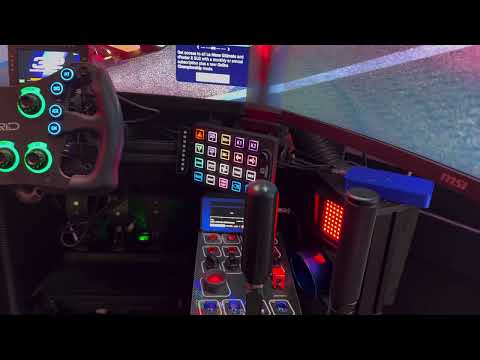
Installing the Precision Sim Engineering DD-X in SimHub went surprisingly smoothly. As soon as I connected it to my Windows PC, it was immediately recognised - no hassle with drivers, firmware updates or other delays. Within a few clicks, I had added the DD-X as a new device in SimHub and I was able to get started.
To set up the dashboard, go to the LCD tab in SimHub, where you easily choose a layout. You can choose the DD-X dashboard provided, or any other compatible dashboard you like. The DD-X comes with a default LED profile, but if you prefer to use your own settings, simply import your own LED configuration via the LED tab.
What makes this installation extra nice is that Precision Sim Engineering provides ready-made SimHub profiles directly from Daniel Newman Racing included. As a result, within 10 minutes I had a fully functional setup with tightly designed dashboards, flag indicators, alerts and even configurable data overlays. No hours of tweaking or setup; it really is plug-and-play. For someone who prefers to spend his time on the track rather than in settings menus, that's a huge plus! You can literally be on the track with a working DDU within 3 or 4 clicks!
Precision Sim Engineering DD-X
But what makes the DD-X unique from the competition? The Precision Sim Engineering DD-X stands out above many other DDUs in the market in several ways. Where some alternatives have only one or two strong features, the DD-X combines several pluses into one. This makes it interesting for anyone looking to add to their cockpit with a display that is both practical and attractive, without impressing only on paper. Time to take a closer look at the specifications and features.
Specifications
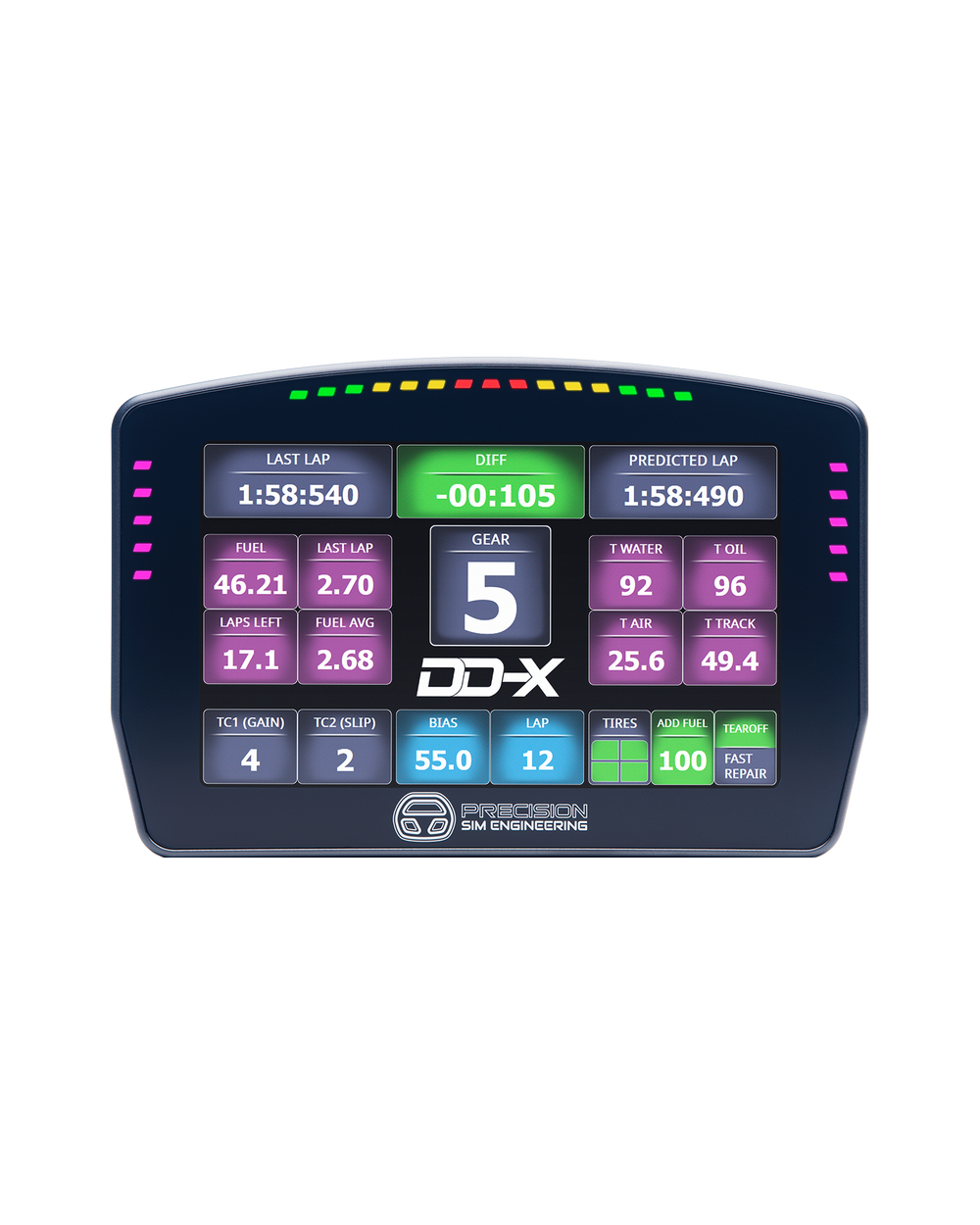
- Format: 6.8-inch LCD touchscreen
- Resolution: 840 x 480 pixels
- Colour: 16-bit, 350 lumens brightness
- Housing: 6061-T6 aluminium, black anodised
- Finish: Anti-glare Gorilla Glass
- Number: 25 RGB LEDs
- Layout: 5-15-5 configuration
- Colours: 16 million per LED
- Features: Freely adjustable for shift lights, blue flag, pit limiter, fuel warning, TC/ABS notifications, among others
- Bracket: Rigid aluminium with height adjustments
- Confirmation: Included for all major FFB bases, plus 1/4″ thread options
- Platform: PC-only
- Software: SimHub integration
Large format, high refresh rate and touchscreen in one
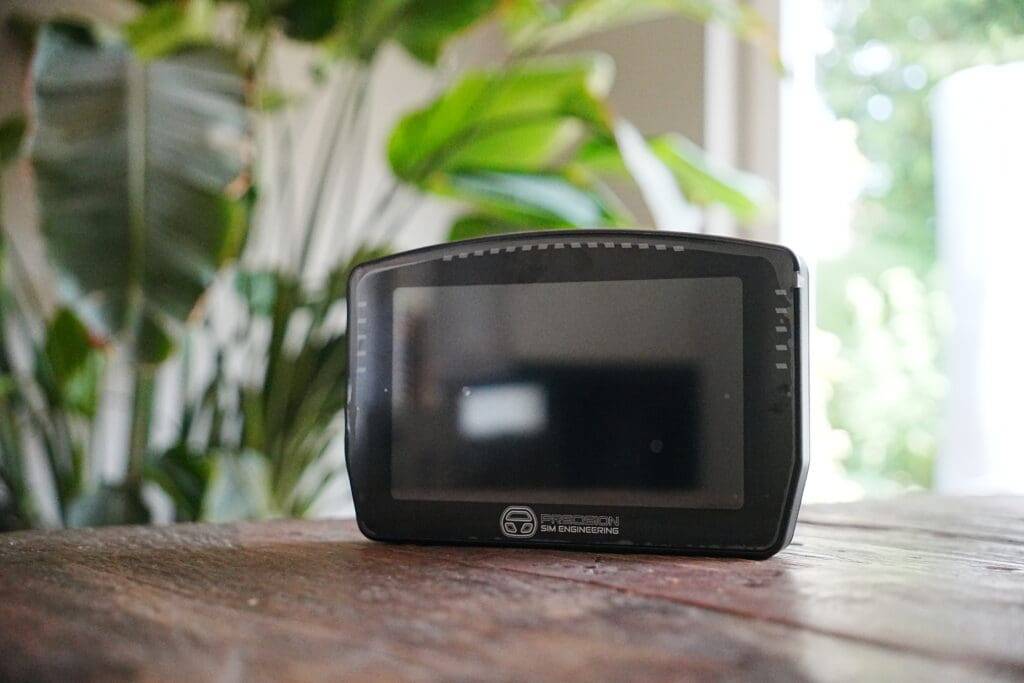
With a 6.8-inch screen, a 60fps refresh rate and full touch controls, the DD-X offers data visualisation that is both generous, fluid and interactive. This ensures instant, smooth display of crucial race information, without lag or hiccups. Many competitors offer either a smaller screen or a lower refresh rate, which can reduce overview and reaction time in the heat of battle.
However, the large format also brings challenges; many popular dashboards - including my favourite TWF dashboard - are not designed or optimised for a DDU of this size. As a result, some dashboards are upscaled, to the detriment of sharpness. It's a pity, because this does slightly detract from the visual experience.
High-quality materials, build quality and premium finish
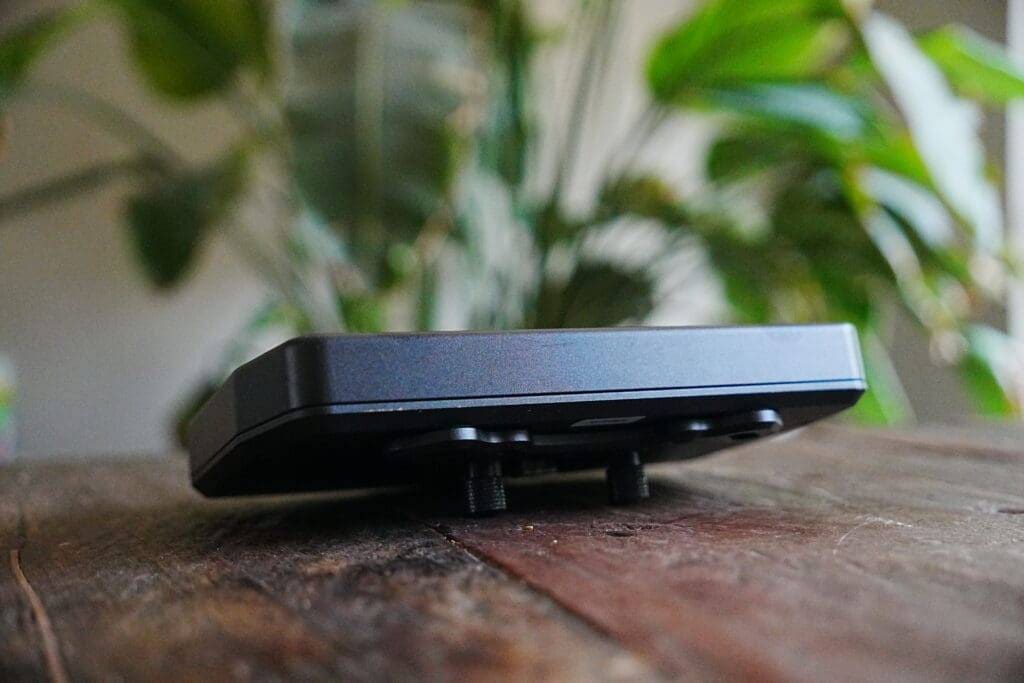
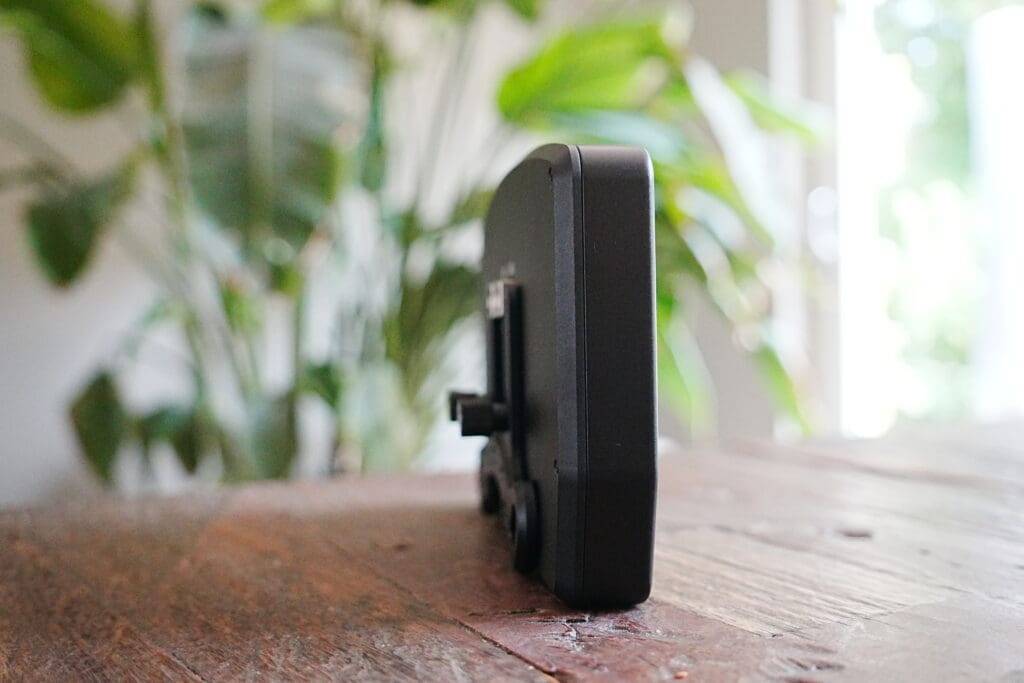
The housing is made of CNC-milled 6061-T6 aluminium and finished with a matte black anodisation. Not only is this beautiful to look at, but it also feels immediately like serious, durable hardware. It's a piece of hardware that can take a beating.
From my experience with countless displays and sim racing parts, I can say that the precision of this milling operation is exceptional: no sharp edges, perfect fit and solid montagepoints. The weight is just right - heavy enough to remain stable, but light enough for flexible placement. The whole thing exudes the same solidity as real motorsport components, where you can see and feel that every screw and every finish has been done with care.
Thoughtful design
The design of the Precision Sim Engineering DD-X focuses not only on aesthetics, but also on pure functionality. The design is simple and looks like it comes straight out of a GT3 car. The compact but wide design makes it easy to integrate the DDU into a variety of cockpit setups, whether on a wheelbase, button box or centre console. From my experience, I find that precisely this flexibility makes all the difference when building a cockpit that feels logical and pleasant.
The anti-glare Gorilla Glass layer ensures the screen remains legible in all lighting conditions, from bright daylight to a dim or dark cockpit thanks to my homemade sim racing roof. The notched bracket keeps the viewing angle exactly how you want it and prevents you from constantly having to adjust it. During long races, this gives not only comfort, but also the confidence that everything stays as it should.
Advanced and fully adjustable LED lighting
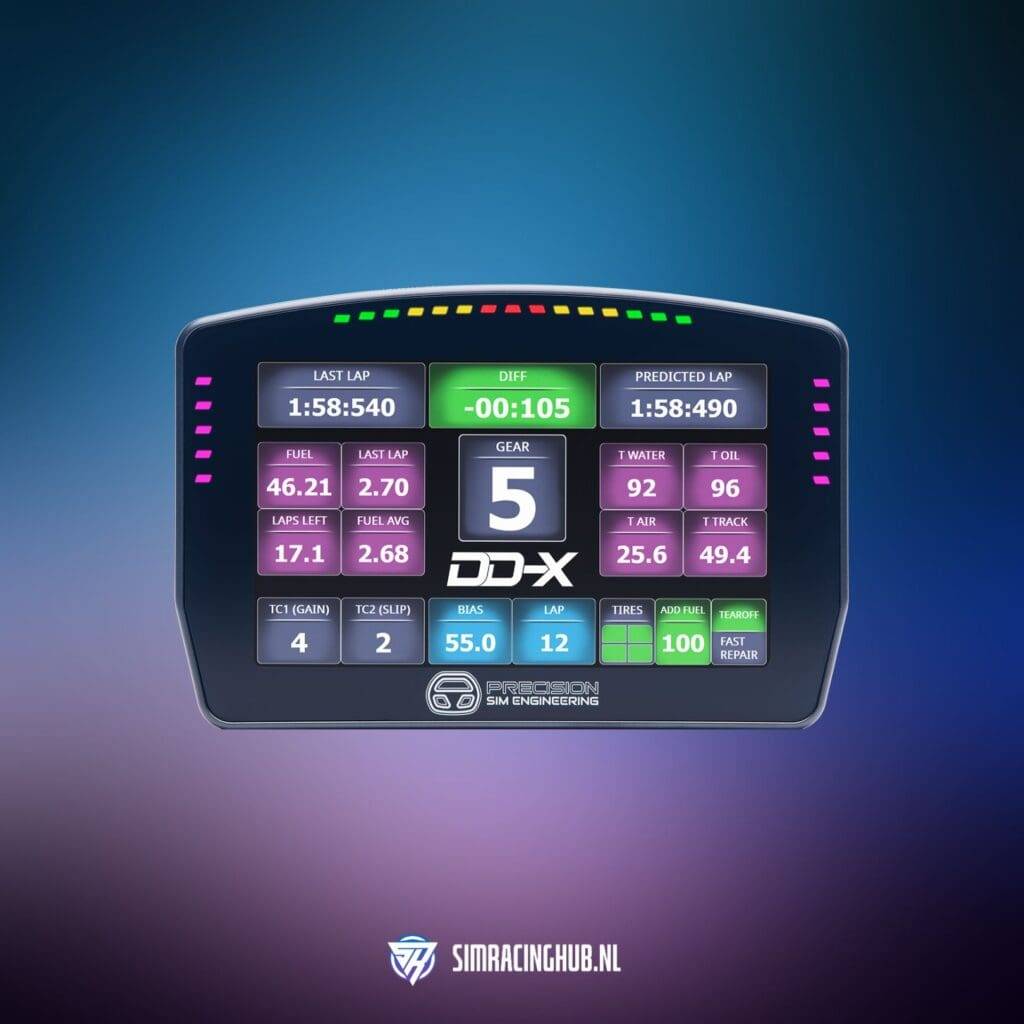
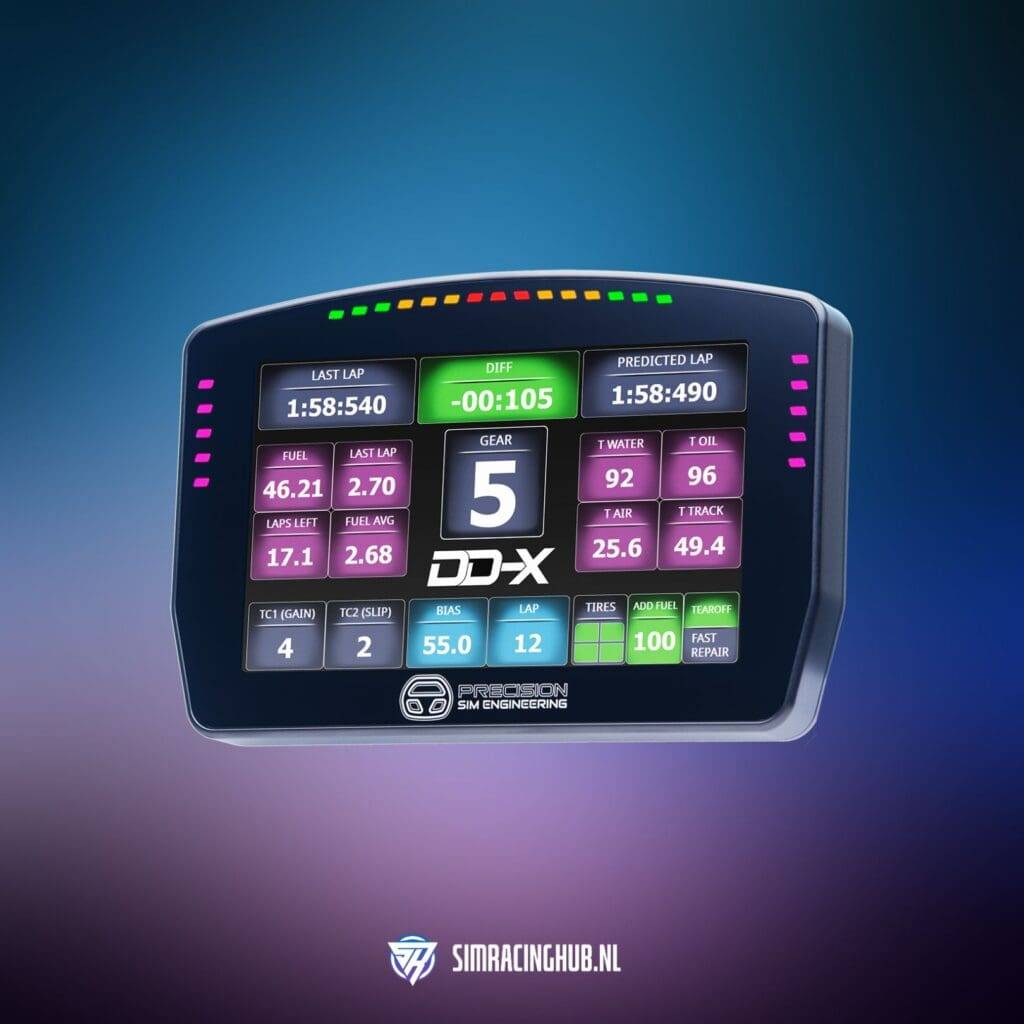
With 25 individually adjustable RGB LEDs in a 5-15-5 configuration, the DD-X can display much more than just RPM lights. You can set it up for flag messages, spotter or more. Thanks to the extensive options in SimHub, you can configure these LEDs exactly as you want, but honestly, the default LED profile is already more than enough in many cases. Personally, I use the 15 horizontal LEDs to visually display brake pressure and throttle position - ideal because I have this DDU placed on top of my Pro Switch Panel in the centre console and don't need RPMs there.
The brightness and colour selection are adjustable for each LED, allowing you to fully tailor the feedback to your own preferences and driving style. Bright enough to linger in your peripheral vision, but never so aggressive that it becomes distracting. This is something that SimHub enables by default and thus not something that sets the Precision Sim Engineering DD-X apart from other displays.
Ready for use with Daniel Newman Racing profiles
Instead of having to develop dashboards yourself or buy them externally, the DD-X gives you direct access to ready-made, professionally designed SimHub profiles from Daniel Newman Racing. These are visually appealing, functionally well thought-out and ready for both sprint and endurance racing. It saves you hours of configuration work and immediately gives you an optimal starting point. This is a smart move! DNR's profiles are very good.
Of course, you can import any dashboard into SimHub, including the popular Lovely Dashboards work on the DD-X. Precision Sim Engineering itself also has its own DD-X dashboard, but in all honesty, it is just not that and I stay true to my own dashboards that I use a lot.
My experience with the Precision Sim Engineering DD-X
The Precision Sim Engineering DD-X has now proven to be a fixture in my setup. From the moment I paired it with the Pro Switch Panel, I knew this was not going to be a temporary test. The large 6.8″ display, together with the panel, forms a sleek, integrated whole that not only looks nice, but also works practically. The placement gives me exactly that GT or prototype car feel I've always been looking for - it looks like it's straight out of a real racing cockpit.

In practice, I notice how nice it is to be able to see all crucial data at a glance during a race: lap and sector times, tyre temperatures, fuel levels - everything is clearly and neatly displayed, without having to search. This saves precious seconds and provides peace of mind behind the wheel. Especially in endurance sessions, I notice how valuable this is; less distraction, more focus.
Even after long periods of intensive use, the DD-X continues to perform flawlessly. No glitches, no loose connections, just consistent. The construction and mounting feels solid, so I never fear it will suddenly shift or come loose during a race. This gives confidence - something I have experienced less with many other DDUs over the years, where the montage options are often disappointing AND focused on montage on a direct drive wheelbase.
Important detail: so I deliberately don't use the DD-X on my wheelbase. For that purpose, I find it too big and visually too present. Behind the wheel, my preference remains the compact 4.3″ detachable Simdash Elite from Zens Simwheels, which looks much better there. For me, the DD-X shines precisely in the centre console, where its size and display area are really utilised and complete the overall picture of my cockpit.
Advantages and disadvantages of the Precision Sim Engineering DD-X
After several months of intensive use of the DD-X in my setup, it is time to take stock and list the pros and cons.
Advantages
- Large and bright screen
- Premium build quality
- Flexible montage
- Strong integration with SimHub
- Versatile in use
- Daniel Newman Racing dashboard included
Cons
- The price is on the high side
- Bracket not included as standard
- Large format not always practical
- Upscaling at some dashboards
Conclusion Precision Sim Engineering DD-X: Is bigger also better?
In the case of the Precision Sim Engineering DD-X, the answer for me is a resounding yes - provided you use it in the right place. Its generous 6.8″ screen, premium build quality and flexible montage make it an impressive piece of hardware that really adds to my racing experience. In my cockpit, the DD-X now has a permanent place in the centre console, where it fits perfectly and gives me a GT or prototype car feel. Exactly what I need and what I was looking for!
On a wheelbase, I personally find it too big and visually too present, but there I deliberately choose a more compact display that blends better with the in-game dashboard. Should you be looking for a dashboard for that functionality, I would personally opt for its smaller brother the DD-R.
The strength of the DD-X lies in the combination of size, high-quality materials, sleek design, flexible montage, plug-and-play and instantly usable software. Together, these elements create an overall experience that in practice makes the difference between just having a display and a cockpit that feels like one.
If you choose Precision Sim Engineering, you choose quality and a unique user experience. Not everything is perfect, by the way: the price tag is hefty, which ensures that the Precision Sim Engineering DD-X is not for everyone. I personally also find the fact that the montage bracket is not included as standard disappointing, especially in this premium segment. Still, for me this does not outweigh the performance, finish and pleasure of use.
For those looking for top quality and want a cockpit that stands out both technically and visually, the PSE DD-X is an investment you will enjoy for a long time, especially when combined with Precision Sim Engineering's Pro Switch Panel is a golden combination.
Precision Sim Engineering DD-X
The Precision Sim Engineering DD-X is made for sim racers who don't settle for half-measures. With its generous 6.8-inch touchscreen, premium build quality and flexible montage options, the DD-X gives you all the crucial racing information at a glance - right where you need it.
Frequently asked questions about the Precision Sim Engineering DD-X
What is the Precision Sim Engineering DD-X?
The DD-X is a high-end Data Display Unit (DDU) for sim racers, designed with a 6.8-inch touchscreen, premium materials and full SimHub integration.
Who is the Precision Sim Engineering DD-X intended for?
For sim racers who want maximum data display, build quality and integration in their cockpit, for both sprint and endurance racing.
Why should I buy the Precision Sim Engineering DD-X?
The Precision Sim Engineering DD-X offers a large, bright screen, flexible montage, high-quality materials and ready-to-use dashboards. Ideal for those who value performance as well as aesthetics.
How does the DD-X compare with other DDUs?
It stands out for its large size, premium finish and versatile montage options, making it one of the most complete DDUs on the market.
Is the DD-X compatible with my wheelbase?
Yes, the DD-X works with almost all popular direct drive systems, such as Simucube, Fanatec, VRS and Asetek.
Does the DD-X also work without SimHub?
No, the DD-X is designed for use with SimHub, which controls all data and LED configurations.
What do I get with purchase?
The DDU, high-quality USB cables, mounting hardware, and access to Daniel Newman Racing dashboards. The bracket must be purchased separately.
How easy is the installation?
Plug-and-play. Within 10 minutes, you can be racing with the included dashboards.
What does the Precision Sim Engineering DD-X cost?
The price at Precision Sim Engineering is £449 excluding VAT and shipping, which works out at about €630 including at SimRaceWebshop. Accessories such as the RAM Mount (£35/€30) and Display Mount (£20/€23) are optional. For sim racers seeking top quality, durability and instant usability, the investment is worthwhile, but bear in mind a higher-end price tag.
Precision Sim Engineering DD-X Review: Is a Large Sim Racing Display Also the Best Choice? | SimRacingHub.nl

Find out in this review whether the Precision Sim Engineering DD-X is the best 6.8" sim racing display for your cockpit. Read about features, montage, performance and price.
Product Brand: Precision Sim Engineering
Product Currency: EUR
Product Price: 630
Product In-Stock: InStock
4.3
Pros
- Large and bright screen
- Premium build quality
- Flexible montage
- Strong integration with SimHub
- Versatile in use
- Daniel Newman Racing dashboard included
Cons
- The price is on the high side
- Bracket not included as standard
- Large format not always practical
- Upscaling at some dashboards
Have any thoughts?
Share your reaction or leave a quick response - we'd love to hear what you think!
-
 0
0
-
0
-
0
-
0
-
0
-
0


 Nederlands
  Deutsch
  English (UK)
  Français