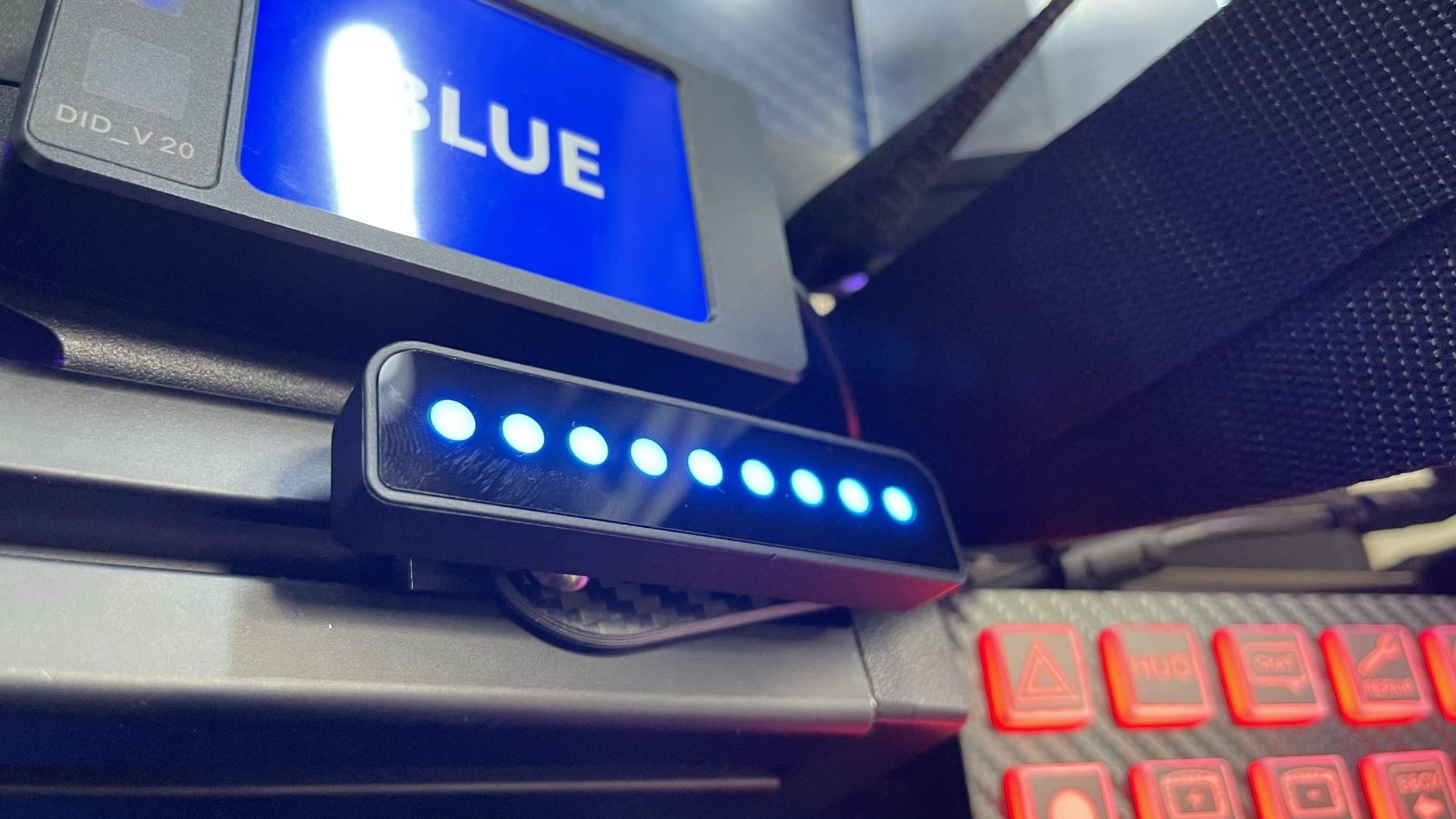
The GRID Brows are two small RGB LED light bars connected to a PC via a control box and an Arduino board. These RGB LED light bars promise to not only brighten up your simulator, but also provide crucial information while you race. These light bars display various telemetry data from racing simulations such as flags, ABS activation, traction control and more! You can configure this with SimHub or the Race Director software from GRID and Sim Lab. You see these little light bars a lot in modern GT3 cars and Hypercars. But why invest in such an accessory and what exactly can these light bars do?
In this GRID Brows Review I share my experiences and insights about the GRID Brows and you will discover why these eye-catching accessories might mean more to your racing setup than you might initially think. Wondering if the GRID Brows will be a valuable addition to your setup? Then read on quickly!
What Are the GRID Brows?
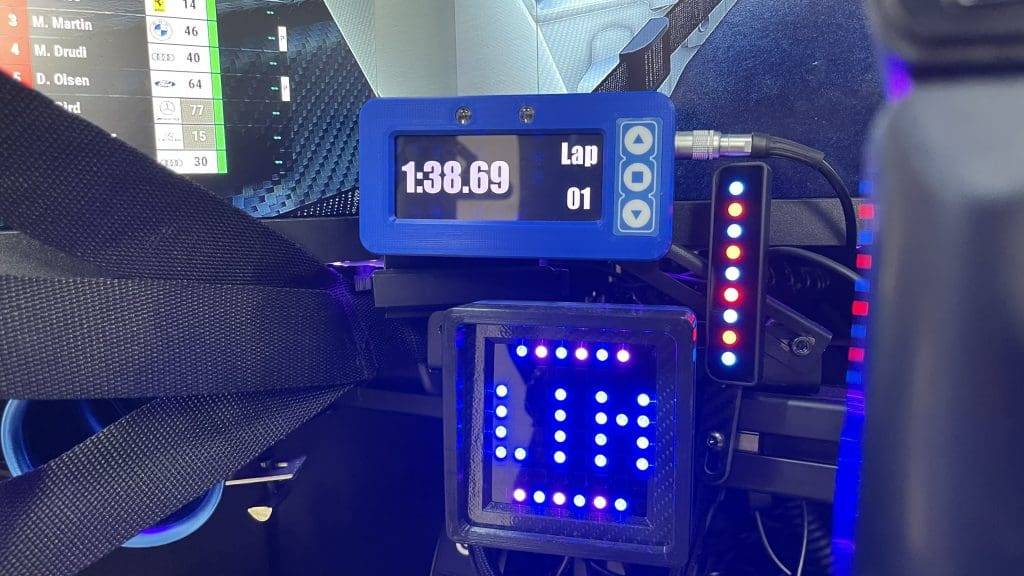
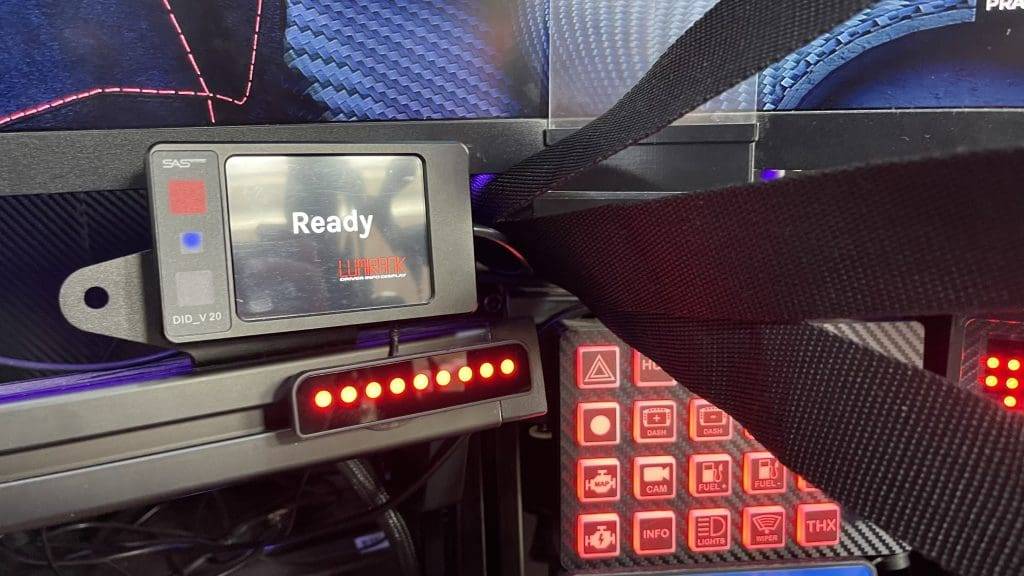
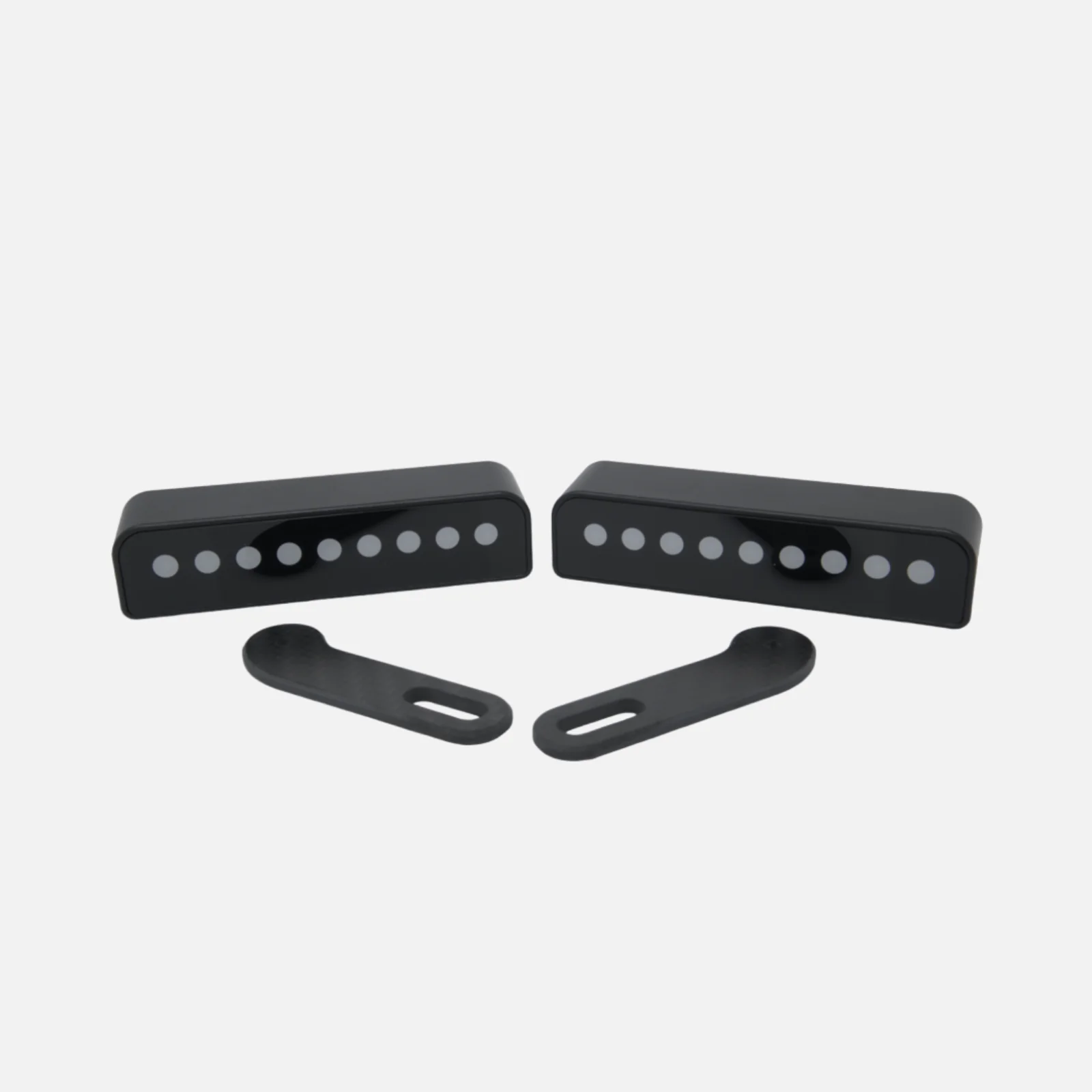
The GRID Brows consist of two LED arrays, each with 9 individual LEDs on each side. Designed specifically for use in simulators, they serve as visual aids that display information in the driver's peripheral field of vision. This means that important information such as spotter warnings, tyre temperatures, fuel levels, traction control and ABS can be received while the focus remains on the road. And that is more valuable than you think!
GRID Engineering designed these "eyebrows" with the idea of presenting you with relevant data in a way that does not interfere with concentration. In fact, these simple additions can help you drive faster without taking risks that could hurt your safety score.
What's in the box?
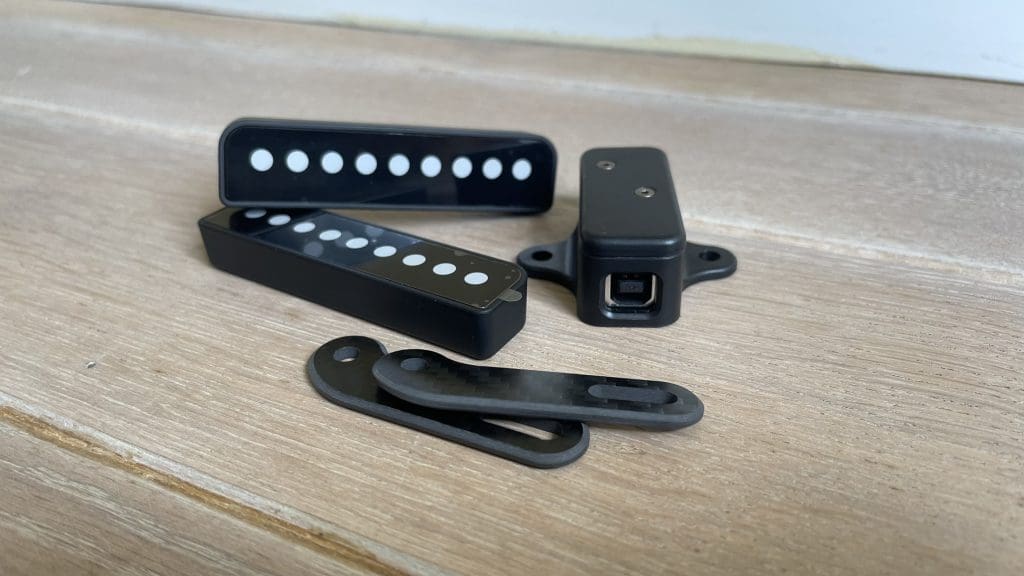
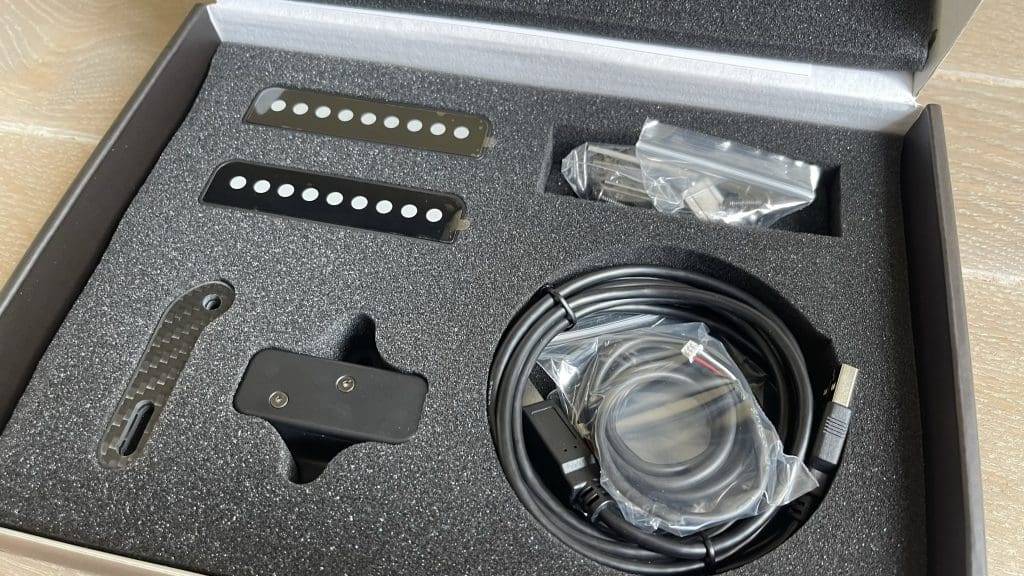
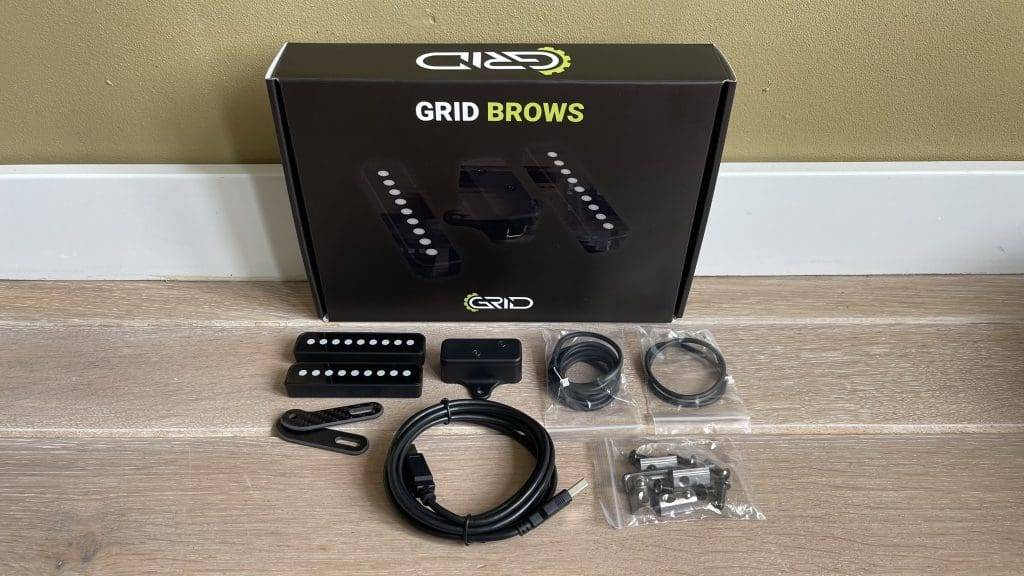
The GRID Brows, like the GRID MPX V2, delivered in a beautifully designed and well-protected box. Upon opening the box, you will see all the parts wrapped in foam rubber. If you buy the GRID Brows then you get the following:
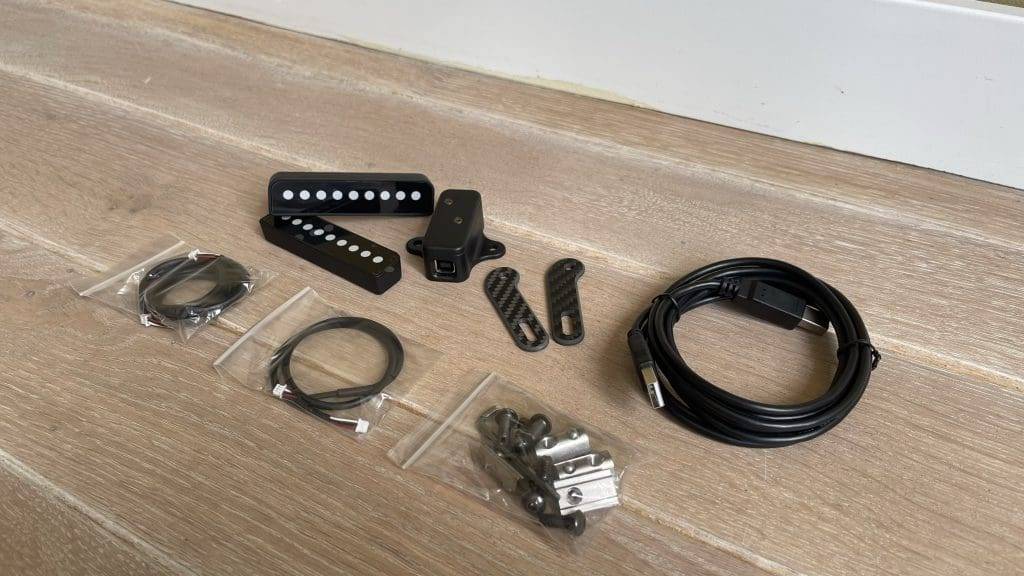
- 2x GRID Brows with 9 RGB LEDs
- 2x carbon fibre mounting brackets
- 1x Control Box
- 1x USB-A cable
- 1x GRID Brow Cable Short
- 1x GRID Brow Cable Long
- Mon1TP3Equipment (M5 bolts and screws)
Price Of GRID Brows
Currently, the GRID Brows cost €109 excluding shipping. Due to a recent price hike, they have become significantly more expensive. Not so long ago, you paid €94 for these two LED arrays.
While price is always subjective and may be on the high side for many, for this amount you receive a good, high-quality product with excellent build quality and choice of materials. While there are undoubtedly cheaper (DIY) options out there, with the GRID Brows you are choosing quality, durability and a good plug-and-play solution.
Installation
Assembling and installing the GRID Brows is very easy and self-explanatory. In this, the manual is very clear and takes you step-by-step. Although the included carbon brackets are nice and beautiful, I still find the montage capabilities of these limited. I would personally also like to adjust the angle or tilt the brows forwards or backwards.
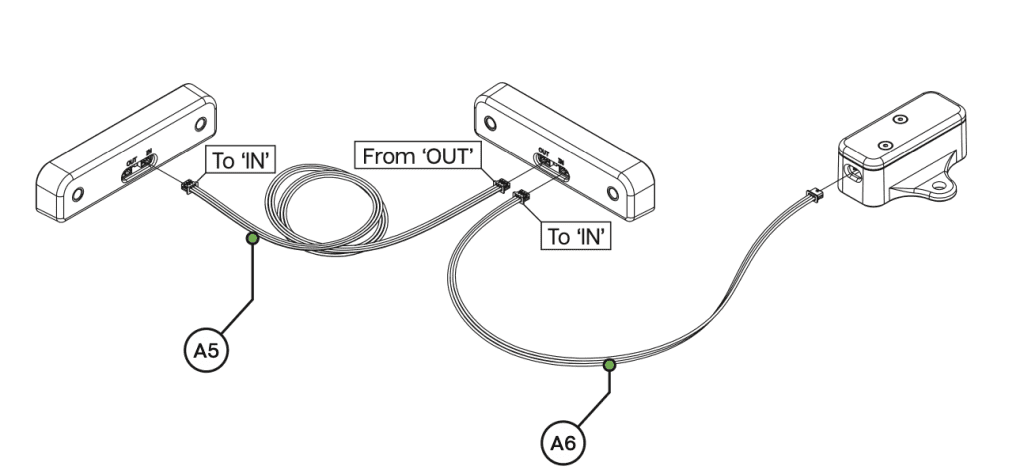
Each Brow is connected to a small 3-pin connector and are connected in series. Thus, each Brow has an ‘in’ and ‘out’ connector which is then connected to the control box. Because the two short and long Brow cables are not very long, you will have to place the control box close to where you want to place the Brow. In practice, fortunately, this is not a problem. It is recommended to mount the control box on the vertical profiles of your cockpit. You then connect the supplied USB-A cable to the control box and your PC.
GRID Brows
The GRID Brows are made of plastic reinforced with carbon fibre (CFRP), ensuring a professional and high-quality finish. The LEDs are housed in a scratch-resistant glass casing, resulting in good build quality and durability.
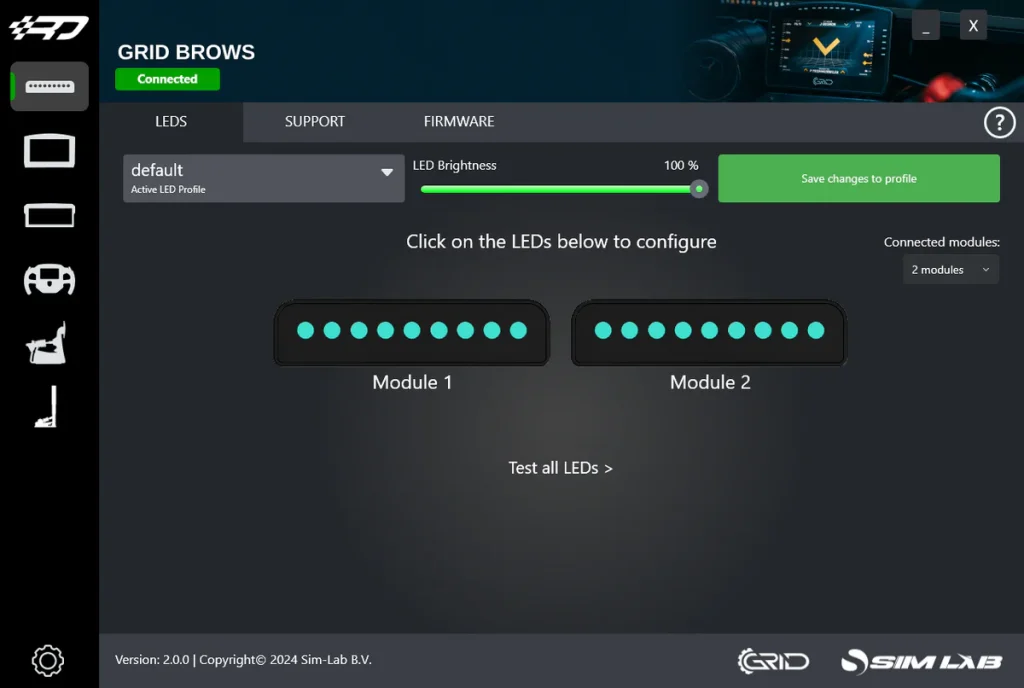
The set consists of two LED units connected together; one unit is connected to the control box that is then connected to the computer via USB. Using the SimHub or Race Director software, you can control which telemetry data is displayed and which is not. In addition, you can adjust the brightness and colour of the LEDs to your liking and much more.
Features of the GRID Brows
- High-quality LED arrays: Each GRID Brow contains 9 individually controllable LEDs per side, providing a bright and clear display of various statuses and alerts.
- Functional and efficient: These LED displays are ideal for displaying crucial race information such as spotter alerts, tyre temperatures, fuel levels and more. This helps you react faster to changes without losing focus.
- Improved Safety: By displaying information in your peripheral vision, GRID Brows provide a valuable tool to reduce your reaction time and ensure your safety on the track. This makes it a smart addition for those looking to improve their performance without compromising on safety.
- Seamless Integration: GRID Brows are plug-and-play and therefore easy to install. They work seamlessly with your existing sim-racing setup. Installation is simple and does not require advanced technical knowledge so you can get started quickly.
- Customisable Display: The LED displays can be customised to your preferences and needs, so you always get exactly the information that is most important to you. This gives you a competitive advantage by personalising your driving experience.
SimHub & Race Director Software
The GRID Brows are specially designed to integrate seamlessly with SimHub, the most popular sim racing software, making them easy to use and customise. The brightness and colour of the LEDs can be changed to suit individual preferences and environmental conditions. With their slim and minimalist design, the GRID Brows fit perfectly with any sim-racing setup. With plug-and-play functionality, they can be easily installed and used immediately.
User experience & conclusion
I have been using the GRID Brows for a couple of weeks now and where I was initially a bit sceptical about the usefulness of this product, I have to admit that the GRID Brows are many times more valuable than I initially thought. Although I was in my simulator many LED accessories including flag spotters, a DDU and of course several steering wheels that all provide me with a lot of information while racing, I must admit that the GRID Brows spotter and flag LED array is really indispensable. I particularly like the simplistic design and subtle appearance, which makes the GRID Brows integrate incredibly well and nicely into my cockpit.
One of the main advantages of the GRID Brows is that you can receive important information without any distractions. Whether you are a professional sim racer or an enthusiastic hobbyist, these LED displays greatly enhance your setup and racing experience. For example, the peripheral spotter alerts are a simple but effective way to be less easily distracted, allowing you to keep your focus on racing.
With the GRID Brows, GRID Engineering has created a product that is not only functional, but also well thought-out and stylish. The clean and simplistic design combined with high-quality materials ensures that these LED displays not only look great, but also last a long time.
I am extremely happy with this product and enjoy using it. Although I initially thought the GRID Brows didn't add that much to my setup and experience, I now can't live without it! This small and subtle sim racing accessory is more valuable than you might think and, as far as I'm concerned, an absolute keeper in my sim racing cockpit! It is a hugely valuable addition, which is why I would recommend the product for anyone.
Advantages
- High quality
- Simple installation
- Simplistic design
- Fully customisable
- SimHub integration
Cons
- Price
The GRID Brows come with two RGB LED units with 9 LEDs each, a control box, cables and standard mounting brackets. These units can be linked together and are compatible with SimHub and RaceDirector. I rate these GRID Brows with a 4,2!
[Review] These GRID Brows Are More Valuable Than You Think. This Is Why! | SimRacingHub.nl
Read our GRID Brows Review and find out how these LED displays can enhance your sim racing experience. Discover the benefits and features of GRID Brows!
Product Brand: GRID Engineering
Product Currency: EUR
Product Price: 109
Product In-Stock: InStock
4.2
Pros
- High quality
- Simple installation
- Simplistic design
- Fully customisable
- SimHub integration
Cons
- Price
Have any thoughts?
Share your reaction or leave a quick response - we'd love to hear what you think!
-
 0
0
-
0
-
0
-
0
-
0
-
0


 Nederlands
  Deutsch
  English (UK)
  Français