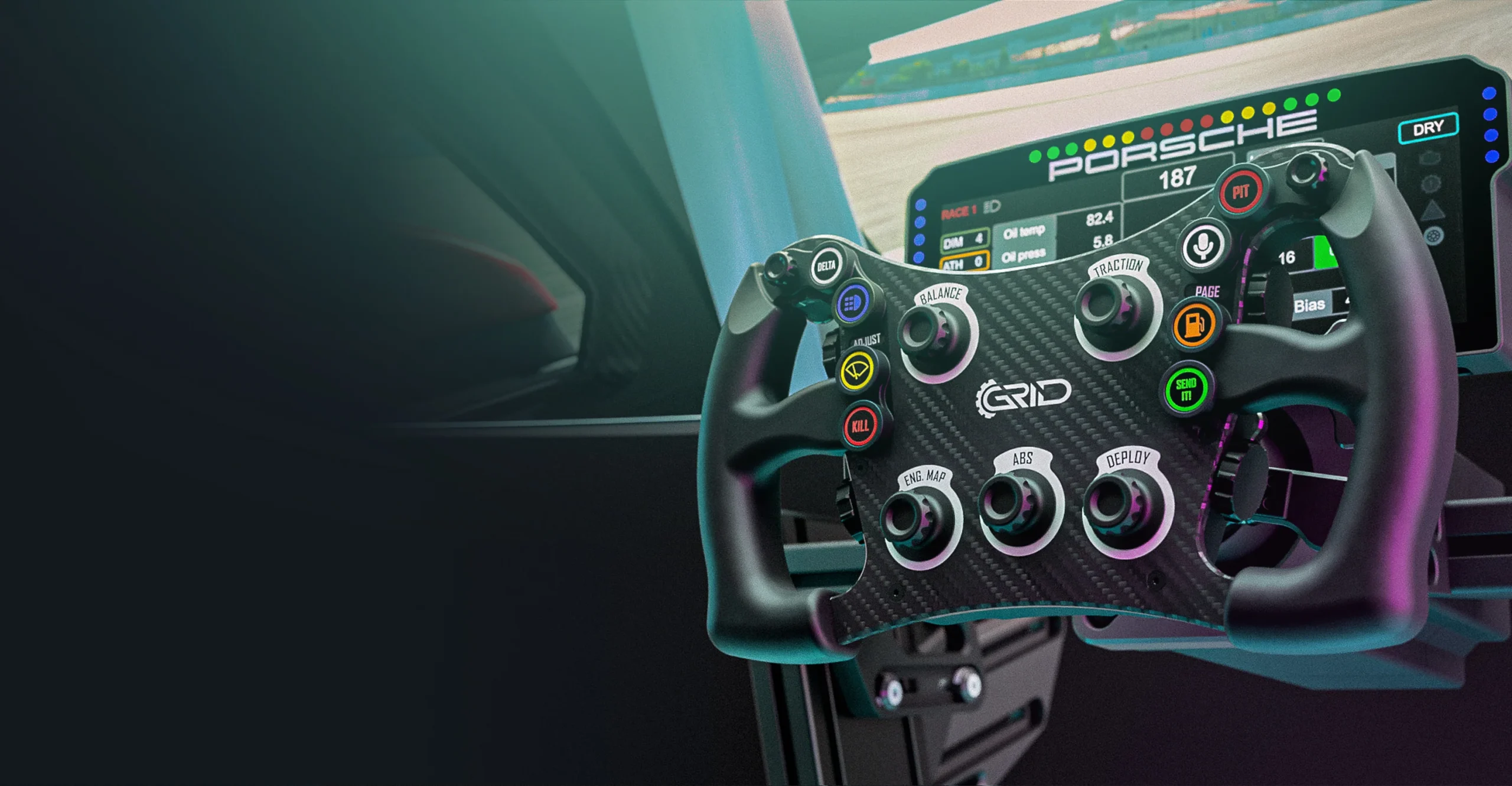
Welcome to this comprehensive review of the GRID MPX V2 steering wheel. I have rarely been so excited to review a steering wheel as with the GRID MPX V2. Right, you read it right; the renewed V2! The GRID MPX is regarded by many as the best sim racing wheel, and for good reason. So I'm very excited to be able to test this new, high-quality wheel extensively and answer the question of how good it really is.
In this GRID MPX V2 review we dive deep into the build quality, design, performance, user experience of the MPX V2. Among other things, we discuss its key features, pros and cons and a comprehensive user experience. Whether you are a seasoned pro or just an enthusiastic beginner; I hope this review will help you determine whether the GRID MPX V2 steering wheel is the right choice for your sim racing setup. So let's get started!
Packaging and Content
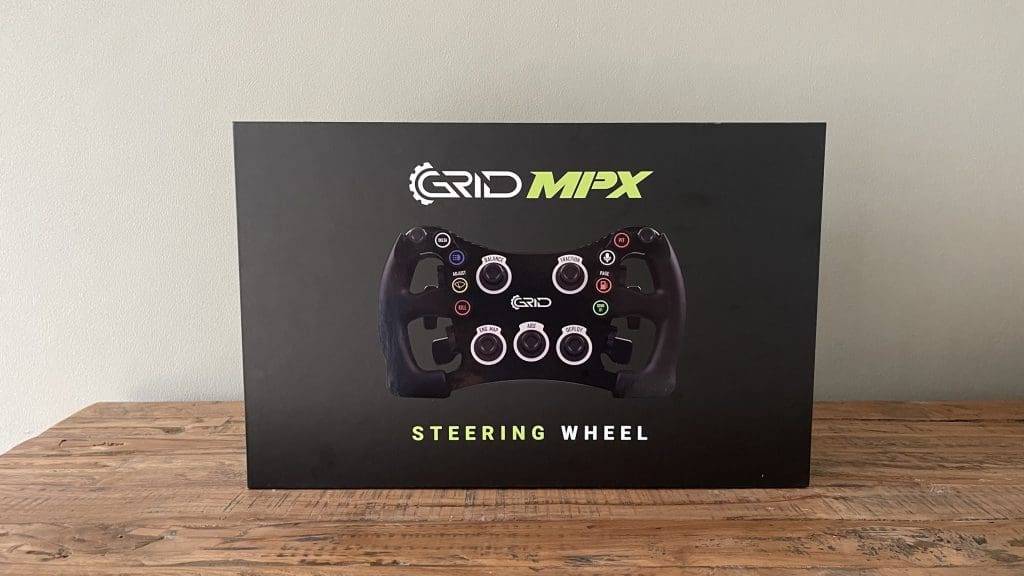
Upon receiving the GRID Engineering MPX V2 steering wheel, one immediately notices the care and attention paid to the packaging. The box itself is sturdy and professionally designed, with the GRID logo prominently displayed on the front. It immediately gives a premium feel and raises the expectation that the contents are of high quality. Incidentally, what is immediately noticeable is that there is no mention of V2 anywhere on the box, implying that this is the V1. Fortunately, this is not true and GRID Engineering has confirmed that - at least for this review copy - they still used the V1's box.
Upon opening the box, you immediately notice the tightly organised and well-protected contents. The steering wheel itself is centrally located and firmly secured with foam inserts to prevent it from moving during transport. These inserts are precisely cut to fit perfectly around the steering wheel and accessories, offering not only protection but also a neat presentation. The handles of the MPX V2 steering wheel are neatly wrapped in foil to prevent damage. While this is certainly nice, it unfortunately takes some time to remove this foil (carefully).
All other accessories and supplies are well and neatly organised and packaged and can be found when removing the foam protection.
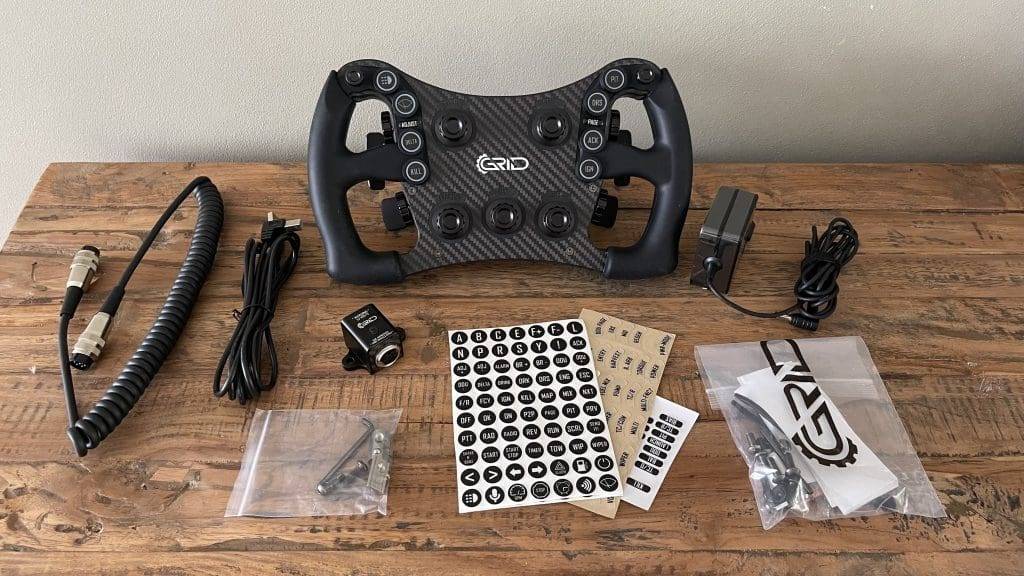
In summary, you will find the following in the box:
- The GRID MPX V2 Steering Wheel
- High-quality sticker sheets to label buttons and dials
- Tweezers for placing the stickers
- A concise manual containing a QR code that links to the online manual
- A USB cable
- A power adapter
- A data cable with a 6 pin Lumberg connector
- The Power Injection Box (PIB)
- Tools and bolts you need to mount the Power Injection Box and handlebar to your QR hub.
Installation
Now that we have unpacked the GRID MPX V2, it is time to install the steering wheel and mount everything in my simulator. But before I do that, I first place the supplied stickers on the steering wheel. Using the included tweezers, placing the stickers is very easy and a piece of cake. There is more than enough choice and options to configure the steering wheel completely to your liking. Which is nice.
Power Injection Box: What A Great Addition!
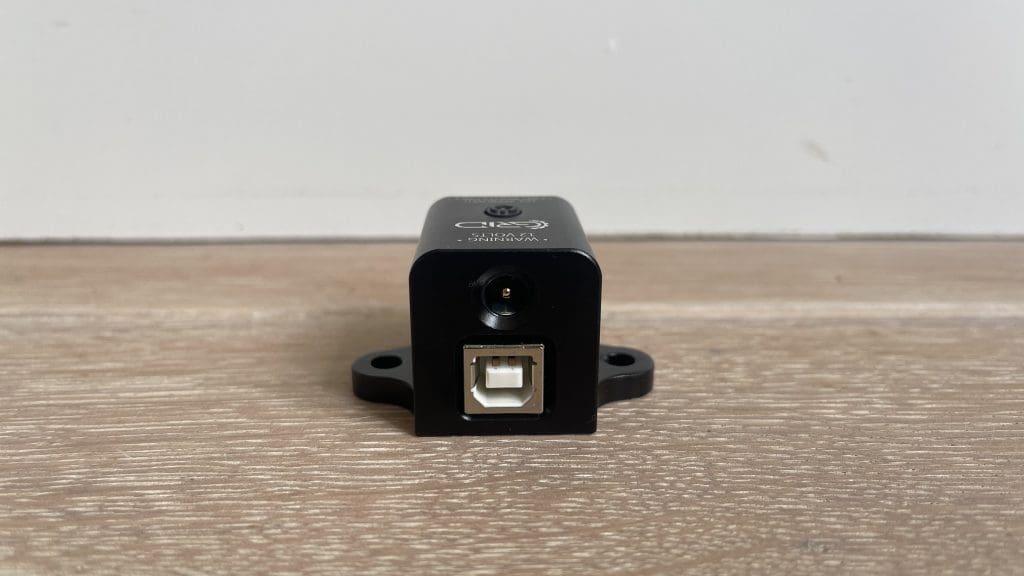
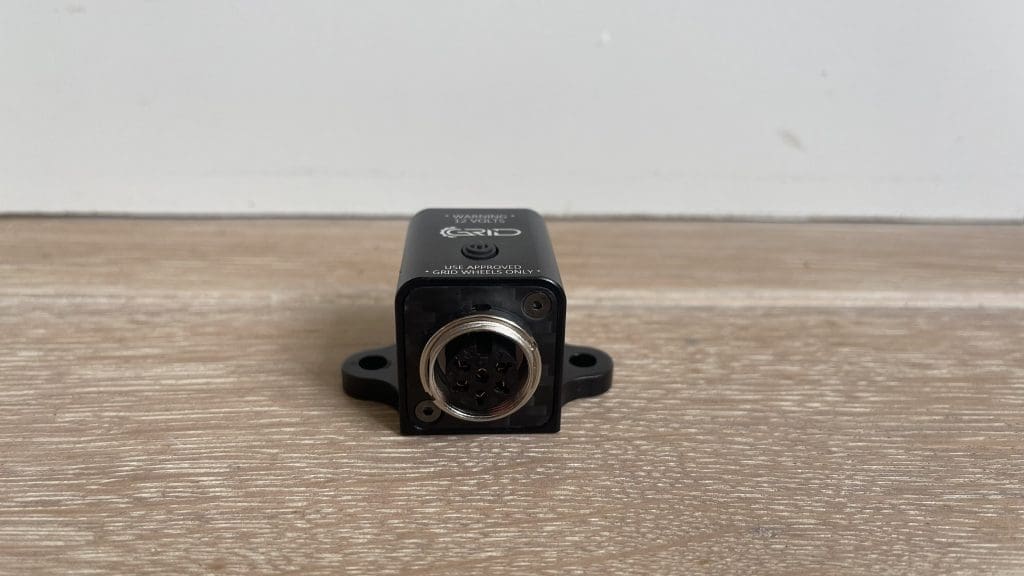
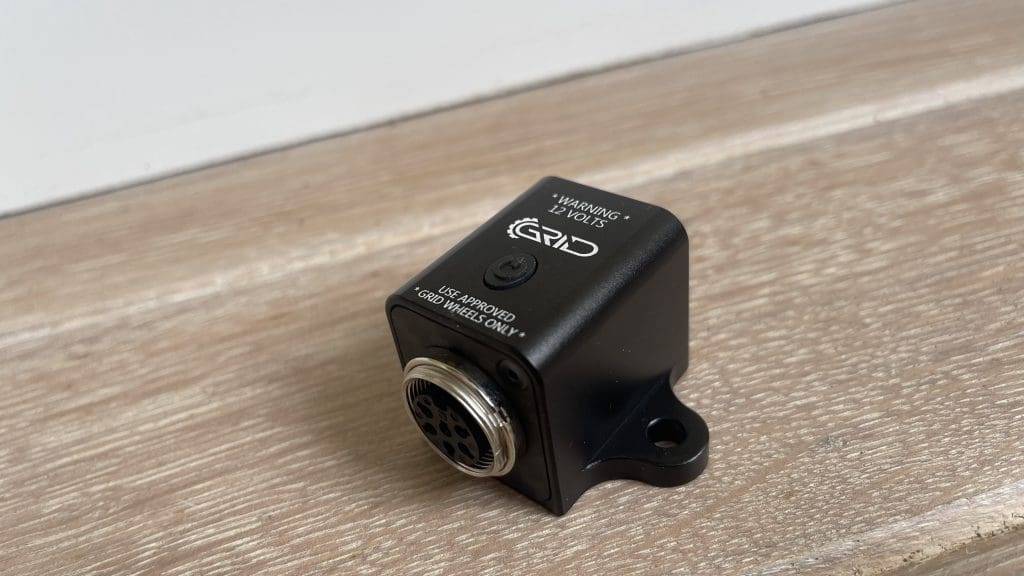
Now that we have the decals in place, it is time to mount the steering wheel in my simulator. This whole process is fantastic! What immediately stands out, and in my opinion, definitely one of the best advantages of the steering wheel is the fitting of the Power Injection Box. You easily and quickly place this small 12V box on the side of your simulator, which you then connect to a power socket and to your PC with the included power adapter and USB cable. By simply pressing the on/off button on the PIB, the steering wheel turns on and is automatically recognised by your PC. The PIB also has some interesting advantages:
1. Improved cable management
Proper cable management is a major frustration and challenge in sim racing. One solution to this is to use the 6-pin Lumberg cable that connects to the PIB instead of directly to the PC or USB hub. This makes this frustration a thing of the past. Nothing is more annoying than a twisted cable tucked away behind your PC and tangled with other cables. The PIB makes cable management a lot clearer and nicely tucked away.
2. Improved Signal Transmission
The PIB provides enhanced signal transmission, eliminating signal loss between the steering wheel and the PC. This means that every input, no matter how small, is recorded accurately and without delay.
3. Stable and Reliable Power Supply
The PIB provides a stable and reliable power supply to the steering wheel. This is especially important when using features such as the 87 RGB LEDs and the numerous buttons and switches, all of which require power to function optimally. A stable power supply ensures that these functions operate without interruption, contributing to a consistent and immersive racing experience.
GRID Engineering MPX V2
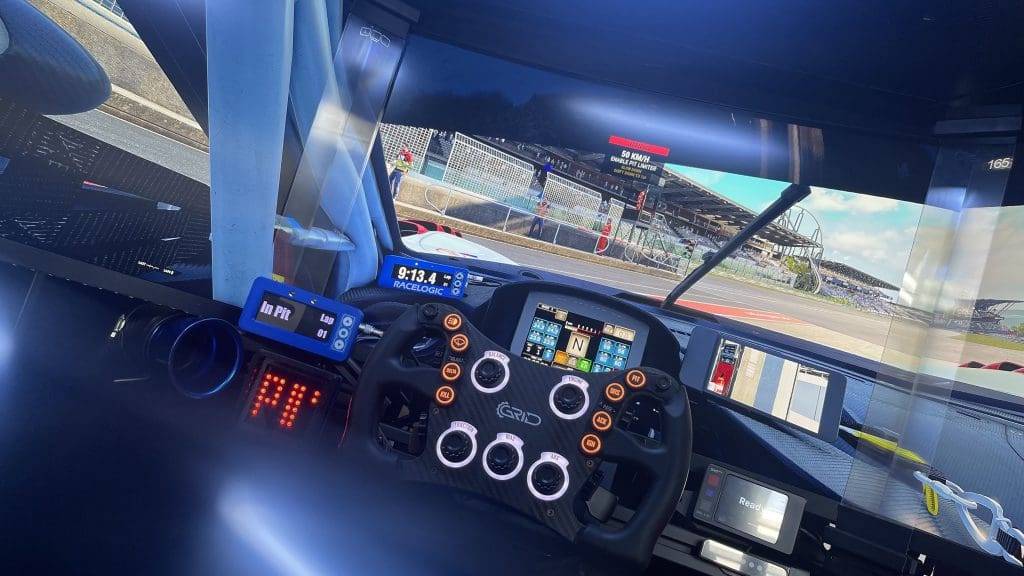
Aiming for ultimate realism and performance? Then the MPX V2 offers an unparalleled combination of precision, durability and customisation options. Designed by GRID Engineering, this steering wheel consists of high-quality materials and innovative features with attention to every detail. The design is minimalist, elegant but also tough and robust.
Differences between GRID MPX V1 and V2
The GRID MPX V2 offers several improvements over its predecessor, making it an even better choice. One of the most notable updates is the introduction of smaller 7-way buttons, making for more compact and ergonomic operation. In addition, new custom buttons and caps have been added, which not only feel better but are also more visually appealing.
The new generation of gear shifters in the V2 offer increased power resulting in a more satisfying and precise shifting experience. The buttons also now have recessed caps, making sticker alignment easier. Another practical update is the removable 50.8 mm rear hub adapter, which offers more installation flexibility.
Finally, the gearshift paddles and clutches are now mounted at the rear, contributing to improved ergonomics and ease of use. These modifications make the V2 not only more robust and user-friendly, but also better suited to the needs of the demanding sim racer.
Price of the GRID MPX V2
The GRID MPX V2 Sim Racing Steering Wheel comes with a price tag of €1,099. This puts this steering wheel in the more expensive and premium segment. At the time of writing, the steering wheel is €100 off (regular price is €1,199). While the price is significant, it reflects the use of high-quality materials, advanced technology and the extensive customisation options this steering wheel offers. For those looking for a high-quality steering wheel and willing to invest in top quality, then the GRID MPX V2 is a good choice that is well worth its price. Why that is I'll explain to you later!
Build quality and design
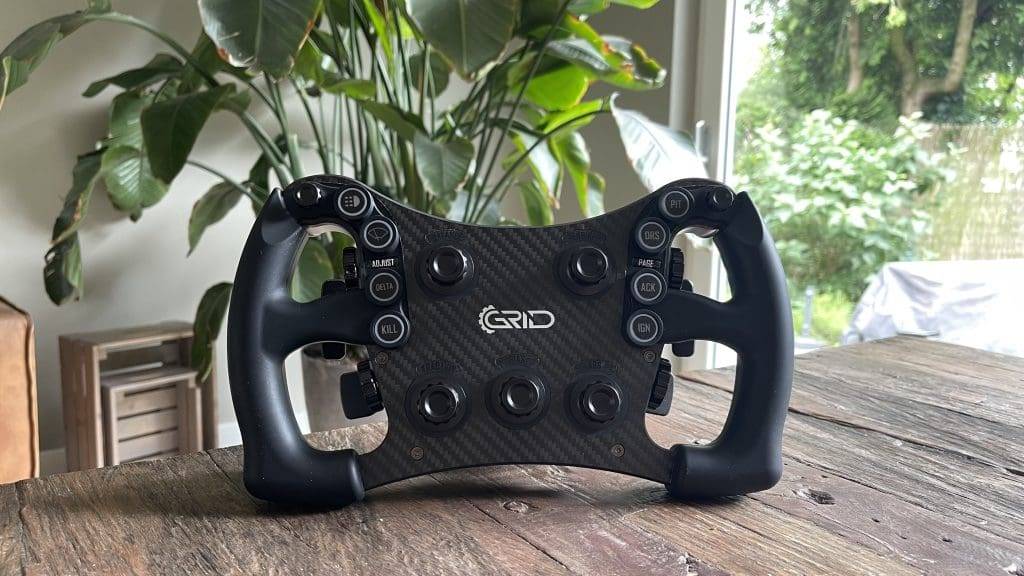
The first impression of the MPX V2 steering wheel was very positive. The build quality of the MPX V2 is exceptionally good and the design is tough, robust and also tremendously ‘clean’. Less is more, and I actually like that. Despite the minimalist design of the GRID MPX V2, the steering wheel is packed with functionality, but more on that later.
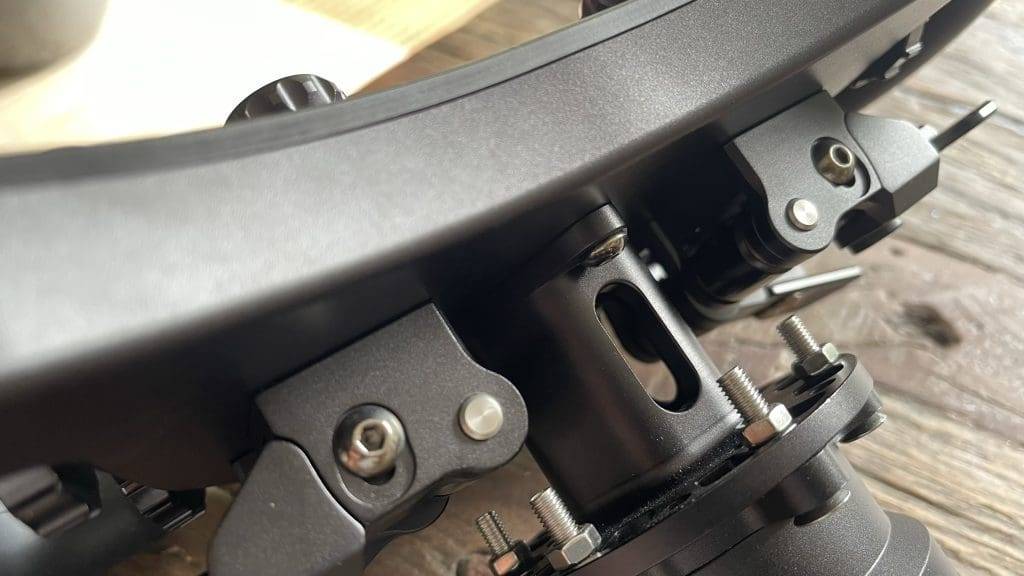
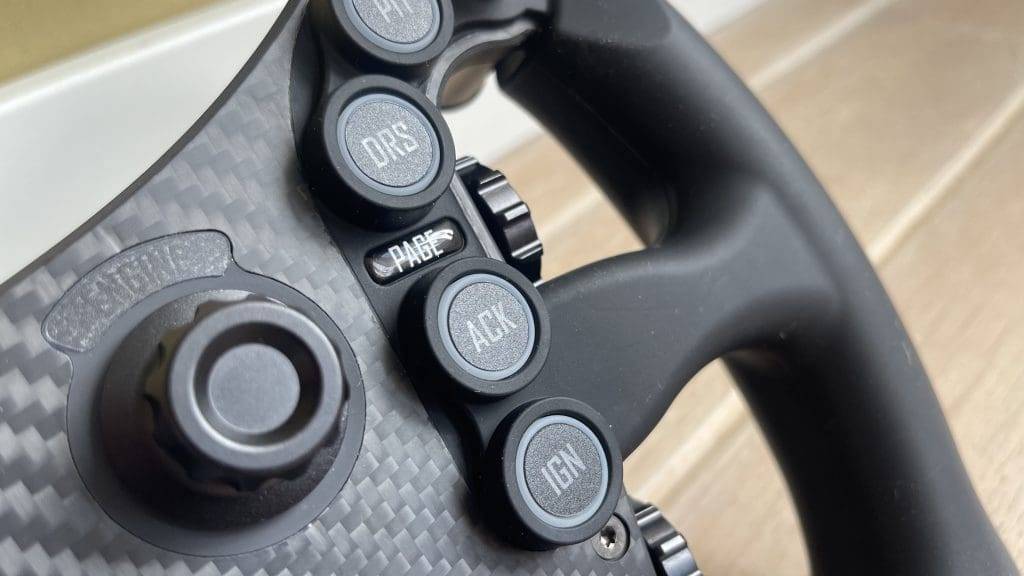
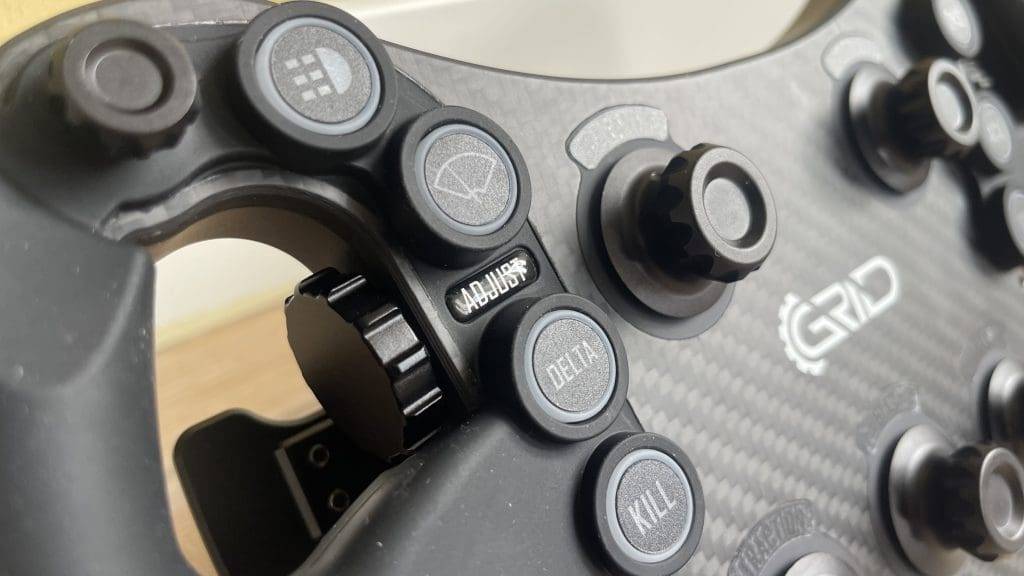
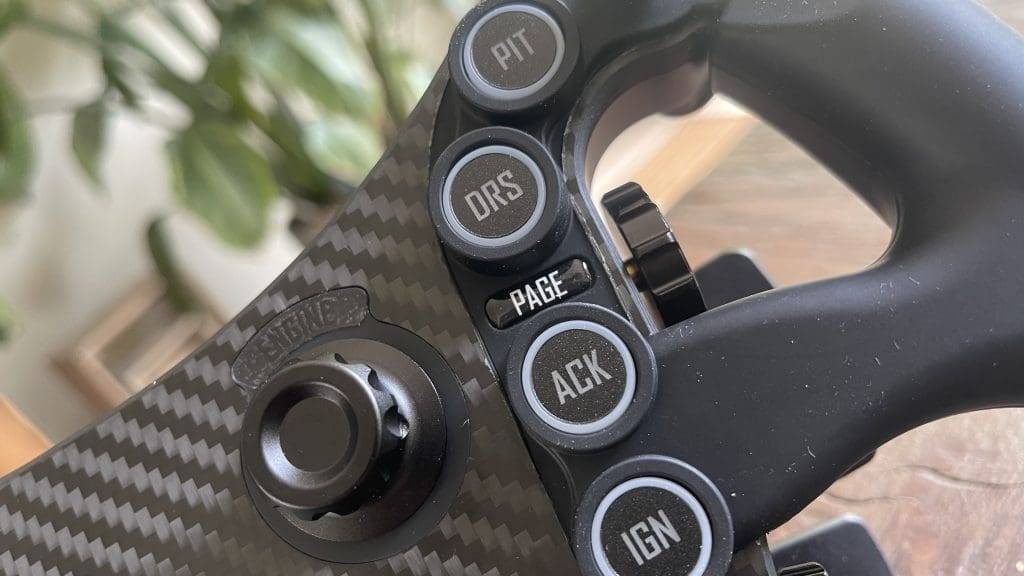
The all-aluminium construction and carbon front plate give the steering wheel a robust and professional look. The steering wheel has a diameter of 295mm and weighs 1700 grams. The front plate is made of 5mm thick carbon fibre. This contributes to the steering wheel's sturdiness and durability without increasing its weight. The use of high-quality 6061 aluminium for the rest of the construction ensures that the steering wheel can withstand the intensity of sim racing. In addition, the aluminium construction ensures a nice and clean finish.
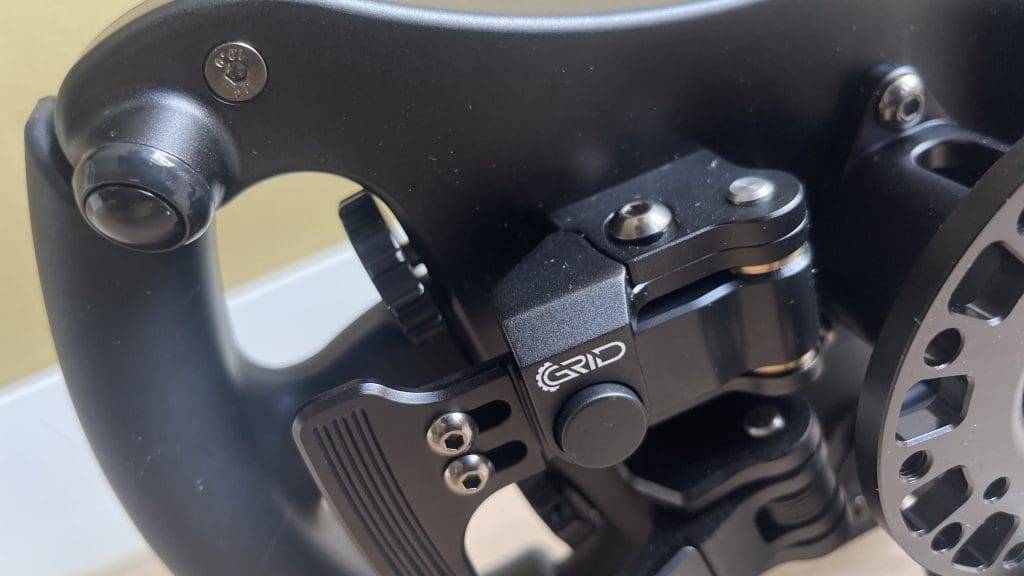
Aluminium Paddles
The shifter flippers and rear clutches are also made of high-quality aluminium and are finished with engraved grooves for extra grip. The gearshift flippers are adjustable and fitted with extra magnets for customised feedback. This makes for a very satisfying and precise shifting experience. The paddles feel immensely comfortable and sit well in the hand. They have a pleasantly short spring travel, allowing you to shift gears quickly and confidently.
I find flippers made of carbon, such as the Cube Controls F-Core and GSI Hyper P1 have, personally nicer, though I am certainly not negative about these aluminium paddles. They are hugely comfortable to hold! Moreover, you can easily adjust them to your liking by turning the screws. All you need for this is an Allen key. The default configuration is sufficient for me in most cases, so I never need to adjust them.
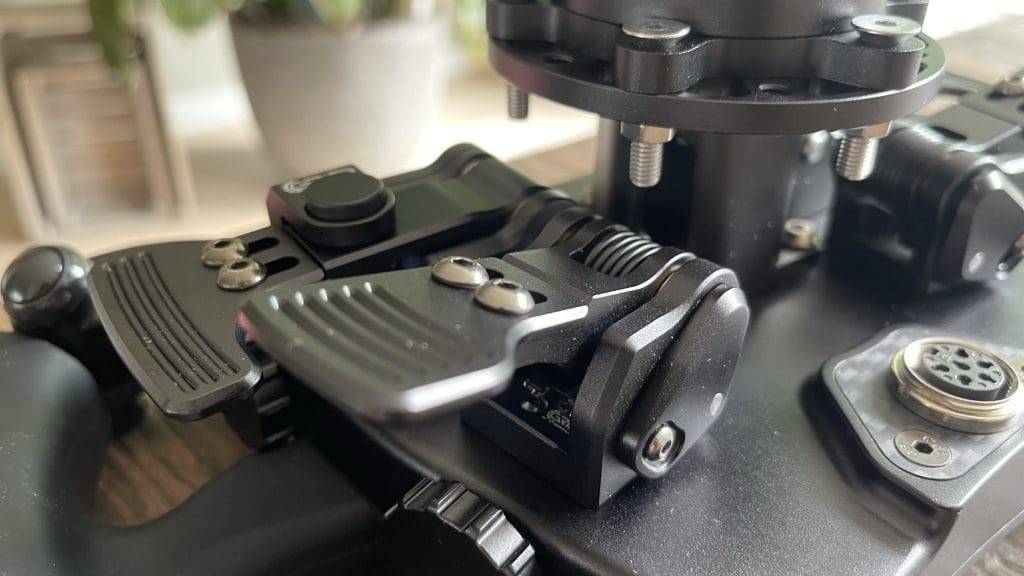
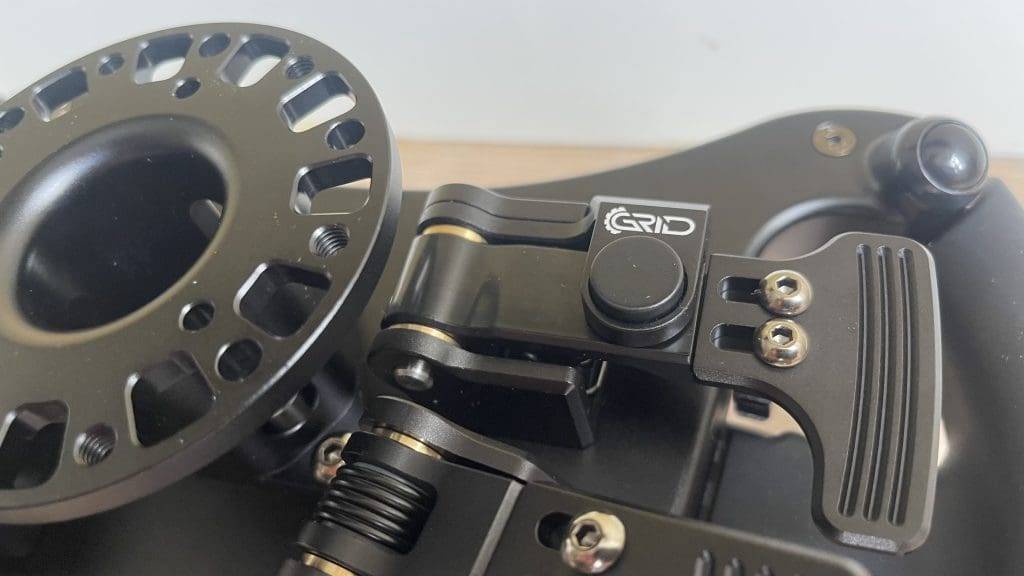
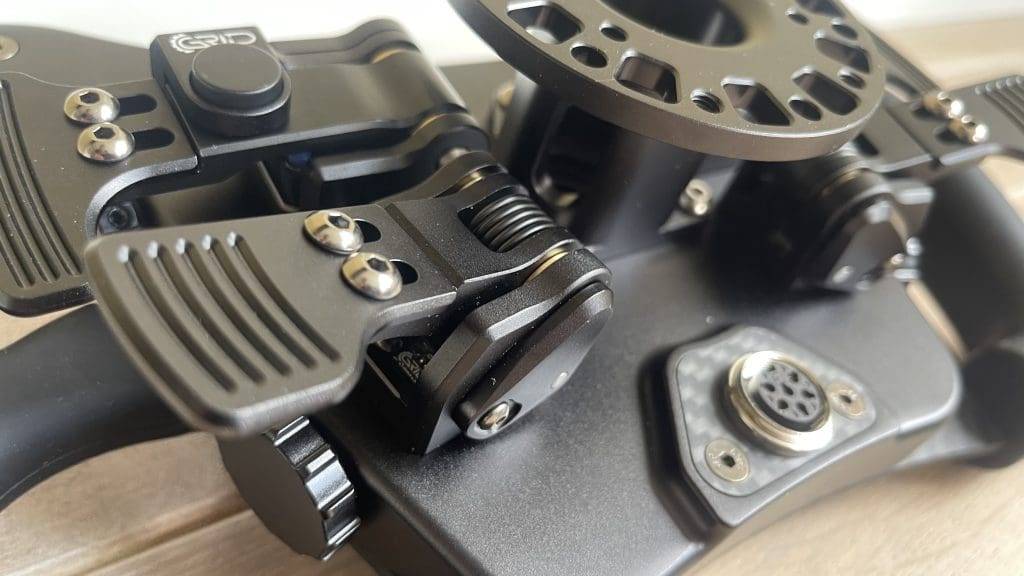
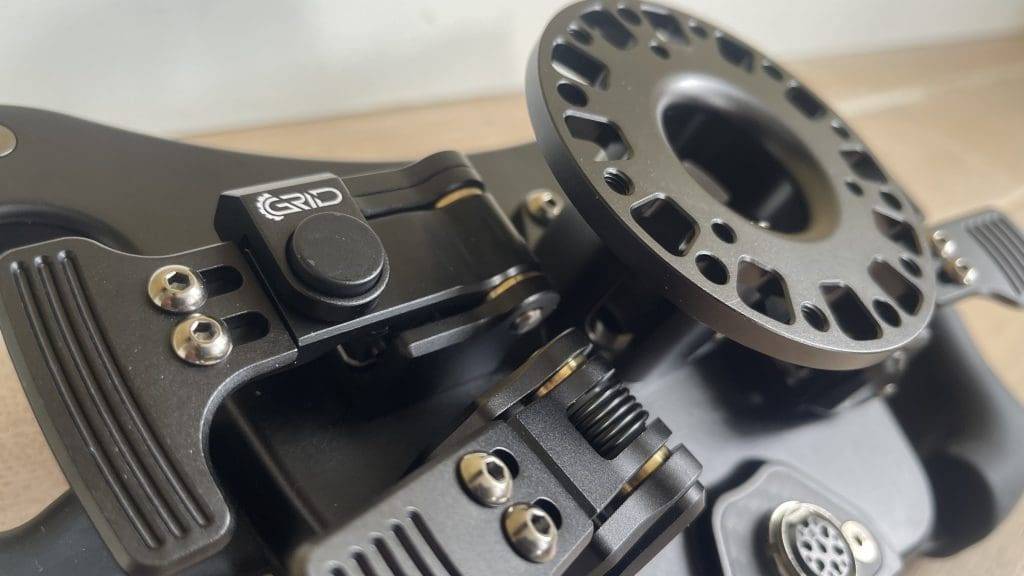
You will experience that GRID Engineering pays attention to every detail. For me, one of the absolute top features of the GRID MPX V2 is the sound of the shifters. These produce a pleasant sound due to the V2's weighted magnets. Of all the steering wheels I have tested, I think the experience of shifting on the MPX V2 is one of the best. The sound is loud but feels like it is finished with soft damping. Lovely!
Ergonomics
The ergonomically shaped grips are made of custom-moulded polyurethane with an anti-static blend. This ensures a comfortable and firm grip even during long racing sessions. One drawback I experienced is that there is a line in the middle of the grips where the front and back of the grips are attached to each other. GRID Engineering confirmed that this line should wear off over time. In fairness, this took quite a long time with me and this line causes irritation when racing without gloves. When racing with sim racing gloves, I did not experience this inconvenience, but it is definitely something to take into account.
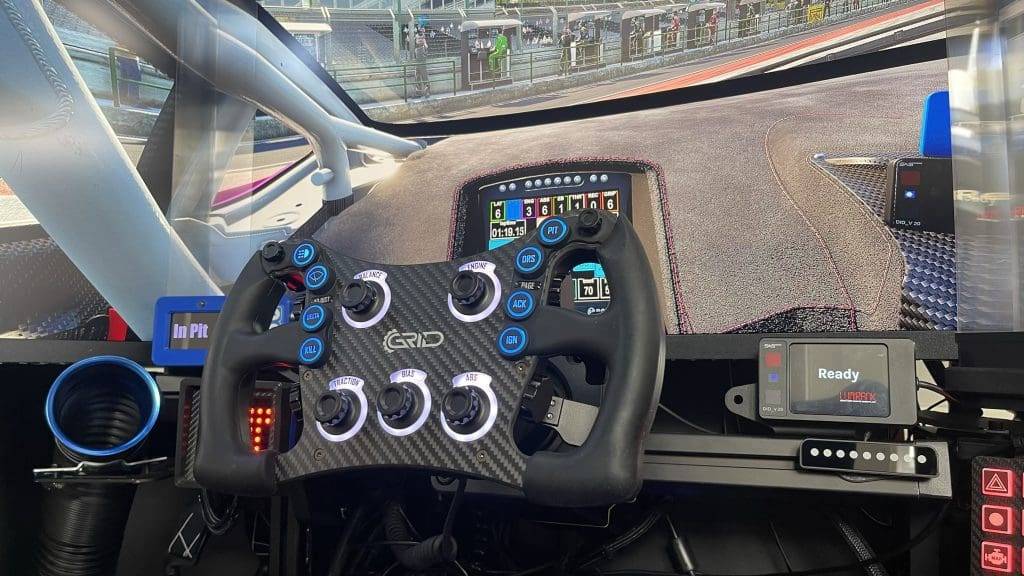
In terms of ergonomics, the 295mm wide steering wheel sits fantastically in the hand. The grips are very pleasant although my personal preference is for wider grips that fit the palm better, as is the case with the GSI Hyper P1 and F-Core, for example. Of course, this is subjective and different for everyone. So look mainly at your personal preference.
Large Quantity of Buttons
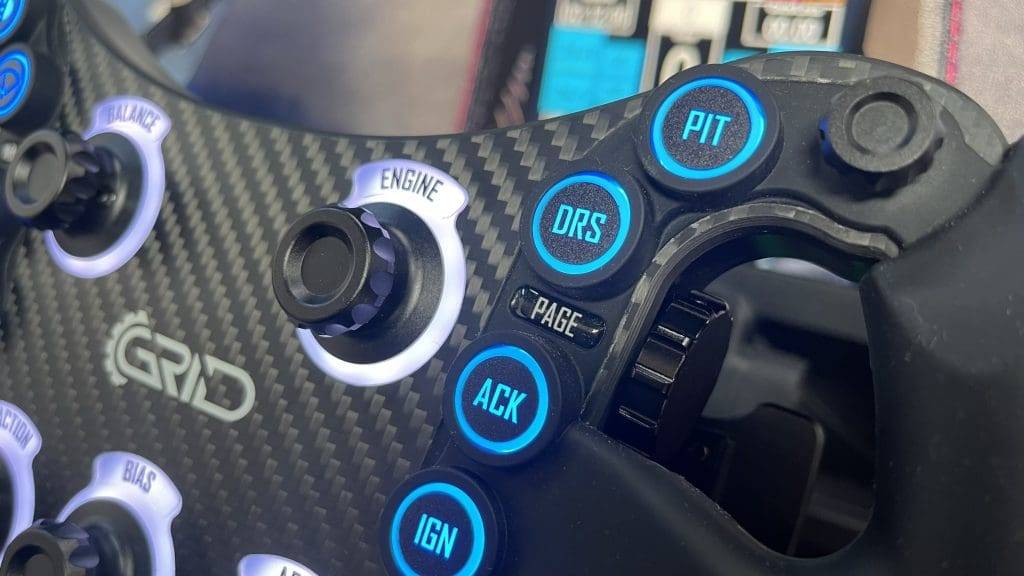
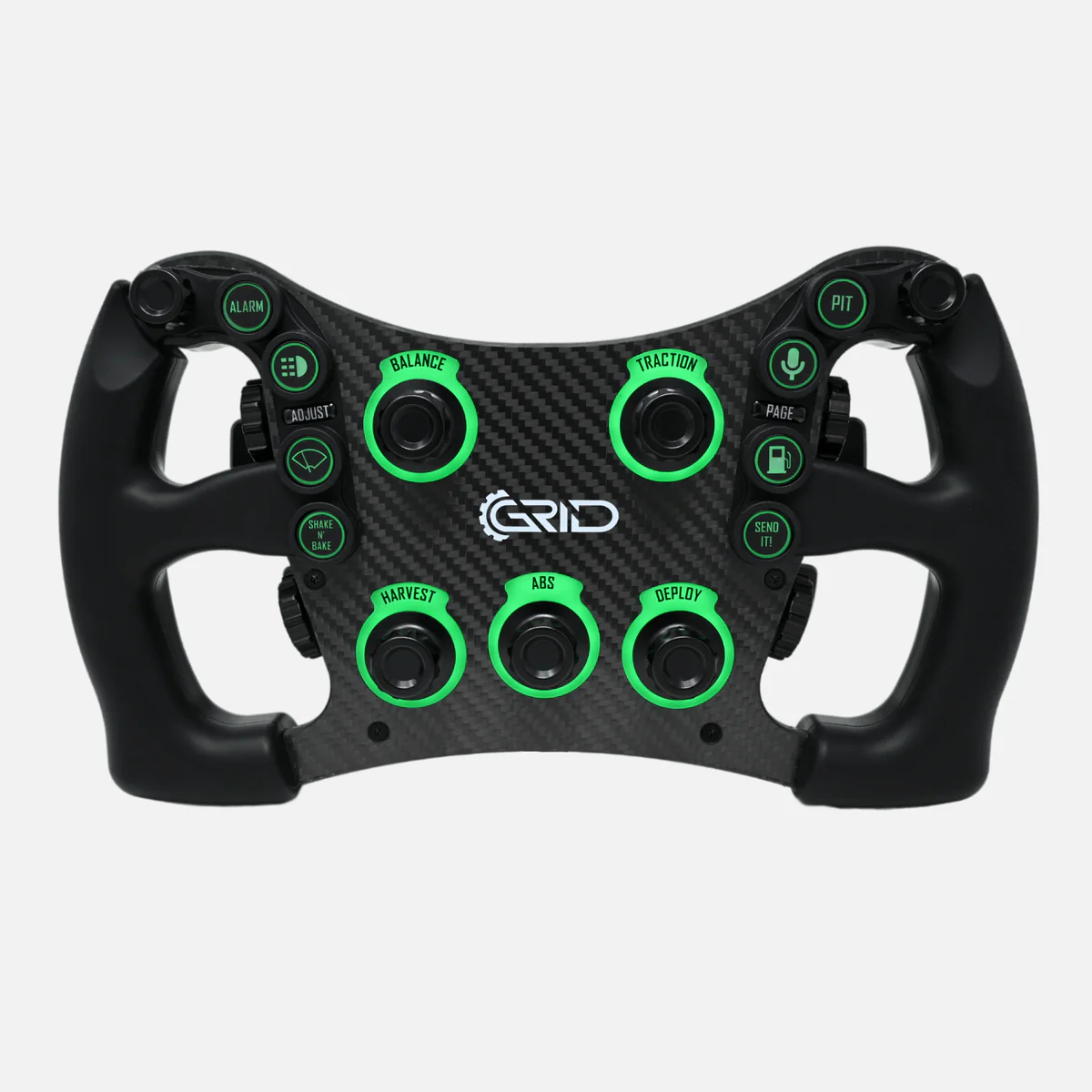
One of the most impressive aspects of the GRID MPX V2 is its extensive functionality. The steering wheel features 55 input options, including two 7-way funky switches. The switches, buttons and rotary encoders are strategically placed, making them easy to reach without taking your hands off the wheel. The steering wheel is equipped with nine ELMA custom encoders with push-button functionality, with five placed in the centre and two on each side of the steering wheel. What I love about the MPX V2 is that the four rotary encoders on the side thus also have push-button functionality. I find this super convenient! The five encoders in the centre each feature 11 RGB LEDs.
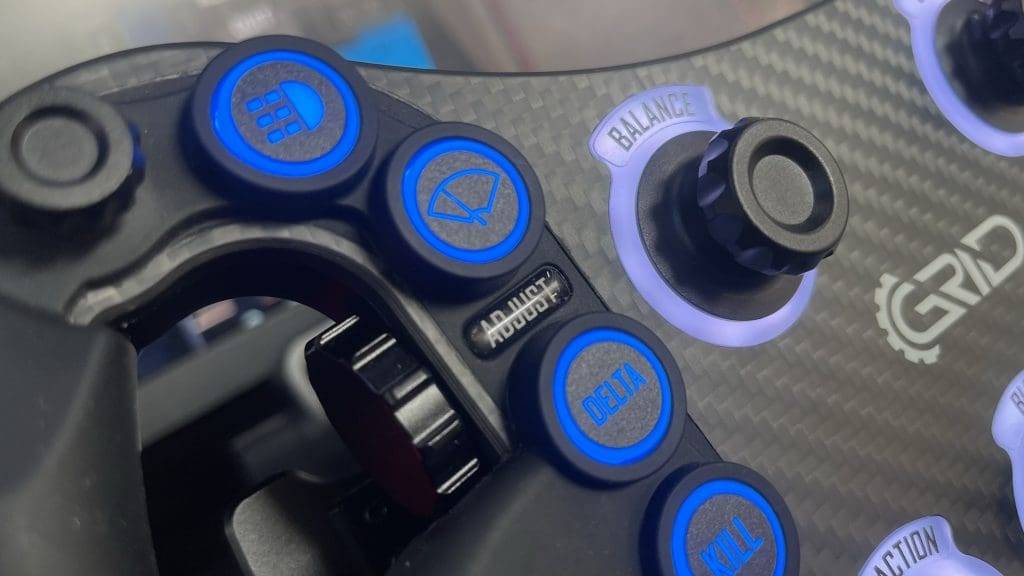
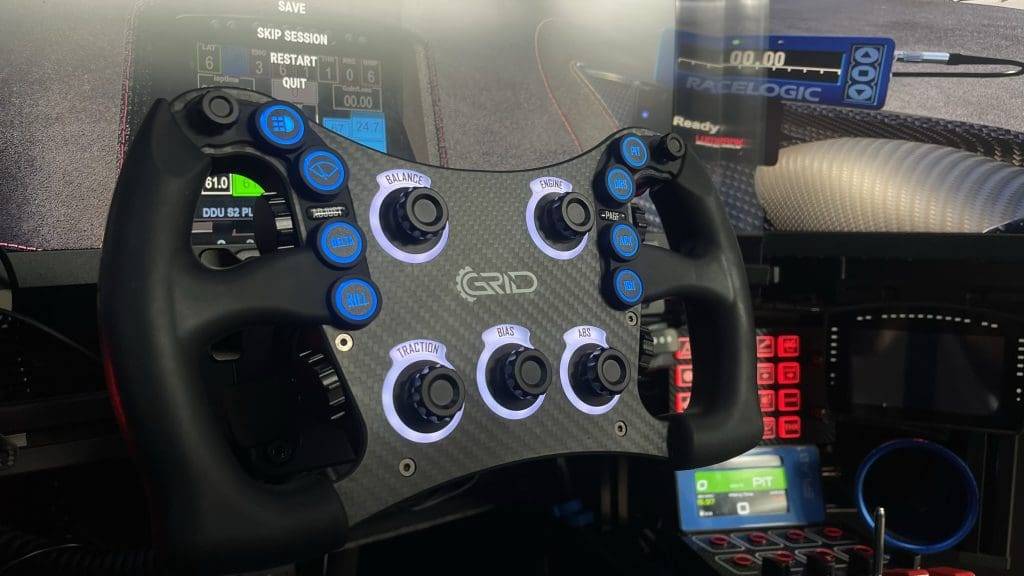
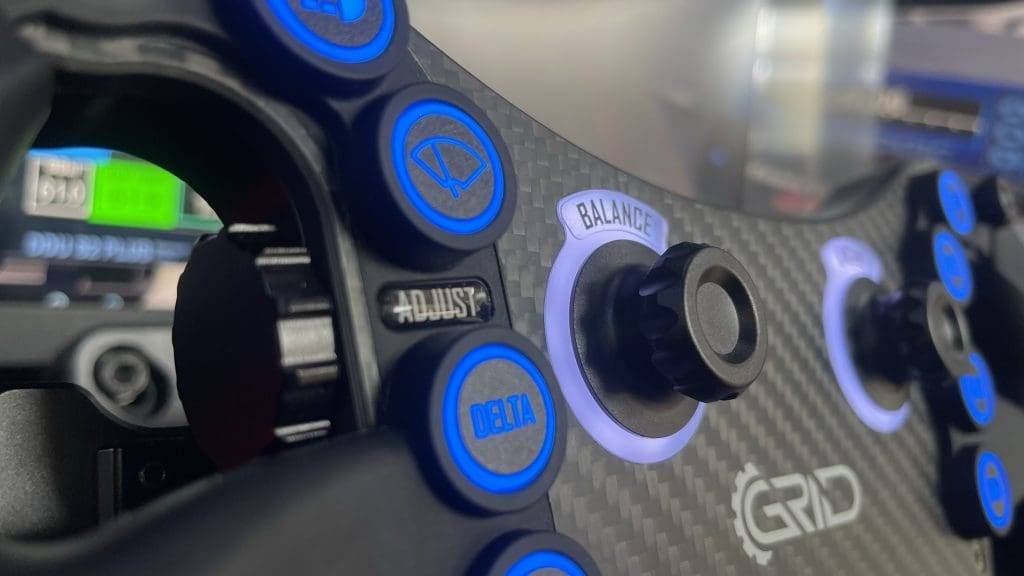
The eight push buttons on the front are nice and big, which I personally like. All push buttons are surrounded by rubber button guards. On the one hand, this feels nice, but on the other, it feels a bit cheap and I don't quite understand this design choice. I am not yet sure whether I am in favour of this choice. Disturbing it is not at all, but I personally would have preferred these to be made of a different material. As far as I am concerned, this would give the steering wheel a more luxurious and premium look.
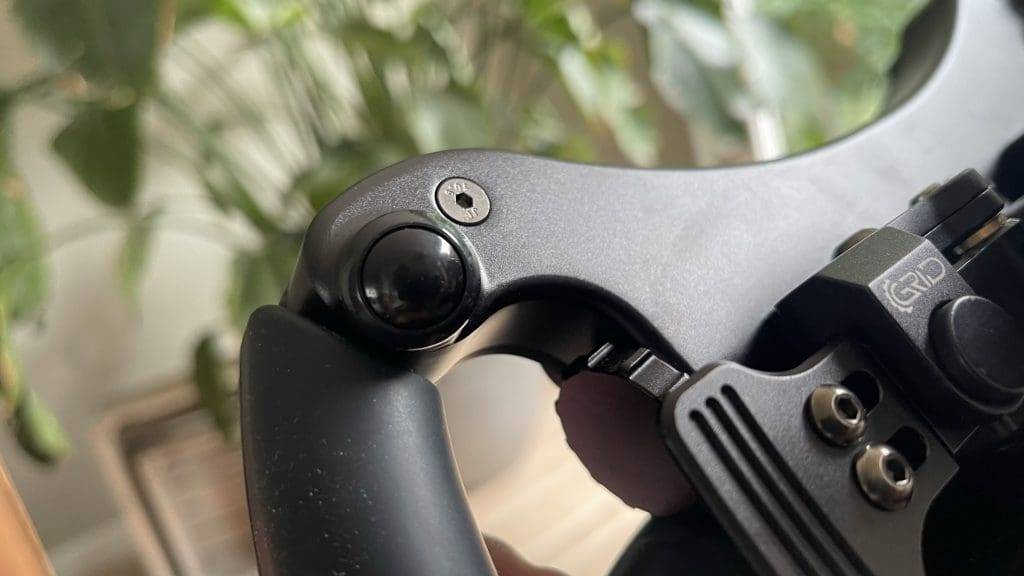
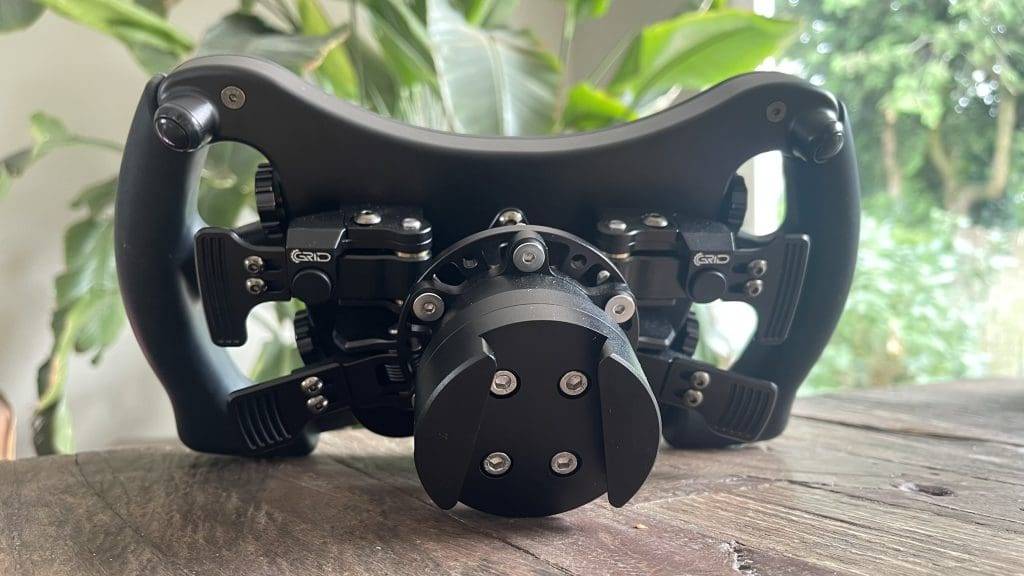
On the back of the MPX V2 you will find two Otto P9 buttons that feel solid and respond quickly, which is essential during intense racing. I find these two Otto P9 buttons on the back a hugely valuable addition to this wheel. It's a functionality I unfortunately miss on many steering wheels anyway, like the Hyper P1 for example. The Pokornyi Engineering HYP-R also has these two buttons, but significantly smaller. On the MPX V2, they are quite large buttons that are also positioned at a slight angle, making them easy to use. So for me, this is a definite plus point!
Visual Spectacle
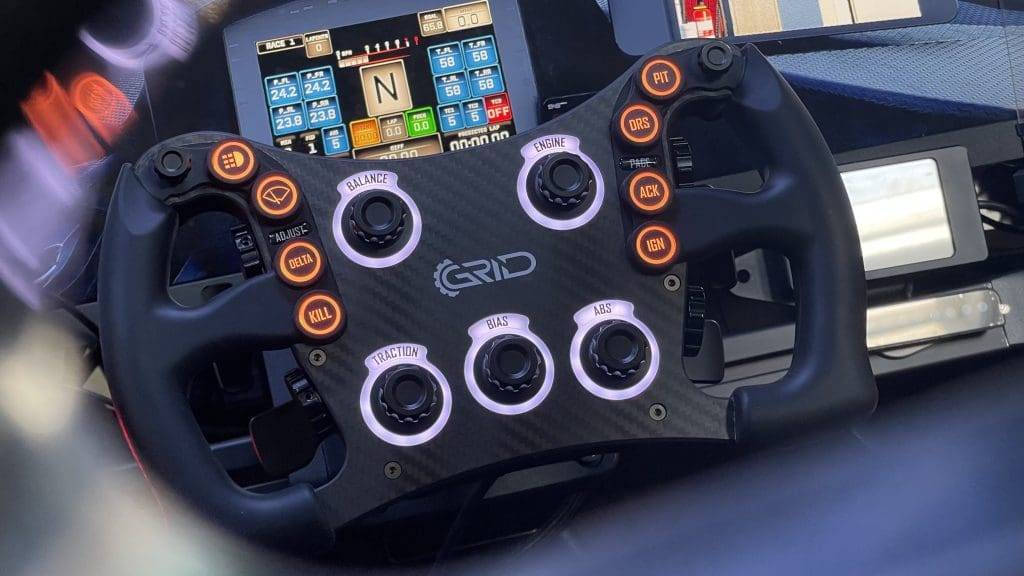
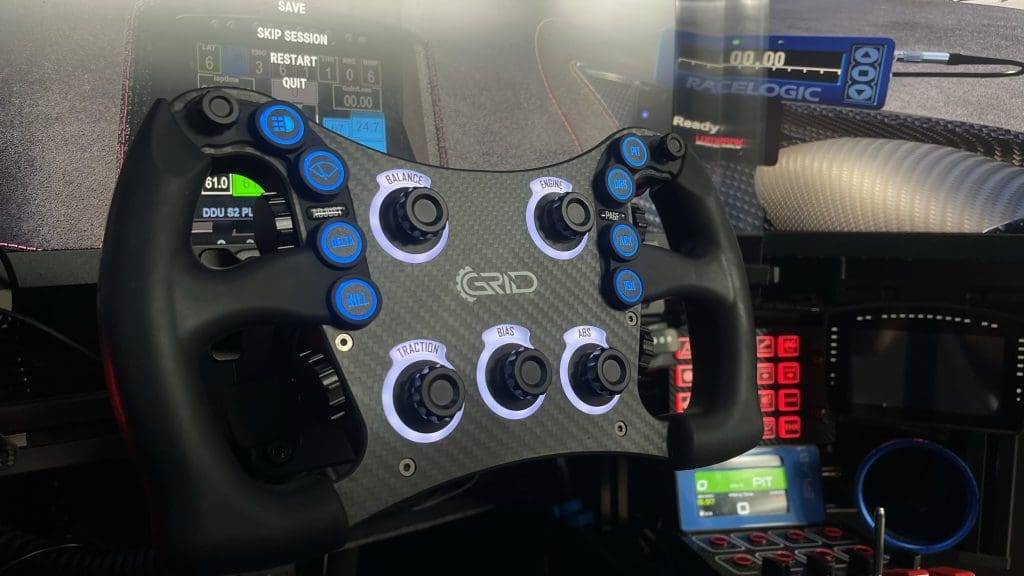
The GRID MPX V2 is a colourful and eye-catching steering wheel, making it a real eye-catcher in any cockpit. All LEDs have wonderful brightness and give the MPX V2 a warm and unique look. The 87 RGB LEDs can be adjusted individually and are telemetry-controllable. This means you can assign individual LEDs to flag situations , spotters on the track and more. A nice addition, but personally I don't like all those flashing features as this is not in a real race car either. For me, it can just be nice and normal 😉
Race Director Software
You can use the GRID MPX V2 with both SimHub and GRID and Sim-Lab's own software: Race Director. This software is intuitive and user-friendly. My experience with this software is positive, as I have used it before with the Sim-Lab XB1 Handbrake, have used.
GRID and Sim-Lab's Race Director software is a powerful tool designed specifically to enhance the functionality of sim racing hardware from GRID and Sim-Lab products. The software has a user-friendly interface, allowing even users without extensive technical knowledge to easily adjust and optimise settings. The dashboard provides an overview of all important functions and settings, allowing users to quickly configure their setup or update it with the latest firmware.
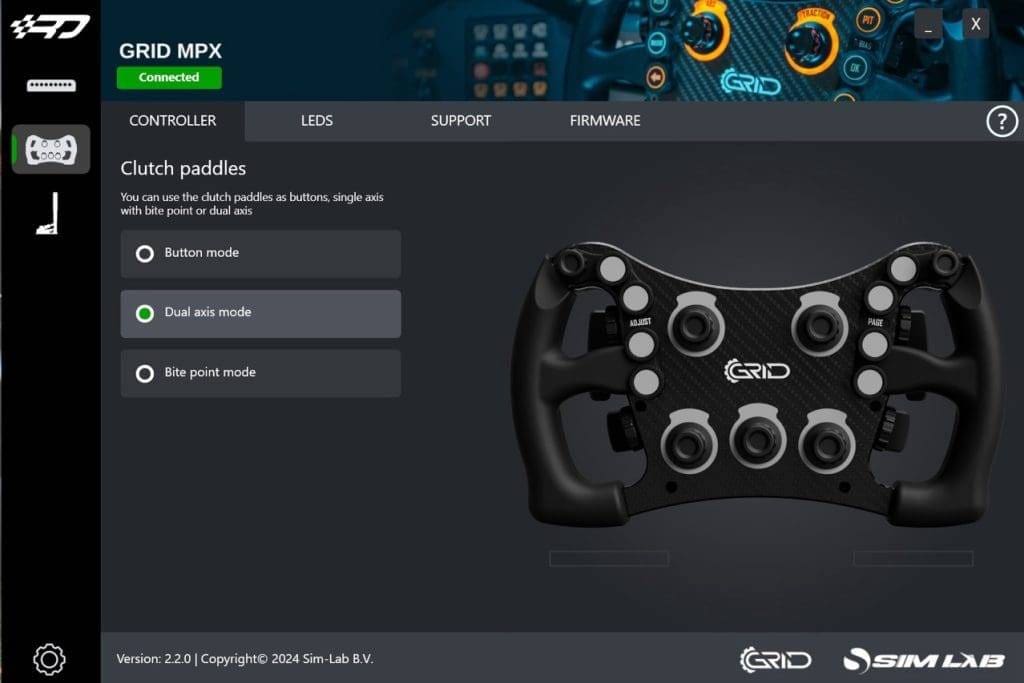
GRID and Sim-Lab provide regular updates to the Race Director software to keep it up-to-date with the latest features and compatibility with various sim racing platforms. They also provide comprehensive support, including detailed manuals and responsive customer service, ensuring users always get the help they need.
One of the main functions of the software is the adjustment of the 87 RGB LEDs on the steering wheel. These LEDs can be individually adjusted to display different colours and effects, such as rotating, fading or flashing patterns. These customisation options are not only aesthetically pleasing, but also offer practical benefits by providing visual feedback for specific telemetry data such as flags and pit-limiter warnings.
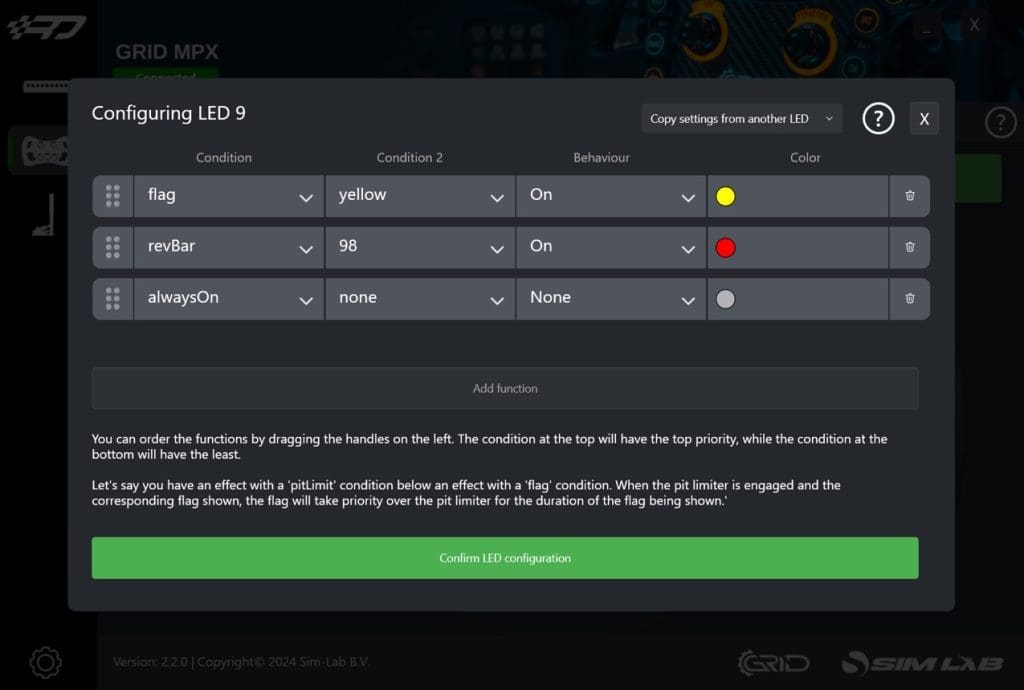
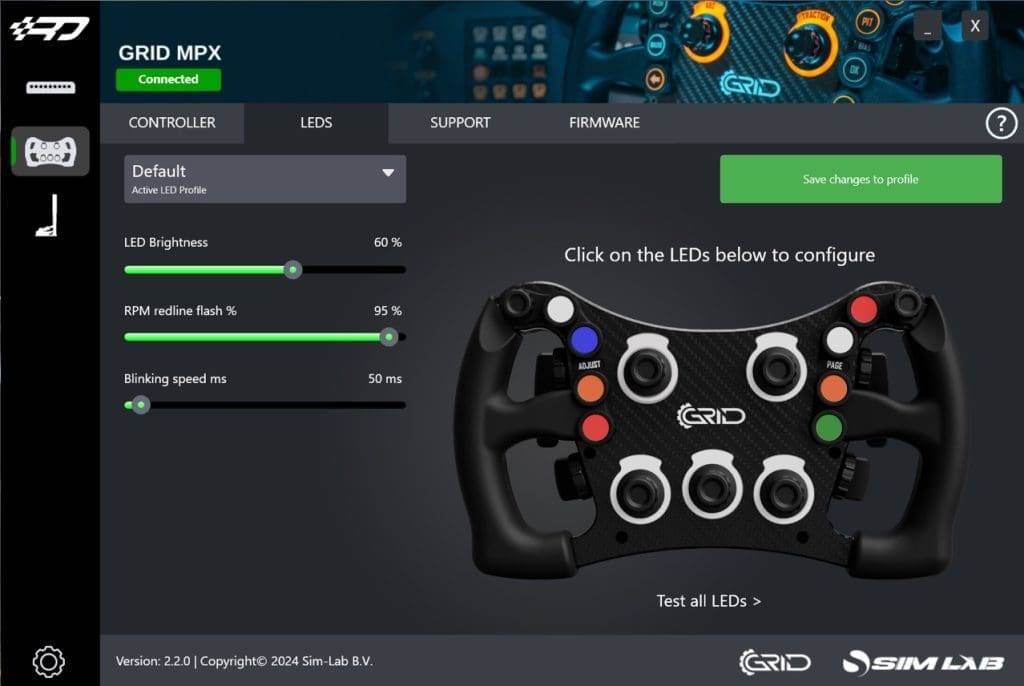
Adjusting individual LEDs is easy and quick, unfortunately I did not manage to import or adjust the new gradient LED profiles via Race Director. Too bad! In that respect, the software is too limited and offers little depth. Whether that's a bad thing? No, not really. Because fortunately, you can also fully configure and personalise the MPX V2 in SimHub. And that is and remains the place-to-be after all.
Compatibility with SimHub
In the latest version of SimHub, it is easy to add the MPX steering wheel with just a few clicks. You can choose a simple or advanced installation. After adding the steering wheel in SimHub, everything works almost immediately. To use the LEDs and customise them if necessary, there are a number of default LED profiles available in SimHub. Unfortunately, you cannot load multiple profiles, and are bound to a maximum of 5 profiles.
GRID also has a custom (gradient) LED profile available on the MPX steering wheel product page which is suitable for popular racing games, such as Assetto Corsa Competizione and iRacing. These new gradient profiles are fantastic and, as mentioned earlier, provide a true visual spectacle. Unfortunately, I find adjusting these profiles very cumbersome. Too bad!
User experience
I have been using the GRID MPX V2 extensively for several weeks now. And to get straight to the point; this steering wheel is fantastic on every level! The MPX V2 is by far my favourite screenless steering wheel. You notice the attention to every detail. The finish is sublime, as is the build quality and ergonomics of the steering wheel. While my preference is for thicker grips, I must add that the 295mm steering wheel is very comfortable in the hand and the grips are comfortable and offer a surprising amount of grip.
I really like the build quality and the beautiful design. The GRID MPX V2 is a high-quality and premium steering wheel, using only the best materials. So are there any drawbacks to this steering wheel? Actually no. Or yes, maybe two very small ones that I really had to look for. For instance, at first I found the seam on the grips very annoying. Fortunately, it wears off over time, but for a steering wheel in this price range, I find this a bit sloppy and should definitely be avoided. Another downside to the GRID MPX V2 are the rubber button guards. I think these look less attractive - and cheap. Too bad! I would have preferred an aluminium protection given the premium look of this steering wheel.
A positive feature of this steering wheel is its relatively large buttons and encoders, making all buttons and functionalities easily accessible. I love the two Otto P9 buttons, as well as the four push-in encoders on the left and right inner side of the steering wheel. In terms of functionalities and amount of buttons and encoders, the GRID MPX V2 is perfectly balanced. The wheel exudes robustness, quality and comfort. Because it fits so comfortably in the hand, the wheel instantly gives you (self) confidence to go fast on the virtual track. Whereas the GSI Hyper P1, as an example, has an overkill of features, the MPX V2 exudes calmness and suppleness on every level.
The included stickers are also of good quality and easy to apply. The MPX V2 is a real feast for the eyes, partly because of the large number of LEDs that you can customise completely to your liking. The lighting is bright and produces beautiful and warm colours. I love playing with the lighting to give the wheel a unique look and feel. Every race with this wheel puts a big smile on my face!

The pros and cons
It is time to take stock and list the pros and cons after several weeks of intensively putting the GRID MPX V2 through its paces.
Pros
- Premium build quality
Power Injection Box
Large (quantity) Push buttons
Ergonomic design
Visual spectacle & customisable
Otto P9 Buttons
Cons
- An annoying seam on the handles
Rubber Button guards
Conclusion
My first experience with GRID Engineering has been extremely positive and well liked and I can't wait to test more products from GRID in the future. So after weeks of using the wheel intensively, I decided to buy this reviewen wheel and add it to my collection. It is an incredibly well-designed product and a great addition to my setup.
The GRID MPX V2 is an excellent choice for serious sim racers looking for precision, customisability, quality and durability. The combination of high-quality build materials, extensive configuration options and exceptional performance makes this steering wheel a worthwhile investment. With a score of 4,7 the GRID MPX V2 scores hugely in several areas. Whether you are a seasoned esports professional or just an enthusiastic beginner, the GRID MPX V2 steering wheel offers everything you need, making it a good and well-considered choice.
Of the now large number of sim racing wheels I have tested, the MPX stands out head and shoulders above the competition and I can only conclude that the GRID MPX V2 is one of the best sim racing wheels without an integrated display. The design is simplistic and therefore timeless, making this wheel a good and durable choice that you will enjoy for years to come.
GRID MPX V2 Review
“The Perfect Steering Wheel”
The GRID MPX V2 is a top choice. With its premium build quality, fantastic ergonomics and extensive functionality, the MPX V2 offers everything you need for an exceptional racing experience. This steering wheel combines precision, durability and customisability in a way that makes every race a pleasure. Whether you are a seasoned pro or an enthusiastic beginner, the GRID MPX V2 is the perfect (screenless) steering wheel.
Have any thoughts?
Share your reaction or leave a quick response — we’d love to hear what you think!
-
 0
0
-
0
-
0
-
0
-
0
-
0


 Nederlands
  Deutsch
  English (UK)
  Français